Keep your cameras. Drop the Windows server.

Compare the workspace, the hardware at each site and who keeps it up to date.

HikCentral: installed Windows client and server

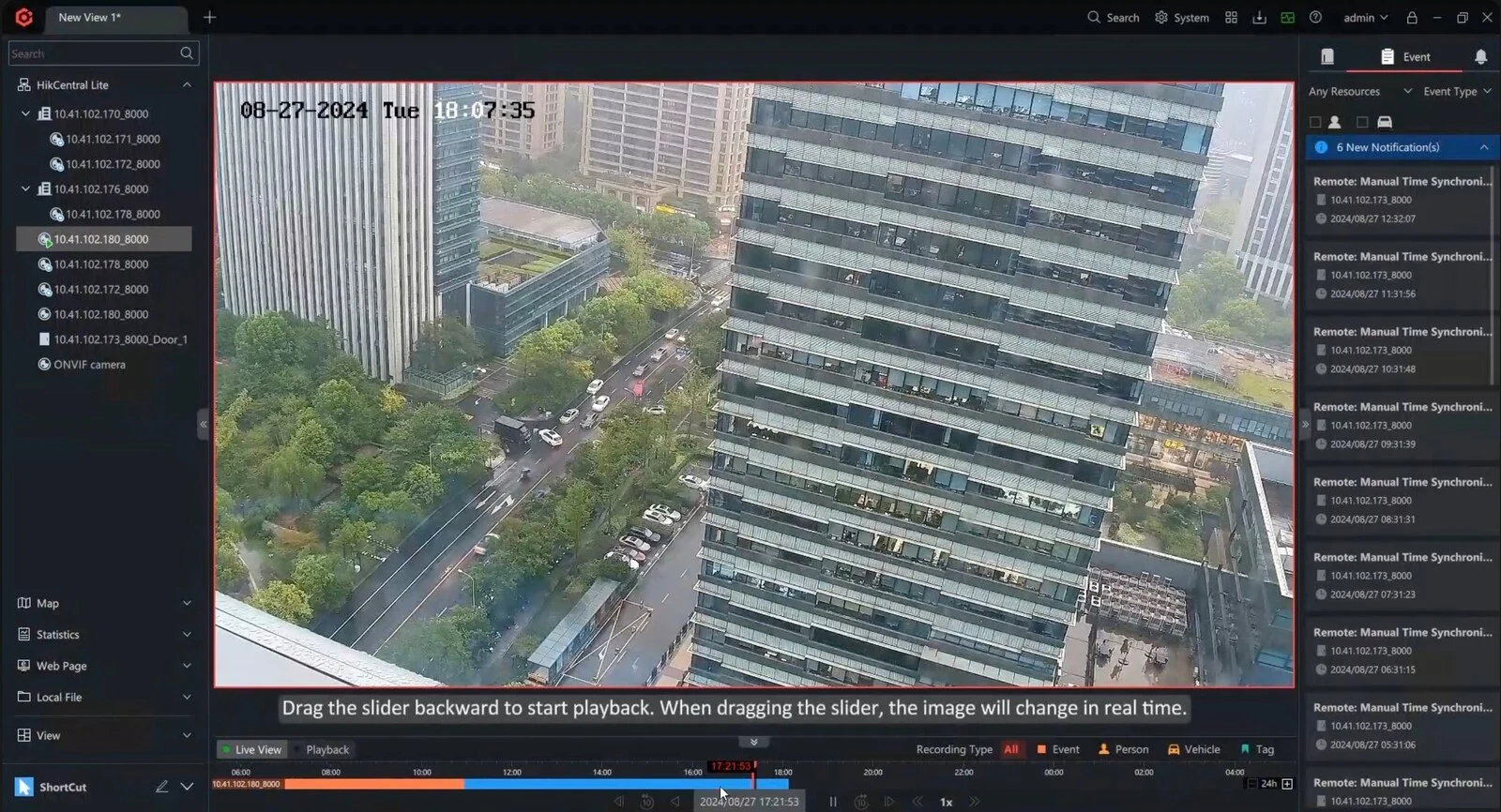
HikCentral Control Client on Windows, showing one camera with the playback timeline and event panel.
Your team or provider installs HikCentral on Windows servers, then maintains the operating system, database, licences and every upgrade.

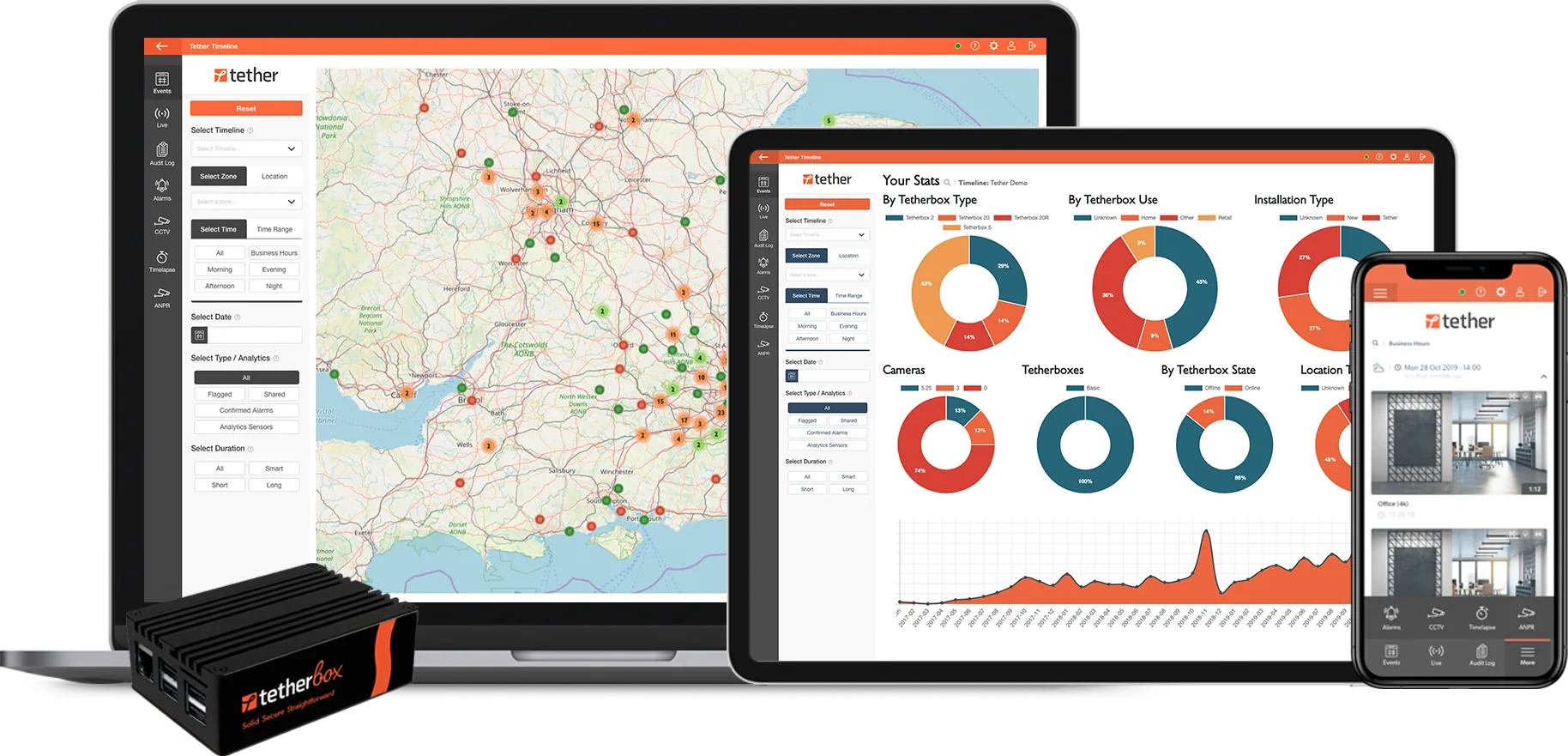
TetherX: your hardware, your choice

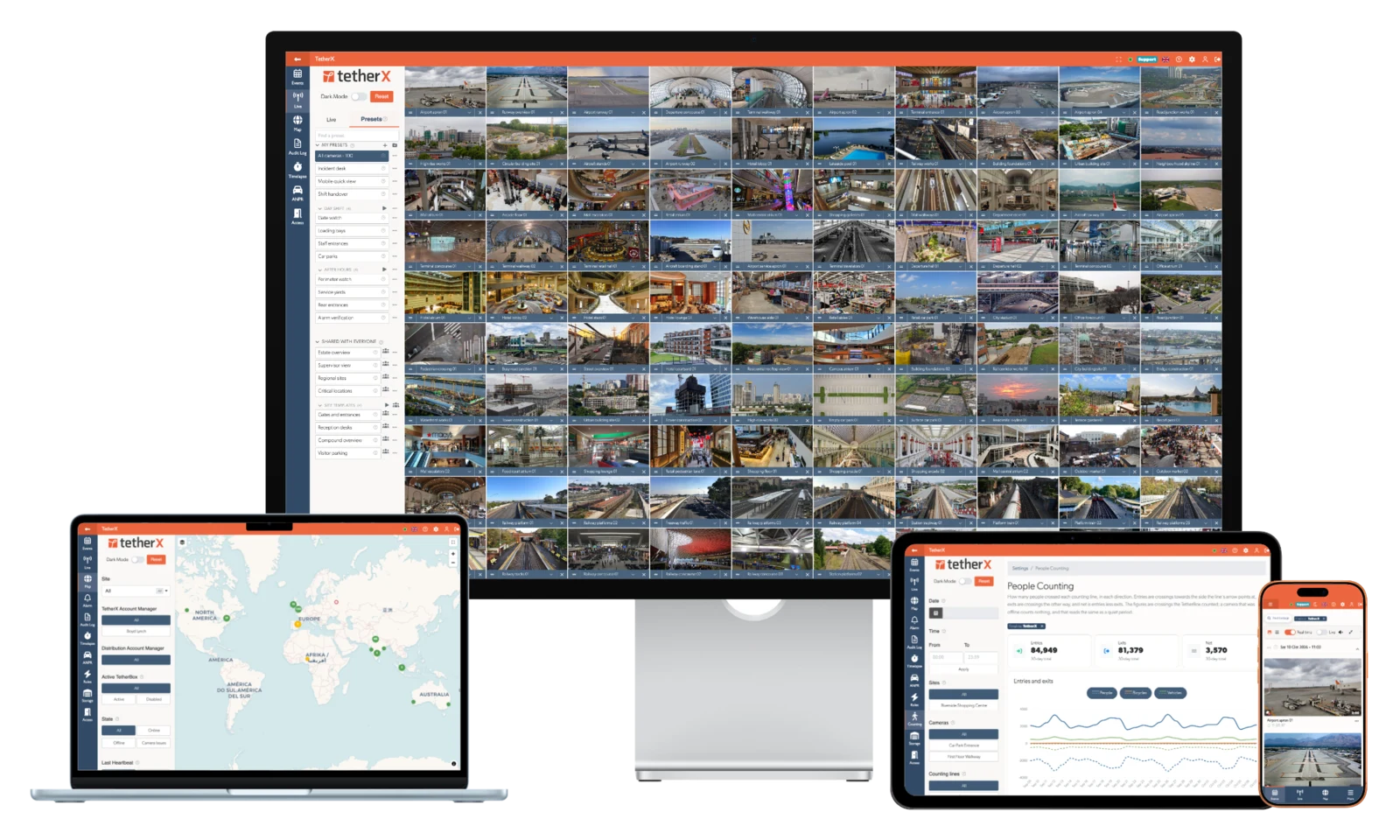
TetherX on desktop, laptop, tablet and phone
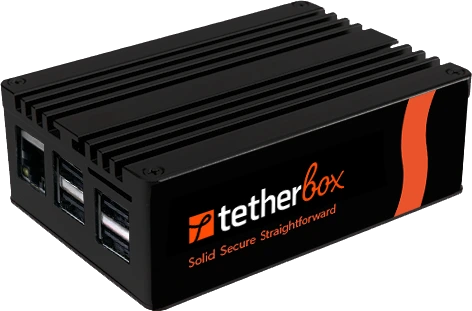
TetherBox Bridge on a PC or server you already run, or a dedicated Linux appliance.

Book a live demonstration

WHERE HIKCENTRAL COSTS YOU

A Windows system with a licence for each extra.

Named in US procurement law and on the FCC Covered List

Hikvision is named in US NDAA Section 889 and on the FCC Covered List, and Australia’s Defence removed Hikvision and Dahua devices from its estate in 2023. TetherX keeps the cameras you already own isolated behind the TetherBox, so you replace them only where the rules require it, on your own budget cycle.

Paid upgrades and support from year four

From year four, keeping HikCentral current and supported is a paid maintenance contract on top of the licences you already own, and every upgrade is still your team’s job on each server and operator PC. TetherX has no maintenance contract to renew.

A graphics PC for every operator

Every operator seat is a Windows PC with a dedicated graphics card to buy, install and upgrade, and the control room grows one PC at a time. TetherX operators work in a modern browser on any computer.

Every extra is another licence

ANPR and facial recognition are licensed per camera, access control per door, remote-site management per site and video walls through Smart Wall. TetherX’s annual channel-based subscription includes multi-site management, alarms, access and TetherBox AI.

A VPN or open ports at every remote site

Each remote site needs a VPN tunnel or firewall rules for the server’s ports, which your network team sets up and keeps current. A TetherBox connects outwards, with no port forwarding.

AT A GLANCE

HikCentral Professional and TetherX, question by question

The 10 questions an integrator asks on a site walk, answered for both platforms.

Question HikCentral Professional TetherX
How do I run my sites day to day? Operators work in the installed Windows Control Client, which needs a GTX 970-class graphics card and cannot run in a virtual machine. The Web Client configures the system and offers basic live view and playback. Open supported video, alarms, access and site health across sites in a modern browser. TetherX is cloud-managed, with native iOS/Android apps when mobile. Core daily operation needs no installed desktop VMS client.
Do I need a recorder on site? NVRs or a pStor recording server record at each site and report to HikCentral servers on Windows that your team hosts, backs up and upgrades. TetherX provides recording, viewing, search and monitoring through one system and one app. TetherBox records locally, with optional TetherX cloud recording, so no existing recorder or third-party cloud video service is required. It can also work alongside either where needed.
Which devices you can connect Hikvision’s own cameras, access and alarm devices integrate natively. Other manufacturers’ cameras need a dearer third-party licence. 1,000+ integrations across 17,000+ device models, plus ONVIF and RTSP sources. Check model-specific recording, analytics and control support.
What your operators see on one timeline Video, access control and alarms are all available, each as a separate licence. Video, access control, intruder and automation. One operator, one timeline, one dashboard across all four.
Who monitors your alarms Operators handle alarms in the installed Windows Control Client. The monitoring-station gateway and cloud monitoring modules are separate licences. A control room is built in: operators act on each event in full context, while site users get critical alerts that sound through silent mode and pass on instructions. Choose professional monitoring through a TetherX control room, run your own, or keep an existing provider; Patriot-based centres such as IMS connect directly.
What you can still do when the internet drops Recording continues on the NVR at site. A central-server outage takes away the estate view rather than the footage; V3 clusters add hot standby. Keeps recording and keeps working. Recording, doors and alarms run on the TetherBox on the local network, and the console picks up where it left off when the link returns.
What gets sent over my internet connection? Hikvision recommends a VPN for remote access, or opening only the required router ports to the server. Operators’ video then flows from each site to the server and its clients. Thumbnails, metadata and events, plus the clips an operator opens. Any camera your integrator sets to record to the cloud uploads on top of that; the rest record to the TetherBox alone, so a thin line still records every camera.
Where the AI runs AcuSeek search is a paid licence per camera, and each query goes to Hikvision’s AI models on AWS. Included TetherBox AI runs on the edge, and supported camera and third-party analytics feed the same timeline. Native video, appearance/PPE and counting run on compatible NVIDIA GPU/Jetson or Hailo compute, including Raspberry Pi AI HAT; audio runs locally on the CPU. Each module needs supported models, configuration and a capacity check. Additional modules and retention can cost extra. Optional paid Calipsa cloud verification is also available, and natural language footage search interprets requests in the cloud.
What you actually pay for A base licence and a licence for each camera, then a licence for each extra. Upgrades and technical support are free for 36 months, then need paid maintenance. An annual platform subscription by channel count, from £100/site/year. TetherBox AI is included; additional modules and retention can cost extra. Cloud recording is optional; specialist analytics and professional monitoring are quoted separately.
What you keep if you stop paying The perpetual licences keep running on the version you have, on the servers you still maintain. The TetherBox keeps a local interface for live view and recent footage with no internet and no subscription, so the site is never dark.

The HikCentral Professional column is built from 38 public sources, listed at the foot of this page.

THE HIKCENTRAL FAMILY

"HikCentral" covers three products. Check which one is on the quote.

These are the deployment products, not the add-on modules priced in the licence table. Except for Connect, "Central" means a Windows server or cluster your team runs, which every site points at. The product on the quote sets the running cost.

HikCentral Professional (HCP)

Installed flagship VMS

Client-server software on Windows Server 2016 to 2025 or Windows 10 and 11, with per-channel perpetual licences and separately licensed modules. V3.0 (April 2025) added clustering with hot standby, and V3.1 followed in 2026.

HikCentral Master / Master Lite

Large-estate console

Central management above several HikCentral Professional servers for very large estates, on the same Windows-server operating model multiplied by the number of servers.

HikCentral Connect

Cloud service

Hikvision's cloud service, sold separately from HikCentral Professional with monthly, yearly or lifetime licences. The cameras behind it are the same Hikvision devices, so the same public-sector rules apply.

HIKCENTRAL vs TETHERX

An installed Windows VMS, or a maintained cloud platform.

HikCentral Professional is installed software that your team hosts, licenses line by line and upgrades. TetherX is a maintained cloud platform, with the site software patched for you.

HikCentral Pro

Strengths

Optional modules cover mustering, time and attendance, visitor badges, parking billing and retail store reports.

A mature installed system with clustering and hot standby.

Deep integration with Hikvision’s own cameras, access and alarm devices.

Trade-offs

Your team installs each security fix: two advisories since 2025 covered flaws that could let an unauthenticated user obtain admin permission.

Exporting video from the Web Client needs Hikvision’s browser plug-in installed.

TetherX

Strengths

Get scheduled reports on recording gaps and device faults across your sites.

Review long periods of recording quickly with interactive timelapse.

The permanent audit log shows who viewed footage, exported it or changed the system.

We train your own security or facilities team free of charge.

Trade-offs

TetherX’s cloud platform is not designed for fully air-gapped sites.

MORE THAN A VMS

Run your control room. Or connect the ARC you already use.

TetherX supplies operator queues, verification, escalation, recorded outcomes and performance reporting within its cloud platform. Work the alarms in TetherX, or forward them into a supported monitoring platform.

First-party TetherX integration connects to Intelligent Monitoring Solutions (IMS) through Patriot, with alarm images and confirmed alarm delivery. IMS lists 800+ bureaus and two A1/R1A centres. Explore TetherX control-room workflows · IMS provider information

Other security platforms also provide operator alarm handling and monitoring integrations. Compare the supplied workflow, equipment support, licence and monitoring contract for your proposal.

AI and recording terms: TetherBox AI is included in the platform subscription. Additional modules and data retention may cost extra. Cloud recording is optional; specialist services and professional monitoring are separately scoped. See current AI coverage.

LICENCE STACK - US RESELLER PRICES

HikCentral licenses each extra separately. TetherX includes multi-site, alarms, access and AI.

HikCentral Professional is a base licence plus a separate licence for most extras: per camera, per door, per server and per site, with paid maintenance after three years. Prices are US reseller prices in US dollars unless marked A$; where no public price exists, the row names the licence without one.

Capability HikCentral licence TetherX
Core: required for any deployment
Core platform, per server VSS Base: $150 Included
Each Hikvision camera VSS-1Ch: $98 / camera Included in the channel-based subscription
Each camera from another manufacturer VSS-1Ch/3rdParty: $154 / camera Any supported brand, same subscription
Upgrades and technical support after year three Free for 36 months, then paid maintenance (price on quote) Included, no maintenance contract
Servers: you host, size, patch and upgrade them
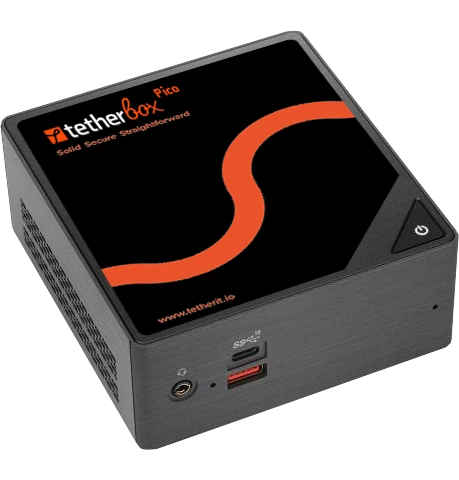
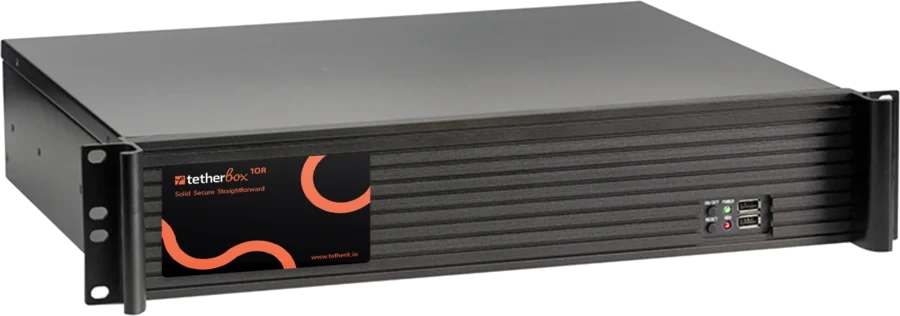
VMS server A Windows server you supply, or a Hikvision workstation TetherBox Bridge on hardware you choose, or a TetherBox unit
Cluster sub-server Cluster-1SubServer: $10,743 Not needed: the platform runs in TetherX Cloud
Federate several servers RSM-Base/2Site + RSM-1Site: separate licences Every site in one workspace
Operating system A Windows licence per server, customer-supplied No VMS server to license
Per operator seat
Operator workstation A Windows PC with a GTX 970-class graphics card Any modern browser, tablet or phone
Control Client software Installed and upgraded on every seat Nothing to install
Screen wall from an operator PC Smart Wall (Graphic Card) licence, up to four screens Any display, no wall licence
Recording and remote access
Central recording pStor Video Storage: $59 / channel TetherBox records locally; cloud recording optional per camera
Remote access WAN port mapping or a VPN, per Hikvision's hardening guide Outbound connection, no port forwarding
Hikvision cloud access (separate product) Hik-Connect Team: A$67 / channel / year incl. GST Browser and mobile access included
Hikvision cloud recording (separate product) From A$18 / channel / month incl. GST Optional TetherX cloud recording per camera, quoted separately
Analytics: licensed per camera
AI search AcuSeek: $435 / camera, or $2,083 per 4 channels TetherBox AI included, with natural language footage search
Number-plate recognition ANPR-1Ch: $326 / camera Plates from compatible ANPR cameras
Facial recognition FacialReco-1Ch: a licence per camera Coming soon
Thermal reporting Thermal Report: $543 / camera Temperature events from supported cameras
People counting and store reports BI Report: a separate module Directional counting with TetherBox AI
Alarm receiving and central monitoring
Monitoring-station gateway ARC-GW Module: a separate licence Connect your existing ARC
Cloud monitoring service ARC-VSaaS Module: a separate licence Built-in control room
Integrations: each a separate licence
Access control ACS-Base/2Door: $1,085, then $98 / door Included
Video intercom VideoIntercom Module, plus $54 / outdoor station Supported intercoms, by model
Video wall (control room) Smart Wall licences, not in the base Included: any display
Matrix and signage displays DigitalSignage Base + per-channel licences Matrix LED displays with ANPR
Audio talk-down IPspeaker-1Unit: a licence per speaker Any speaker wired to the TetherBox, plus supported IP speakers
Alarm and intrusion inputs Alarm-1Input: a licence per input Included: SIA DC-09 and Contact ID panels
More optional modules Each a separate licence Varies: mustering and attendance are on the roadmap

Worked example: a multi-site estate, five-year cost (US reseller prices, USD)

1,000 cameras across 200 sites (5 per site), half of them from other manufacturers. Two number-plate cameras with AI search and one access-controlled door at every site, plus a control-room video wall for three operators.

Pay on day one: perpetual licences and the servers you buy

  • Camera licences: 500 Hikvision × $98 + 500 other brands × $154 = $126,000
  • AI search (AcuSeek), 2 cameras per site: 400 × $435 = $174,000
  • Number-plate recognition (ANPR), 2 cameras per site: 400 × $326 = $130,400
  • Access control, 1 door per site: ACS-Base/2Door $1,085 + 198 × $98 = $20,489
  • Windows servers and operator graphics PCs (our estimate): about $50,000
  • Control-room video wall: Smart Wall licences, priced on quote and not included here
  • Day-one outlay: about $501,000, of which $450,889 is priced licences

Then keep paying: recurring over five years

  • Windows licences and server maintenance (our estimate): around $5,000 a year × 5 years = $25,000
  • Paid maintenance for upgrades and technical support in years four and five: priced on quote and not included here

Five-year total: about $526,000 before the video wall and paid maintenance, with about $501,000 of it due on day one.

TetherX: an annual channel-based subscription quoted through your installer, with no perpetual licences to buy on day one. Multi-site management, any supported camera brand, alarms, access control, remote and mobile access, TetherBox AI, plates from compatible ANPR cameras, the control-room video wall and updates are included, and TetherBox Bridge runs on hardware you choose at each site.

Optional cloud recording, specialist analytics, professional monitoring, additional AI modules and longer retention are quoted separately.

HikCentral prices are networkcamerastore.com regular prices in US dollars, read 19 October 2026. Server, workstation and Windows lines are our estimates. Illustrative: project pricing varies.

Pricing figures, ownership, acquisition dates and product behaviour cited on this page are point-in-time and drawn from public sources - see the disclaimer at the bottom of this page for sourcing, "as of" date, and how to flag corrections.

KEEP THE CAMERAS, RETIRE THE SERVER

Keep the cameras on day one. Replace them only where the rules require it.

Your installer moves the management to TetherX while the site keeps the cameras it already paid for.

01

Ringfence the cameras behind a TetherBox

Connect the existing Hikvision cameras to a TetherBox at each site. They stay isolated on the site network, and only the TetherBox connects outwards. No re-cabling, no re-mounting.

02

Retire the HikCentral server

Once the cameras are live in TetherX, the Windows server, its database backups, licence codes and Control Client upgrades are no longer needed.

03

Replace cameras only where required

Where public-sector rules, end of life or a warranty call for new cameras, replace them over 12 to 36 months, one site at a time, on the same platform.

Planning a control room without Smart Wall licences?

Video walls are included: add screens from any browser, with no wall licence. Combine live cameras, maps and incident queues across browser windows and displays, with shared presets and API preset switching.

WHICH ONE FITS

Pick the one your site points at

Find the column that describes the job in front of you.

Choose HikCentral Professional if

  • Your policy requires fully on-premise management and permits Hikvision equipment in the design
  • You prefer a traditional Windows app, with servers and operator PCs your team maintains, and paid maintenance after three years
  • You need a specialist module such as mustering, time and attendance or visitor badges today

Choose TetherX if

  • You want to keep the Hikvision cameras already installed, ringfenced behind the TetherBox
  • You want a modern cloud VMS with a beautiful, intuitive interface, with software patched automatically
  • You want cameras, alarms and access on one timeline, with TetherBox AI included
  • Your operators should work from a browser on any computer, with no graphics PC per seat
FAQ

Questions before you choose

Yes. TetherX integrates Hikvision cameras natively, alongside 1,000+ integrations plus ONVIF and RTSP devices. The cameras stay on the site network behind the TetherBox, isolated from outside it: only the TetherBox connects outwards, and a network-configuration audit can confirm that every camera is reachable only through it.

Where public-sector rules, end of life or a warranty call for new cameras, replace them over 12 to 36 months, one site at a time, on the same platform. See the compliance and ringfencing page.

United States: Section 889 of the NDAA for 2019 names Hangzhou Hikvision Digital Technology for public safety, government facilities, critical infrastructure and national security purposes. It barred federal agencies from buying such equipment from August 2019, and from contracting with organisations that use it from August 2020; FAR 52.204-25 carries it into federal contracts. The FCC added Hikvision to its Covered List on 12 March 2021 for the same purposes, and since November 2022 has refused new equipment authorisations, so new models cannot be authorised for import or sale. Installed units can still be used.

Australia: Defence removed Hikvision and Dahua devices from the Defence estate in 2023. Its full audit found 435 devices from manufacturers of concern, with removal due by 30 June 2023.

United Kingdom: in November 2022 the government told departments to stop deploying surveillance equipment on sensitive sites where it is made by companies subject to China’s National Intelligence Law. The statement names no company.

Canada: the government ordered Hikvision Canada to wind up in June 2025. That review did not extend to existing Hikvision products owned and operated by Canadians, and Hikvision says it resumed operations while it challenges the order in court.

India: every vendor’s IP CCTV cameras need certification against security requirements from April 2025. The rule names no brand.

Check which rules apply to each of your sites before you design.

Upgrades and technical support stop until you buy maintenance. Hikvision’s lifecycle announcement says both are free for 36 months from activation, after which “you need to purchase maintenance services to continue to enjoy upgrades and technical support services”. Systems bought before April 2021 had 24 months. HikCentral V3.1 calls the plan the Software Service Program, with an expiry date, and Hikvision tests upgrades across about five main versions, roughly 36 months.

TetherX has no software-maintenance contract to renew.

HikCentral’s perpetual licences keep running if maintenance lapses, so confirm the maintenance terms in your quote.

Your team or installer does. Hikvision has published two advisories since 2025 for flaws that “could allow an unauthenticated user to obtain the admin permission”: HSRC-202508-01 (CVE-2025-39247, V2.3.1 to V2.6.2 and V3.0.0, fixed in V2.6.3 or V3.0.1) and HSRC-202605-01 (CVE-2026-1749, V2.4.0 to V3.0.1, resolved in V3.1.0).

Each upgrade follows Hikvision’s process: back up the database and licence codes, run the installer on each server, then upgrade every Control Client, which may otherwise fail to log in. Hikvision’s lifecycle page dates each version from 2.0 in December 2020 to 3.1 in August 2026, 5 to 16 months apart, with fix packs in between; the last two came 11 and 16 months apart. V3.1 can notify you of new patches through Hik-Partner Pro.

TetherX cloud-platform updates are automatic, and TetherBox software receives automatic over-the-air upgrades through scoped rollouts. Hikvision’s UK upgrade guide dates from March 2021, so check the current procedure for your version.

Hikvision recommends a VPN. Its V3.1 Hardening Guide advises VPN tunnelling when the HikCentral server sits behind NAT and, where that is not possible, a router with a firewall and only the required ports open to the server. WAN access needs a static IP address or domain name and ports, which the Web Client exports as a spreadsheet for your network staff. In WAN mode, Control Client and smart wall video passes through the Streaming Gateway, and Hikvision’s FAQ says requests above 200 simultaneous channels fail.

A TetherBox connects outwards to TetherX Cloud, so you view your sites remotely without port forwarding or a static IP address.

Not the Control Client, where operators handle live view, playback, alarms, the screen wall and AcuSeek search. It is a Windows app: Hikvision’s V3.1 documentation recommends an NVIDIA GeForce GTX 970 or higher graphics card and says “The Control Client cannot run on the virtual machine.” Mac users get the Mac WebControl browser plug-in instead.

The Web Client needs no install to log in and configure the system, and handles live view, PTZ and playback. Exporting recordings from it needs Hikvision’s video plug-in installed.

TetherX runs in any modern browser, including Safari on a Mac, with native iOS and Android apps, so an operator seat needs no graphics PC.

Through a base licence per server plus an expansion licence for each addition, priced line by line in the licence table on this page. Only one base licence per module can run on a server, and activating a module’s licence removes that module’s free functions. V3.1 added two more paid licences, for optical fibre sensing and traffic incident monitoring. Health monitoring is part of the base licence.

The licence is bound to the server hardware: Hikvision warns that migrating a virtual machine makes licence verification fail.

With TetherX, optional cloud recording, specialist analytics and professional monitoring are quoted separately, with no maintenance contract on top. Our VSaaS vs on-premise cost breakdown sets out the five-year comparison.

A paid licence for each camera and a connection to Hikvision’s cloud. Hikvision’s V3.1 Hardening Guide says AcuSeek “relies on Large Language Models, supported by AI models deployed on AWS”: HikCentral sends each natural-language query and the country or region over encrypted HTTPS, and a search fails without connectivity. AcuSeek arrived in HikCentral Professional in September 2025, runs from the Control Client and is enabled per camera.

TetherX AI includes TetherBox AI in the platform licence: person, vehicle and animal detection, 63-class audio analytics, natural language footage search, directional counting and Support-configured region rules. Detection runs on the TetherBox; natural language footage search also uses the cloud, to turn a description into filters you review before searching.

A Smart Wall licence. A wall driven from an operator PC’s graphics card needs the Smart Wall (Graphic Card) licence and supports up to four screens per Control Client. Larger walls run through decoders and video-wall controllers, with Smart Wall licences per module or per decoding output. The wall is configured in the Web Client, and its linked alarms are viewed in the Control Client.

Video walls are included in TetherX: add screens from any browser, with no wall licence.

No. HikCentral Connect and Hik-Connect Team are Hikvision’s cloud services, sold separately from HikCentral Professional. Hikvision’s HikCentral Connect page now serves its Hik-Connect cloud, with monthly, yearly or lifetime licences and devices added “with no need for servers or VPN infrastructure”. Hik-Connect Team access is licensed per channel per year, and cloud event recording is a separate per-channel subscription; the licence table lists Australian prices.

The cameras behind it are the same Hikvision devices, so the same public-sector rules apply. With TetherX they stay ringfenced behind the TetherBox.

TetherBox Bridge at each site. Run TetherBox Bridge on a suitable PC or server alongside your existing applications, or as a dedicated Linux appliance. TetherX Cloud automatically patches and updates the Bridge software across your sites.

It records locally, keeps recording through an outage and sends to TetherX cloud recording only the cameras you choose. The central Windows server, its database backups and its Control Client upgrades are no longer needed.

These dated accounts describe specific installations:

  • A HikCentral server in a virtual machine started refusing every login with a licence error that reboots did not clear. The licence was bound to the server hardware, so fixing it took support or the original activation code. HikCentral 1.5, Reddit r/Hikvision, UK, November 2024
  • A Sydney distributor pricing a 500-camera apartment system was offered a discontinued HikCentral server plus extra licences, and asked for one that “won’t be outrageously expensive”. HikCentral Professional, IPCamTalk, Sydney, April 2025
  • An in-house IT lead with about 260 cameras built a trial server, and management turned down the cost, including the paid extension needed after three years to keep updates. HikCentral Professional, Reddit r/Hikvision, September 2026, region not stated
  • An integrator said HikCentral support had “gone down the tubes” after Hikvision cut its US and Canadian support staff, and was moving a large estate to another platform in phases. HikCentral, Reddit r/accesscontrol, June 2025, one comment, poster’s location not stated
  • An iPhone user found the app showed only four cameras at once and ignored the views set up on the server. HikCentral Mobile 2.4.2, US App Store, August 2023
  • Live view in the mobile app froze after about two seconds of footage, or showed only glimpses. HikCentral Mobile 2.5.500, US App Store, January 2024

Test the same tasks on your own sites with either system. These are selected firsthand reports, not a measure of how often a problem occurs. Replies in the September 2026 thread said support continued after their maintenance expired and only updates stopped, and the newest US App Store review, for version 3.1.3 in August 2026, says the app works smoothly.

Yes, if your cameras can stream to both systems at once. Start with one site on an installer-arranged 30-day free trial, compare footage, alarms and exports, then move the other sites in stages. Extensions are available on request.

A typical TetherBox setup takes about 15 minutes.

TetherX is sold only through authorised installers and distributors via the Partner Programme, never direct, so your installer stays your partner for design, hardware changes and on-site support.
THE STORY SO FAR

Hikvision and TetherX

Hikvision

Hikvision was founded in Hangzhou in 2001 by a team from the 52nd Research Institute of state-owned China Electronics Technology Group (CETC), and listed in Shenzhen in 2010. CETC, its actual controller, held 41.96% of its shares through three entities at the end of 2025. HikCentral followed in 2017 as the VMS for Hikvision’s own cameras, access and alarm devices. Version 3.0 added clustering in April 2025, AcuSeek AI search arrived that September, and version 3.1 followed in 2026.

TetherX

Founded by UK security installers in 2009, TetherX launched in 2011, raised product funding in 2018 and became independent in 2022. In 2026, we launched TetherX AI and expanded into Australia with local support on the ground. With no VC, private-equity or camera-manufacturer owner, customers and installers shape our roadmap.

Read the TetherX story

Free comparison PDF

Not ready to talk? Take the comparison with you.

A one-page open cloud VMS versus locked-platform breakdown: what you keep, what you cut, what it costs. We will email it over, usually the same working day.

Please complete the verification.

No sales call; your details stay with us. We route serious enquiries through accredited local TetherX installers.

Want this at your site?

Get a quote from a certified TetherX installer. We will match you with a local partner who knows your area and your needs.

Certified Installers
Local to You
No Obligation
Prefer to browse partners first? See our partner directory →

Still have questions about keeping your Hikvision cameras, licensing or public-sector rules?

Try TetherX free for 30 days

Run TetherX at one site next to your existing HikCentral system, with the cameras streaming to both. Arrange the 30-day trial through an authorised installer; extensions on request.

Start Free Trial

Across the partner network

TetherX partners hold the accreditations security-procurement buyers and insurers filter on. Coverage varies by partner.

NSI 9 ISO 9001 6 SSAIB 5 SafeContractor 5 BAFE 4 CHAS 4 ConstructionLine 4 Cyber Essentials 3 NICEIC 2 ISO 14001 2

Counts reflect partners currently in the TetherX directory holding each accreditation.

References (38 public sources)

  1. Hikvision HikCentral Professional lifecycle announcement: free upgrades and technical support for 36 months, then paid maintenance; release dates 1.0 (February 2017) to 3.1
  2. Hikvision HikCentral Professional Licence Guide (EU, V2.4 baseline, May 2023): base and expansion licences, SUP, Smart Wall, ANPR, facial recognition, access, RSM, ARC and module SKUs; health monitoring in the VSS base
  3. networkcamerastore.com HikCentral licences (US reseller, USD), read 19 October 2026: VSS Base $150, VSS-1Ch $98, VSS-1Ch/3rdParty $154, AcuSeek $435 and $2,083 per 4 channels, ANPR $326, Cluster sub-server $10,743, ACS-Base/2Door $1,085, ACS-1Door $98, pStor $59
  4. Hikvision HikCentral Professional V3.1 Hardening Guide, 26 January 2026: VPN recommended for WAN access (5.2), otherwise only required ports (5.9); AcuSeek uses AI models deployed on AWS (2.15)
  5. Hikvision HCP V3.1.0 Web Client manual: WAN access with static IP or domain and ports, Smart Wall decoders, store report dashboards
  6. Hikvision HCP V3.1.0 Control Client manual: NVIDIA GeForce GTX 970 or higher, Screen Wall (Graphic Card) up to four screens, alarm handling, AcuSeek
  7. Hikvision HCP V3.1.0 System Requirement and Performance: Windows server and client operating systems; Control Client cannot run on a virtual machine; virtual machine migration fails licence verification
  8. Hikvision HCP V3.1.0 FAQ: Control Client not supported on a virtual machine; Streaming Gateway fails above 200 simultaneous channels in WAN mode
  9. Hikvision HCP V3.1.0 release notes: Web Client exports recordings with the video plug-in installed; two new licences; patch notification through Hik-Partner Pro
  10. Hikvision HCP V3.1.0 product comparison between free and full versions: activating a module licence removes its free functions
  11. Hikvision HCP V3.1 datasheet, 2 February 2026: mustering, attendance, visitor badges, parking billing, clustering with hot standby
  12. Hikvision HCP V3.1.0 download page: Windows Control Client and Mac WebControl plug-in
  13. Hikvision UK, HikCentral upgrading guide, March 2021: back up the database and licence codes, upgrade each server, then each Control Client
  14. Hikvision: upgrading HikCentral Professional
  15. Hikvision security advisory HSRC-202508-01, 28 August 2025: CVE-2025-39247, fixed in V2.6.3 or V3.0.1
  16. Hikvision security advisory HSRC-202605-01, 8 May 2026: CVE-2026-1749, resolved in V3.1.0
  17. Hikvision news, 17 September 2025: AcuSeek integrated into HikCentral Professional and Hik-Connect 6
  18. Hikvision news, 1 April 2025: HikCentral Professional V3.0 with clustering architecture
  19. HikCentral Professional
  20. Hikvision HikCentral Connect page, now serving Hik-Connect: monthly, yearly or lifetime licences
  21. Security Wholesalers (Australia), Hik-Connect Team licensing, AUD including GST: A$67 per channel per year, A$18 per channel per month for 7-day event recording, A$578 per channel per year for 365-day time-lapse
  22. US Public Law 115-232 (NDAA for 2019), section 889, naming Hangzhou Hikvision Digital Technology Company
  23. FAR 52.204-25: prohibition on contracting for certain video surveillance equipment
  24. FCC Covered List: Hikvision video surveillance equipment, included 12 March 2021
  25. FCC news release, 25 November 2022: equipment authorisation rules for Covered List equipment
  26. Australian Minister for Defence, doorstop, 10 February 2023: Hikvision and Dahua cameras removed from the Defence estate
  27. Australian Senate Estimates (FADT), Defence, 31 May 2023: 435 devices from manufacturers of concern, removal by 30 June 2023
  28. UK written ministerial statement HCWS386, 24 November 2022: surveillance equipment on sensitive government sites
  29. Innovation, Science and Economic Development Canada, committee briefing, January 2026: Hikvision Canada wind-up order and its scope
  30. Hikvision Canada public statement, 2025: operations resumed pending the stay motion
  31. Bureau of Indian Standards, CCTV essential security requirements, October 2024
  32. Hikvision About us: founded in 2001
  33. Hikvision 2025 Annual Report, April 2026: Shenzhen listing 2010; CETC actual controller; CETC entities 41.96%
  34. Reddit r/Hikvision, 25 November 2024, UK poster: HikCentral 1.5 licence error in a virtual machine
  35. IPCamTalk, 3 April 2025, Sydney: 500-camera apartment system offered a discontinued HikCentral server
  36. Reddit r/Hikvision, 30 September 2026: trial server turned down on cost and the paid extension after three years, with replies on support after expiry
  37. Reddit r/accesscontrol, 29 June 2025: integrator says HikCentral support has “gone down the tubes”; single comment, location not stated
  38. Apple App Store (US) reviews of HikCentral Mobile: quad-view limit (2.4.2, August 2023), live-view freezes (2.5.500, January 2024), positive 3.1.3 review (August 2026)

Anything wrong on the HikCentral Professional comparison?

Flag an inaccuracy, an outdated fact, or a missing nuance on the HikCentral Professional page. We update the per-vendor pages and the /compare hub from this inbox - real reply, real human.

Please tell us what to call you.
Please enter your email address.
Please tell us what to fix or add.
Please complete the verification.

We reply within 1 business day. No newsletter, no follow-up sequence.

[1] About this comparison. Information about other vendors is drawn from their public product pages, datasheets, integrator forums (Reddit, vendor user groups), public CVE databases (NVD, CISA), publicly-listed LinkedIn company pages (headcount, headquarters, founding year, leadership transitions and corporate ownership signals) and customer conversations - accurate to the best of our knowledge as of Q3 2026. Pricing, features, security posture and policies change. A vendor may have shipped a fix, dropped a price, added a region or changed an architecture since this page was last reviewed.

If you believe anything here is inaccurate or out of date, please contact us and we will review and correct it. Trademarks and product names belong to their respective owners and are referenced here for identification only.

30 days free. No card. Talk to a local installer.