See what your team uses, and who keeps it up to date.

Compare the workspace, the hardware at each site and who handles software updates.

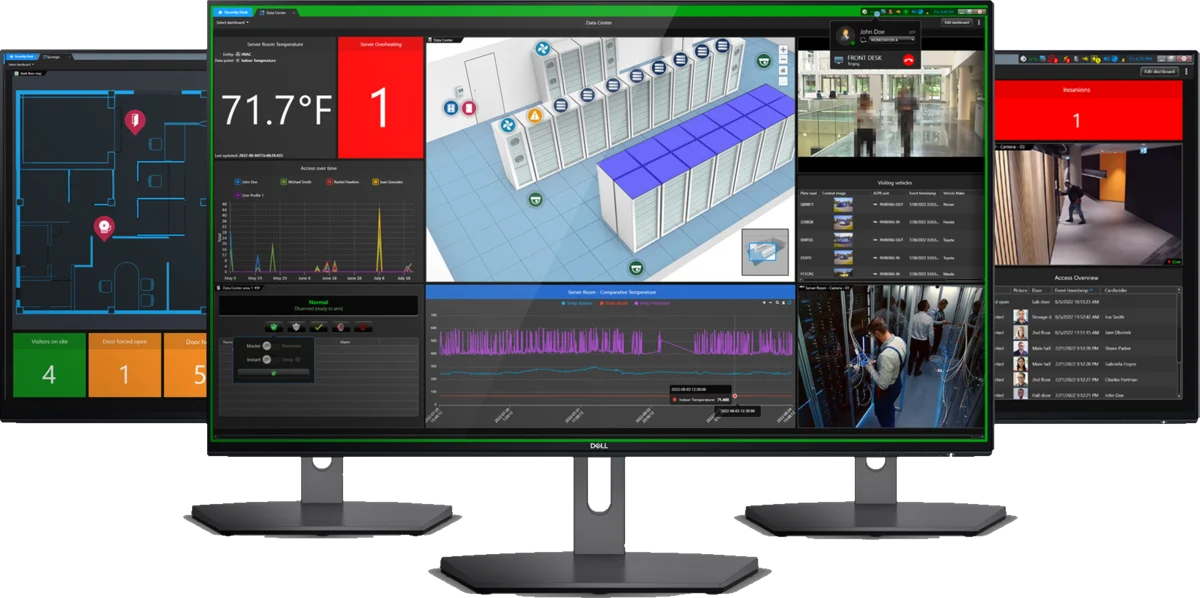
Security Center: the desktop VMS

Genetec Security Center desktop interface across multiple monitors.
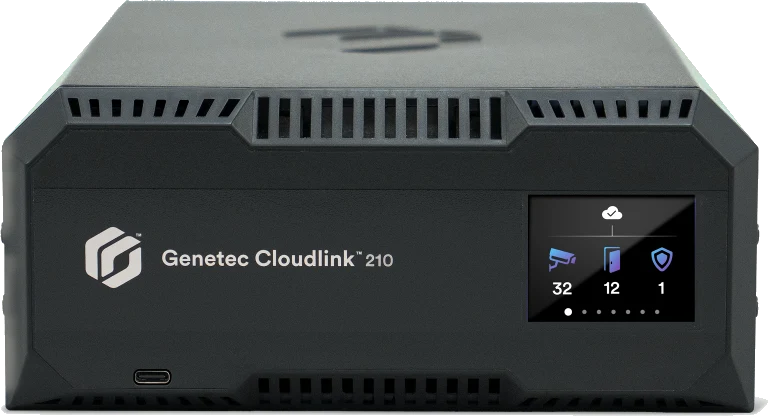
The desktop system runs on your servers. Security Center SaaS is a separate managed cloud service that needs Genetec's own Cloudlink appliance on site unless cameras connect directly.

TetherX: automatic updates across your sites

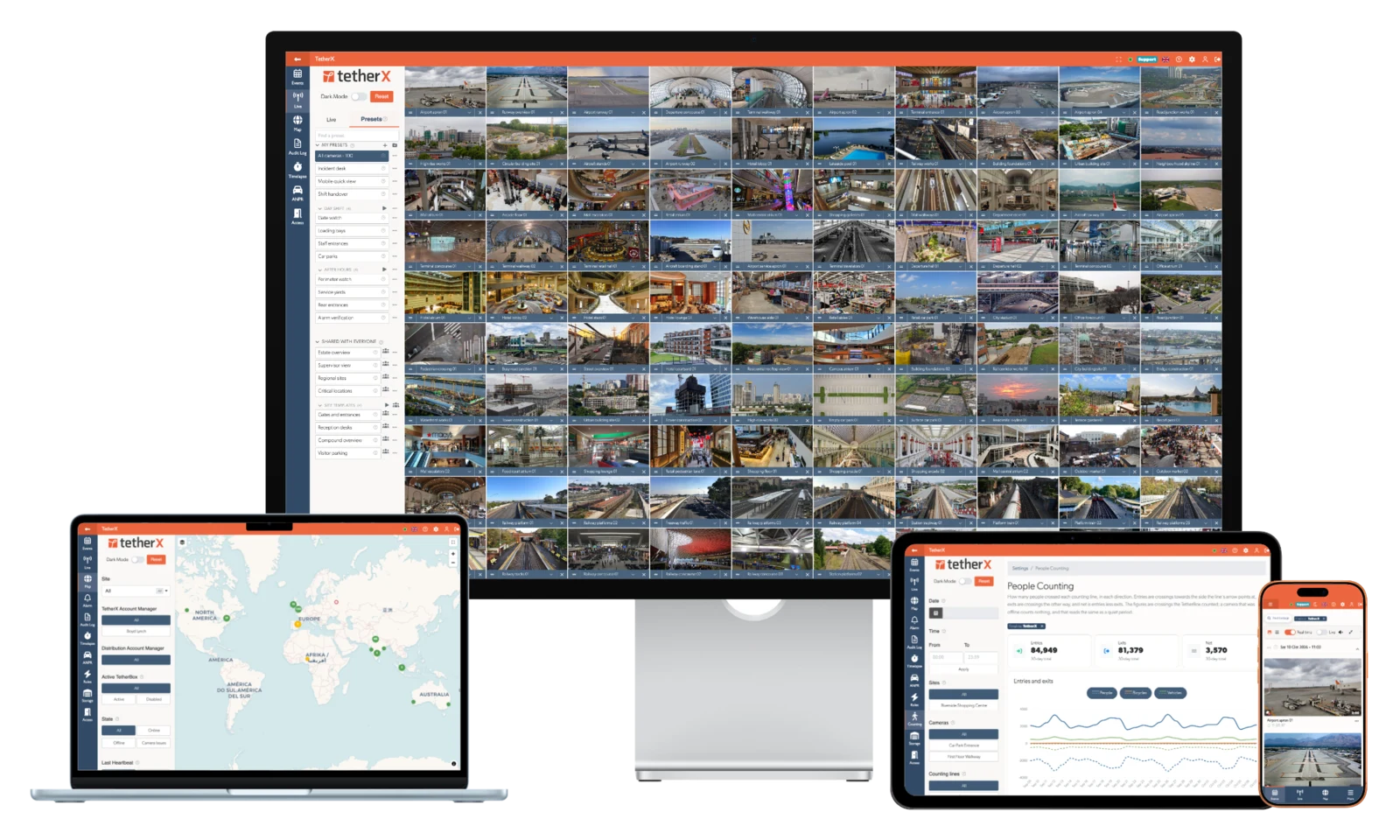
TetherX on desktop, laptop, tablet and phone
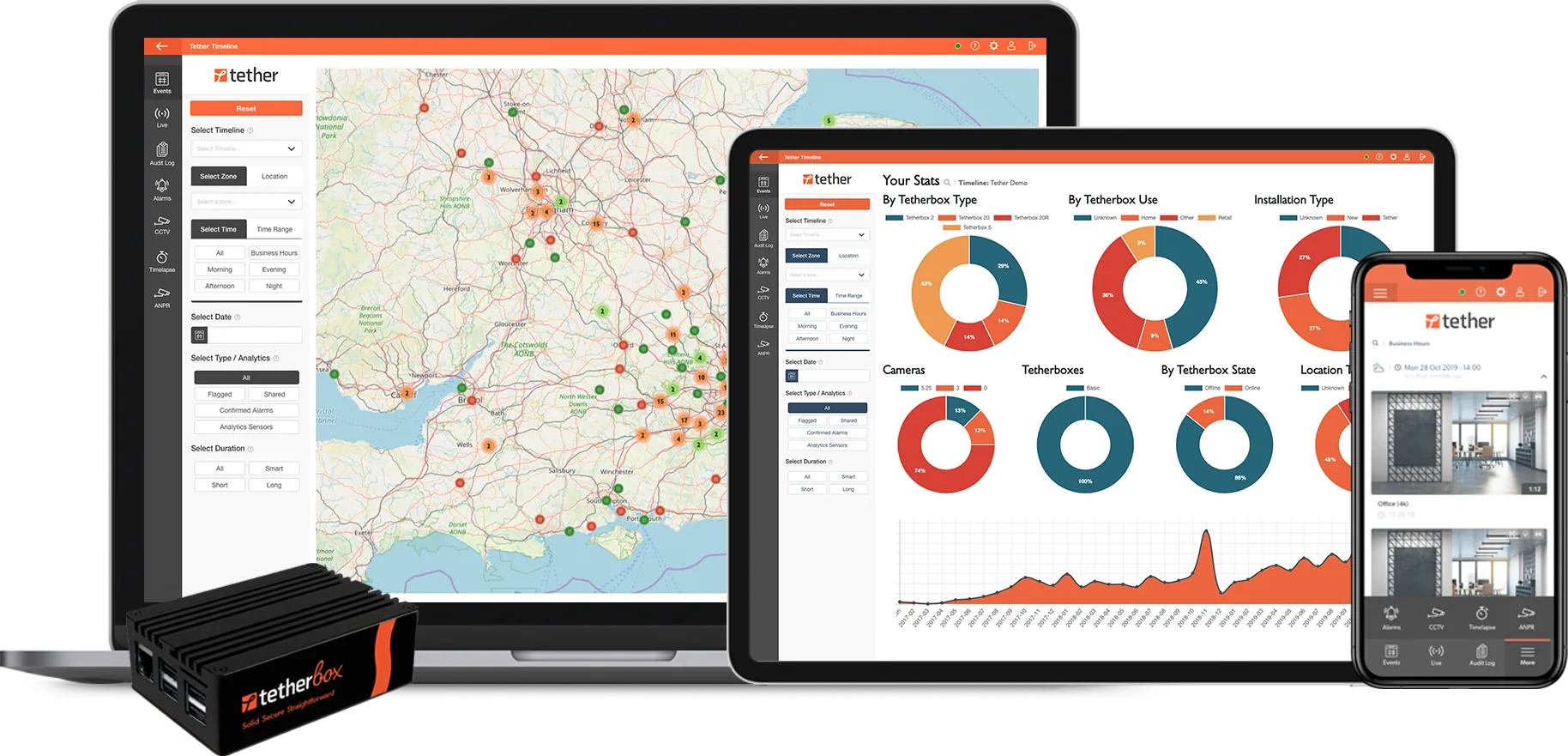
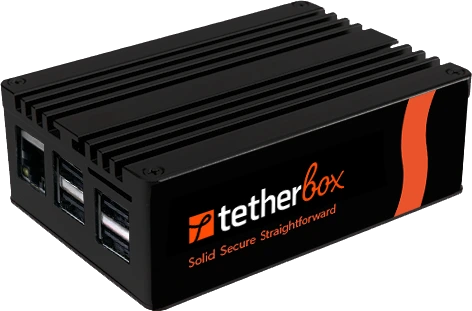
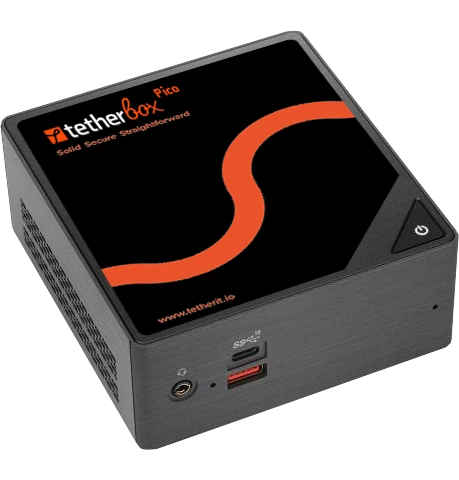
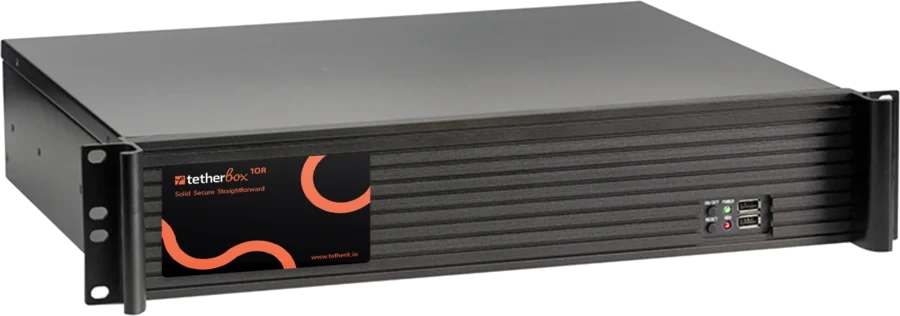
Run TetherBox Bridge on a suitable PC or server alongside your existing applications, or as a dedicated Linux appliance. TetherX Cloud automatically patches and updates the Bridge software across your sites.

Book a live demonstration

WHEN YOUR TEAM RUNS THE SYSTEM

Run daily security with your own team.

With installed Security Center, your team or provider operates the servers, coordinates compatible versions and manages upgrades. Security Center SaaS already provides managed automatic updates; compare that service separately on commercial scope and the work your team needs to do.

Every extra system needs Federation to join up

Security Center runs each site or region as its own independent system, and a paid Federation licence joins each one into a single virtual system. Every federated system keeps its own servers, licences and upgrades, so version upgrades must be planned across the estate. With TetherX, one TetherBox or hundreds, on one site or many, join the same account and appear in one workspace, with no federation licence and no version matrix to manage.

Phone support needs a certified contact

Genetec’s GTAC phone and live-chat process requires valid training certification. Public administrator reports describe the friction when the person on site lacks it. TetherX trains the customer’s own security or facilities team for free so they can run the platform, with the installer available for hardware changes and on-site work. Other users praise Genetec's support.

Hours spent finding basic settings

A June 2026 IT administrator reported spending hours finding basic settings and configuring some tasks in two or three places. Their system combined video, door access and number-plate recognition. In TetherX, supported video, alarm and access events sit in one browser workspace: describe the scene, find recorded evidence using available native or camera analytics, and review the wider incident context.

AT A GLANCE

Genetec and TetherX, question by question

The 4 questions an integrator asks on a site walk, answered for both platforms.

Question Genetec TetherX
Do I need a recorder on site? Security Center SaaS needs Genetec's own Cloudlink appliance for devices that are not supported direct-to-cloud. On-prem Security Center records on your own servers or Genetec Streamvault appliances. Storage and processing depend on the design. TetherX provides recording, viewing, search and monitoring through one system and one app. TetherBox records locally, with optional TetherX cloud recording, so no existing recorder or third-party cloud video service is required. It can also work alongside either where needed.
Who monitors your alarms Operators handle alarms in the installed Windows Security Desk. A control room is built in: operators act on each event in full context, while site users get critical alerts that sound through silent mode and pass on instructions. Choose professional monitoring through a TetherX control room, run your own, or keep an existing provider; Patriot-based centres such as IMS connect directly.
What you actually pay for On-prem Security Center uses licences plus Genetec Advantage, renewed yearly, which a major version upgrade requires; at US reseller list prices in October 2026 it costs about 17% of the camera licence each year ($55 on a $325 Omnicast Enterprise camera). Security Center SaaS charges for video, access-control, intrusion and intercom/speaker connections under Standard or Premium plans, with hardware and storage separate. An annual platform subscription by channel count, from £100/site/year. TetherBox AI is included; additional modules and retention can cost extra. Cloud recording is optional; specialist analytics and professional monitoring are quoted separately.
What you keep if you stop paying Advantage is required at purchase. If it lapses, support and new versions stop, and each version loses security fixes about 6 years after release. Returning after 3 years costs 150% of a year’s Advantage. The TetherBox keeps a local interface for live view and recent footage with no internet and no subscription, so the site is never dark.

The Genetec column is built from 44 public sources, listed at the foot of this page.

GENETEC vs TETHERX

Equip the people running the estate.

Compare team training, qualified support access and connection charges. Genetec offers both on-prem and fully managed SaaS, so cloud management alone is a shared capability.

Genetec

Strengths

A mature installed system that can run on fully air-gapped sites

Current SaaS offering with published tiers, advanced investigations and Australian hosting

Trade-offs

On-prem deployment requires infrastructure and software lifecycle planning.

SaaS connection subscriptions, storage, appliances and plan-specific features each need scoping.

TetherX

Strengths

Dashboard, multi-site operation, supported alarms and access are included in the annual channel-count platform subscription.

TetherBox AI is included on compatible hardware.

TetherBox Bridge provides local recording and supported device diagnostics on site compute you choose.

Video walls are included: add screens from any browser, with no wall licence. The permanent audit log shows who viewed footage, exported it or changed the system.

Scheduled cross-site health reports, interactive timelapse, supported control-room connections and device diagnostics help your team and installer maintain the estate.

Trade-offs

A cloud component is required. For air-gapped deployments or specialist critical-infrastructure requirements, assess a dedicated on-prem platform.

MORE THAN A VMS

Run your control room. Or connect the ARC you already use.

TetherX supplies operator queues, verification, escalation, recorded outcomes and performance reporting within its cloud platform. Work the alarms in TetherX, or forward them into a supported monitoring platform.

First-party TetherX integration connects to Intelligent Monitoring Solutions (IMS) through Patriot, with alarm images and confirmed alarm delivery. IMS lists 800+ bureaus and two A1/R1A centres. Explore TetherX control-room workflows · IMS provider information

Other security platforms also provide operator alarm handling and monitoring integrations. Compare the supplied workflow, equipment support, licence and monitoring contract for your proposal.

AI and recording terms: TetherBox AI is included in the platform subscription. Additional modules and data retention may cost extra. Cloud recording is optional; specialist services and professional monitoring are separately scoped. See current AI coverage.

WHICH ONE FITS

Pick the one your site points at

Find the column that describes the job in front of you.

Choose Genetec if

  • You prefer the traditional Windows Security Desk, need a fully air-gapped site, and accept Security Center servers someone has to maintain and yearly Advantage renewals for upgrades
  • You need specialist investigations or dynamic incident procedures, and accept a Mission Control licence for them, separate from core Security Center, plus the required modules and support
  • You prefer Security Center SaaS for a managed cloud deployment within the Genetec ecosystem

Choose TetherX if

  • You want alarms, access and TetherBox AI included in one channel-based platform subscription
  • You want a modern cloud VMS with a beautiful, intuitive interface that your own team can run, with free training and installer support
  • You want TetherX Cloud to patch and update TetherBox Bridge automatically across your sites
FAQ

Questions before you choose

Federation. Genetec describes it as joining “multiple independent” Security Center systems into a single virtual system, with a Security Center Federation role created on the host for each one (What is Federation?). It is a paid licence per connection: Genetec’s UK G-Cloud 15 price list (January 2026) shows GSC-1SCFED at £630 MSRP per federated system, or £380 for one with 20 entities or fewer, and both require a Security Center Enterprise base package (G-Cloud 15 price list). Every federated system is still a full system with its own servers, licences and upgrades. Genetec’s 5.13 release notes limit federation to systems up to three major versions apart, and when SaaS is the host each on-premises site needs reverse tunnelling. Older Omnicast sites show the risk: Omnicast Federation roles must be removed before upgrading to Security Center 5.12 or later (Genetec upgrade guide).

Not in practice. Genetec requires Advantage at purchase for one to five years. If it lapses, support and new versions stop, and you stay on your current version. Each Security Center version loses security fixes about six years after release: 5.12 reaches end of life on 31 December 2029 and 5.13 on 31 December 2030.

Coming back costs extra. Genetec's reinstatement fee is 25% of a year's Advantage after a lapse of 3 months to a year, 50% after 1 to 3 years and 150% after 3 years or more, and it is non-refundable.

With TetherX, every version, update and security fix is included while you subscribe.

In TetherX, yes: automations, people counting, dashboards and the audit log all run in the browser. Genetec’s own Security Center SaaS help page (updated 14 September 2026) lists Automation and Map Designer, plus dashboards, people counting and activity trails, as tasks not available in its web interface, so they need its desktop apps (Security Center SaaS clients).

No. Genetec’s FAQ says the Web App “offers many of the same features as Security Desk, but is not feature-equivalent” (Genetec Web App FAQ). Its tasks cover maps, tiles, incident and ALPR monitoring, access control and reports, with no configuration (About Genetec Web App); set-up runs in the Windows Config Tool. In Security Center 5.14.0.0, the Web App’s incident monitoring page also lacks the standard operating procedure widget. TetherX runs and configures everything in the browser.

On-premises Security Center does: Genetec's remote-client guide says to enable port forwarding on the site's internet-connected router. A TetherX site connects outwards, so you can view it remotely without port forwarding or a static IP address.

Yes. TetherX works in any mobile browser, with native iOS and Android apps as well. Genetec’s 5.13 requirements say its Web App “doesn’t fully support Apple Safari for iOS and Google Chrome for Android” and direct phone users to the separate Genetec Mobile app (Genetec Web App requirements).

Genetec requires valid training certification for GTAC phone and business-hours live chat; its portal case-submission route is the alternative. Certification lasts 18 months, and you pay to renew it. Training for additional staff costs extra, and the certification places included with Advantage depend on system size. Agree the trained contact, coverage and installer escalation arrangements in the proposal.

These dated accounts describe specific tasks and installations:

  • A buyer planning 19 sites was warned that Security Center SaaS offered fewer features than the on-premises product and might still require them to run servers. Reddit r/accesscontrol, September 2026
  • An Australian supplier said local sites run intrusion and access control on one system, and Genetec is weak on intrusion, so it is used for access only on CCTV-led sites. Reddit r/accesscontrol, Australian supplier, July 2026
  • A new Synergis Cloudlink kept appearing offline in Security Center. Re-adding it worked for a day to two weeks, before the offline status returned. Reddit r/accesscontrol, September 2026
  • An IT administrator spent hours looking for basic settings and found that some features had to be configured in two or three places. Reddit r/videosurveillance, June 2026
  • A new VMS administrator could add cameras but did not know how to troubleshoot. Their employer would not pay for Genetec training. Reddit r/videosurveillance, January 2026

The SaaS feature comment is advice in a 19-site buying discussion; it does not replace the current feature matrix, and Genetec SaaS supplies managed updates, unified security and AI investigations. The offline-device report names Synergis Cloudlink access hardware, not every Cloudlink recording appliance.

No. The current GUS guide says on-premises updates must be manually installed, after regular checking and background package downloads. With GUS, the administrator still initiates and coordinates the installation, backup/entitlement checks and compatible Directory, expansion-server and client versions. For example, 5.14 upgrade guidance sequences the main server, expansion servers and workstations, with matching-version requirements for Directory/failover components. Manual installation does not mean visiting every workstation: Main GUS can centrally download/install selected updates on enrolled servers and client PCs, and its main-server upgrade flow backs up the Directory database automatically. Security Center SaaS is different: Genetec manages automatic cloud updates, so there is no claimed TetherX advantage from automatic SaaS maintenance alone. TetherX and TetherBox software update automatically over the air.

On-prem Security Center licences are perpetual, with Genetec Advantage renewed for support and new versions. Security Center SaaS uses annual Standard or Premium subscriptions per connection, with a one-year minimum term and storage and hardware scoped separately; a system uses one subscription plan. TetherX has an annual platform subscription priced by channel count, with no separate software-maintenance renewal.

No. Genetec’s current SaaS plan table lists REST API access with Premium rather than Standard, and says a system cannot mix Standard and Premium plan parts. TetherX provides a consistent REST API for supported devices and permissioned OAuth apps for business workflows within its platform. This does not describe on-prem Security Center SDK terms. Scope third-party licences, permissions and any specialist service separately; no claim is made that TetherX replaces every corporate SSO or enterprise SDK capability.

Security Center’s Media Gateway can transcode when a client does not support the camera codec or needs a different stream. Genetec documents the CPU cost and recommends GPU capacity for this workload. Requirements depend on cameras, codecs, clients and concurrent viewers; this does not describe every SaaS deployment. Test the same footage, devices and network on TetherX during the trial.

Security Center on-premises gets a feature release every three to six months, with patches between, and an administrator installs each one from GUS. Genetec's official build history lists 5.13.3.0 on 3 November 2025, 5.14.0.0 on 11 May 2026 and 5.14.1.0 on 13 August 2026, with nine 5.13.3 patches between December 2025 and September 2026. A major-version upgrade needs a valid Advantage entitlement; minor versions do not. Security Center SaaS updates continuously. TetherX ships a feature release every month, with smaller compatibility and improvement updates in between, and validated updates install automatically on the platform and TetherBox software.

Your team or provider coordinates installed components, compatible versions, backups and upgrades. With either platform, specialist integration, site hardware and network work need an agreed owner. The June 2026 IT administrator’s report about buried settings and configuring a task in several places describes their own integrated video, access and number-plate-recognition environment. Replies point to training, an existing camera-replacement tool and account-manager assistance, and experienced integrators find the platform effective. Test the routine tasks with your own team.

Genetec offers both on-prem Security Center and cloud-managed Security Center SaaS. They have different infrastructure and commercial requirements. Compare the exact product, modules, storage and subscription plan in your proposal.

Both platforms support multiple camera brands. Match local recording and AI to the proposed deployment, and confirm camera models, firmware, recorder access and required features before planning a migration.

Yes. Start with TetherBox Bridge at one site, compare the workflows, then move the rest of your estate over in stages. Your cameras need to support parallel streams; confirm the camera models, stream capacity, permissions and recording responsibilities before starting.

A typical TetherBox setup takes about 15 minutes.

Security Center SaaS includes object detection, attribute/keyword search and advanced natural-language search in both Standard and Premium plans. On-prem Security Center can use camera analytics, KiwiVision and chosen integrations, with NVIDIA GPU acceleration for supported scenarios. TetherX supplies TetherBox AI on compatible local compute: video detection, appearance/PPE and counting run on supported NVIDIA GPU/Jetson or Hailo accelerators, including compatible Raspberry Pi AI HAT setups, and audio classification runs locally on the CPU. This does not mean all modules or data retention are free: your installer verifies the module, model, accelerator and capacity for the camera load, plus separately scoped services. Explore TetherX AI modules.

The TetherX operator console can flag footage for 30 days, 90 days or one year. The recorder must be online to receive the retention instruction, so wait for reconnection before handing over an incident that needs preservation. This is an operator workflow capability, not a promise of unlimited cloud retention or a unique feature absent from other security platforms.

A verified banking user’s organic G2 review dated 8 April 2026 gives Genetec 5/5 and praises navigation, while saying the viewing area feels limited unless the image is enlarged. The exact edition is not specified, so this is not evidence of a universal Security Center SaaS defect. Demonstrate your intended layouts, screen sizes and incident workflow during the trial.

Keep the existing platform when its specialist integrations, enterprise workflows or on-prem requirements are central to the project. Trial TetherX on representative sites when the priority is everyday multi-site operation, supported alarms and access, remote diagnostics and flexible recording.

No. Unified Security Center launched in 2009, but that origin does not establish how a current operator will experience it, and the June 2026 administrator report describes configuration work in one integrated estate rather than a benchmark of every interface. Security Center SaaS launched in 2024 and provides its own modern managed experience with automatic updates. Compare routine operator and administrator tasks on the exact proposed product, rather than treating every Genetec deployment as an old desktop system.

A January 2026 Reddit report described dual-monitor full-screen launch problems on Security Desk 5.13.3.1 with Windows 11. Genetec subsequently lists issue 5032256 as resolved in 5.13.3.2, released on 12 February 2026; it is not presented as a current defect here. In a September 2026 5.12.2.0 freezing thread, the original poster said changing streaming transport might have resolved the issue. These checks prevent old or partly resolved cases becoming universal SaaS claims.
THE STORY SO FAR

Genetec and TetherX: two starting points

Genetec

Genetec was founded in Montreal in 1997, with Omnicast establishing its IP-video roots. Federation followed in 2005 and unified Security Center in 2009. Its 2024 SaaS launch added a managed cloud route alongside the installed platform. Privately owned and led by Pierre Racz, its products target enterprise security operations.

TetherX

Founded by UK security installers in 2009, TetherX launched in 2011, raised product funding in 2018 and became independent in 2022. In 2026, we launched TetherX AI and expanded into Australia with local support on the ground. With no VC, private-equity or camera-manufacturer owner, customers and installers shape our roadmap.

Read the TetherX story


Free comparison PDF

Not ready to talk? Take the comparison with you.

A one-page open cloud VMS versus locked-platform breakdown: what you keep, what you cut, what it costs. We will email it over, usually the same working day.

Please complete the verification.

No sales call; your details stay with us. We route serious enquiries through accredited local TetherX installers.

Want this at your site?

Get a quote from a certified TetherX installer. We will match you with a local partner who knows your area and your needs.

Certified Installers
Local to You
No Obligation
Prefer to browse partners first? See our partner directory →

Ready to compare a representative site?

Try TetherX free for 30 days

Ask your installer to trial TetherX alongside the existing system, using supported equipment and agreed recording requirements.

Start Free Trial

Across the partner network

TetherX partners hold the accreditations security-procurement buyers and insurers filter on. Coverage varies by partner.

NSI 9 ISO 9001 6 SSAIB 5 SafeContractor 5 BAFE 4 CHAS 4 ConstructionLine 4 Cyber Essentials 3 NICEIC 2 ISO 14001 2

Counts reflect partners currently in the TetherX directory holding each accreditation.

References (44 public sources)

  1. Current Advantage benefits and renewal route
  2. Advantage required at purchase for all new Security Center systems
  3. Security Center version lifecycle and end-of-life dates
  4. Genetec Advantage reinstatement fees
  5. Security Center remote client connection: router port forwarding
  6. Genetec perpetual licence, updates and upgrade entitlement terms
  7. Reddit r/accesscontrol, September 2026: new Synergis Cloudlink repeatedly shows offline in Security Center
  8. Reddit r/accesscontrol, September 2026: Security Center SaaS lacks much of the on-prem feature set
  9. Reddit r/videosurveillance, January 2026: new VMS admin could add cameras only; employer would not fund paid courses
  10. Security Center 5.14.1 minor upgrade backups and component installation
  11. Security Center 5.14 server/client upgrade sequence
  12. Security Center main-server upgrade and GUS automatic Directory backup
  13. Main GUS central server/workstation deployment controls
  14. GUS background downloads and administrator installation
  15. Security Desk freezing report with possible TCP resolution, September 2026
  16. Genetec fullscreen issue 5032256 resolved in 5.13.3.2
  17. Security Desk fullscreen report, January 2026; older build
  18. Security Center dated major, minor and patch builds
  19. Security Center patch-specific security fixes
  20. Genetec SaaS continuous release model, March 2026 matrix
  21. Genetec major-version licence upgrade entitlement
  22. Genetec major/minor release and licence definitions
  23. TetherX TetherBox AI, platform and optional service terms
  24. Genetec Mission Control: structured procedures
  25. Genetec Mission Control: licence limits
  26. Security Center SaaS managed operations, search and updates
  27. Genetec privately owned company statement
  28. Genetec Vienna expansion after KiwiSecurity acquisition
  29. Genetec GTAC phone and live-chat requirements
  30. Genetec user reviews: learning curve and unified operation
  31. Administrator and integrator perspectives, June 2026
  32. Security Center on-prem Media Gateway and transcoding
  33. KiwiVision NVIDIA GPU requirements
  34. Genetec camera, server and SaaS analytics
  35. Genetec company history
  36. Security Center SaaS launch
  37. Security Center SaaS plans and inclusions
  38. Genetec Assurance and Advantage
  39. Genetec training FAQ: 18-month certification, paid recertification
  40. Genetec Streamvault appliances for on-prem Security Center
  41. Security Center alarm response workflow
  42. Security Center SaaS: acknowledging alarms
  43. Reddit r/accesscontrol, Australian supplier, July 2026: Genetec weak on intrusion
  44. Security Center SaaS subscription terms

Anything wrong on the Genetec comparison?

Flag an inaccuracy, an outdated fact, or a missing nuance on the Genetec page. We update the per-vendor pages and the /compare hub from this inbox - real reply, real human.

Please tell us what to call you.
Please enter your email address.
Please tell us what to fix or add.
Please complete the verification.

We reply within 1 business day. No newsletter, no follow-up sequence.

[1] About this comparison. Information about other vendors is drawn from their public product pages, datasheets, integrator forums (Reddit, vendor user groups), public CVE databases (NVD, CISA), publicly-listed LinkedIn company pages (headcount, headquarters, founding year, leadership transitions and corporate ownership signals) and customer conversations - accurate to the best of our knowledge as of Q3 2026. Pricing, features, security posture and policies change. A vendor may have shipped a fix, dropped a price, added a region or changed an architecture since this page was last reviewed.

If you believe anything here is inaccurate or out of date, please contact us and we will review and correct it. Trademarks and product names belong to their respective owners and are referenced here for identification only.

30 days free. No card. Talk to a local installer.