
See what your team uses, and who keeps it up to date.

Compare the workspace, the hardware at each site and who handles software updates.

Nx Witness: you maintain the VMS

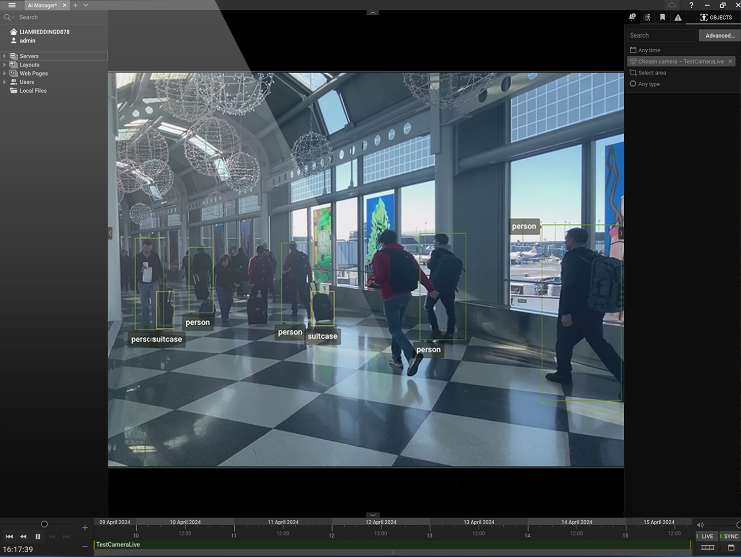
Nx Witness Desktop Client showing camera views and a playback timeline.
Your PC or server. Your team or provider installs the VMS, deploys server updates and maintains connected services.

TetherX: automatic updates across your sites

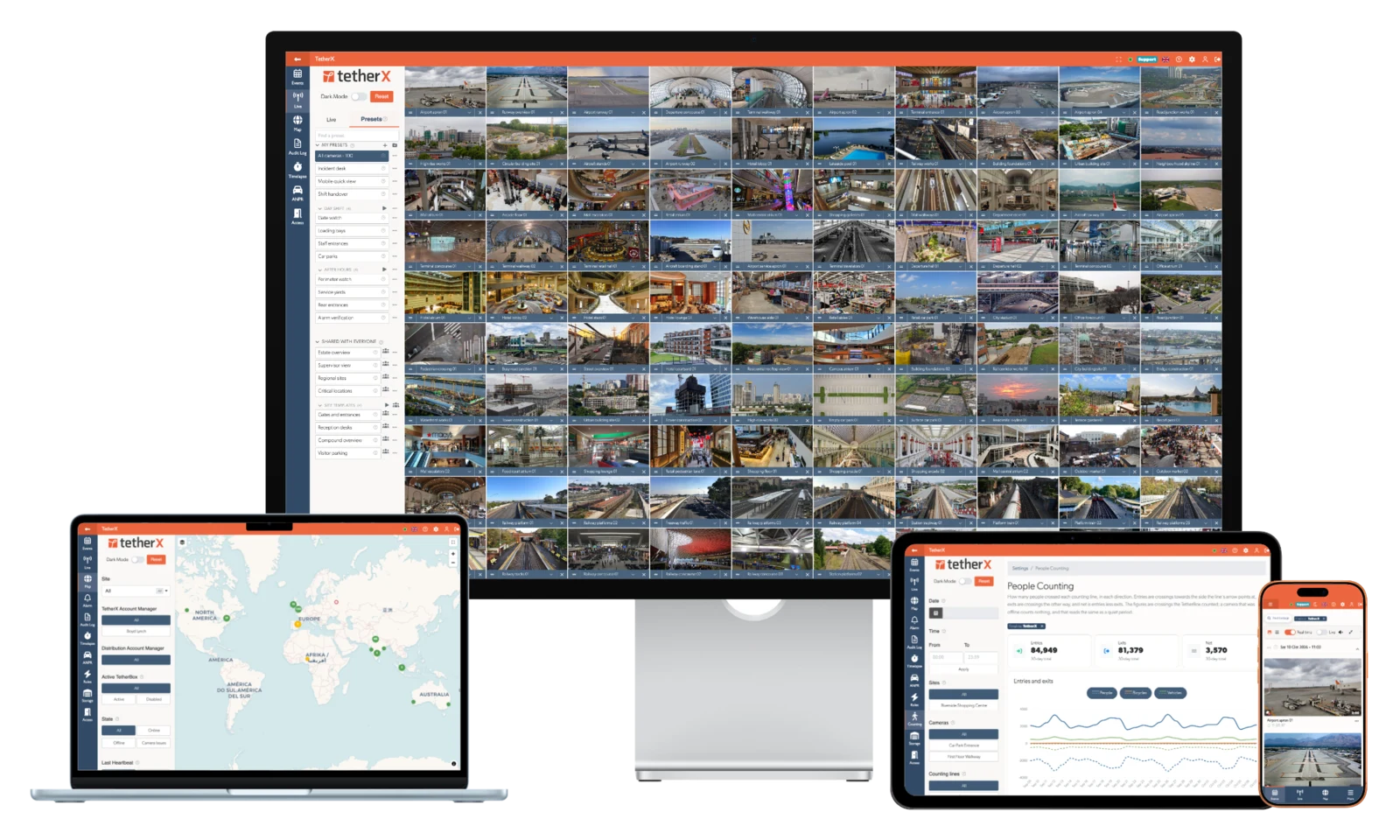
TetherX on desktop, laptop, tablet and phone
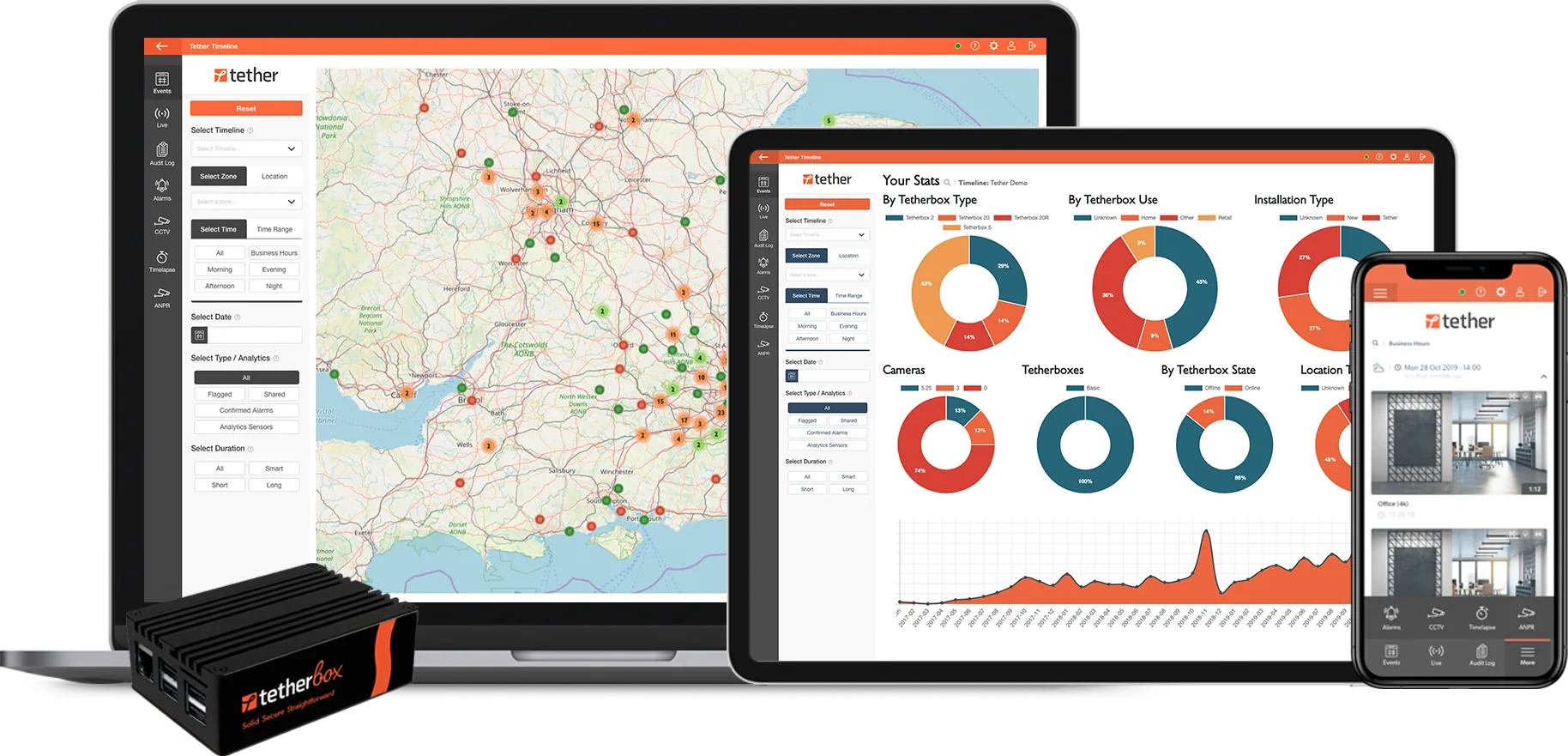
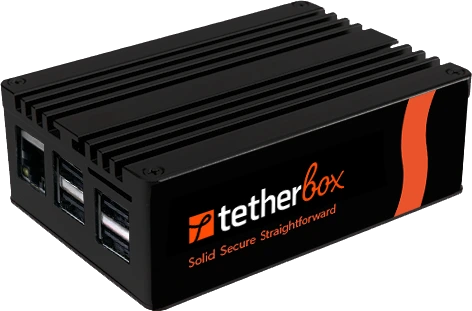
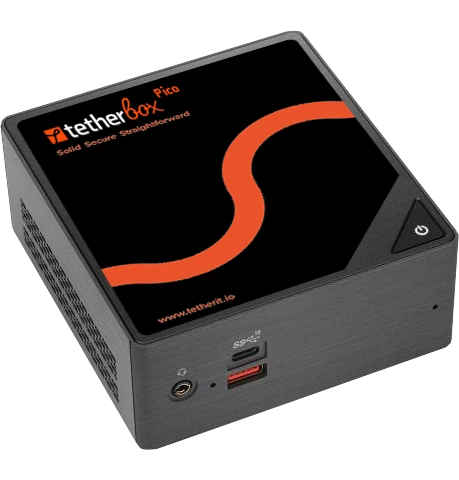
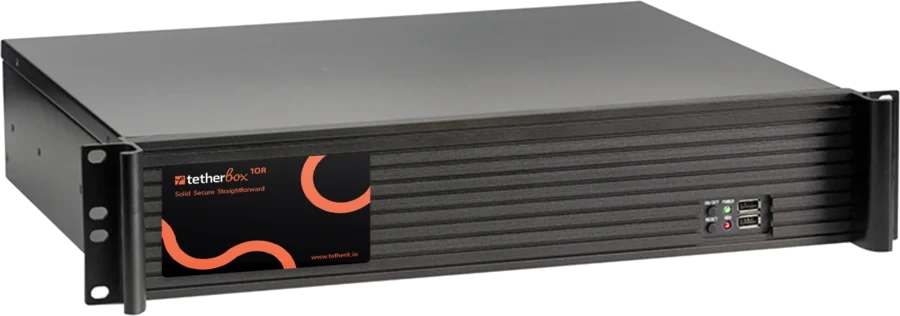
Run TetherBox Bridge on a suitable PC or server alongside your existing applications, or as a dedicated Linux appliance. TetherX Cloud automatically patches and updates the Bridge software across your sites.

Book a live demonstration

PRACTICAL DIFFERENCES

Who builds the service, and who keeps it running.

A desktop app first, with a basic browser client

Nx is traditional desktop VMS software. Most functions need the installed Nx Desktop app, and its browser client, WebAdmin, offers only basic settings and live or recorded viewing, so daily operation runs from an installed client on each operator PC. TetherX was built for the browser: run and configure everything in a modern, intuitive web interface.

Buy the finished service

With Nx, your team or provider operates the VMS stack and builds the managed offering around it: Nx’s own MSP guide covers installing the software, configuring devices, preparing infrastructure and integrating other services. A partner can do that work for you, but the finished package and its ongoing support depend on that provider. TetherX supplies and maintains its cloud platform, reporting and standard workflows together.

Nx AI needs Enterprise plus paid per-device activation

Selected specialist analytics can also bring their own licence, installation and update process, so agree who maintains each component. TetherX includes TetherBox AI in the platform licence; optional modules and specialist services are quoted separately, and the selected hardware and camera load still need checking.

AT A GLANCE

Nx Witness and TetherX, question by question

The 6 questions an integrator asks on a site walk, answered for both platforms.

Question Nx Witness TetherX
Who brings the service together? With Nx, your team or provider installs the VMS and operates the chosen infrastructure, storage and integrations, and the provider defines the finished service and who supports each part. Nx Cloud provides remote access and management. TetherX supplies and maintains the cloud platform: scheduled health reporting, timelapse, current native AI, OAuth apps and supported control-room connections. Your installer configures the site and selected services; optional cloud recording, specialist analytics and monitoring are separately scoped.
How do I run my sites day to day? Full configuration needs a desktop client on Windows, Ubuntu Linux or macOS. Media Server runs recording and VMS rules. Nx Cloud provides browser viewing, health, account access and remote management; native iOS/Android apps are also available. Open supported video, alarms, access and site health across sites in a modern browser. TetherX is cloud-managed, with native iOS/Android apps when mobile. Core daily operation needs no installed desktop VMS client.
What your operators see on one timeline Nx is built around video. Access control and intruder systems connect through generic events, the API or partner plugins. Video, access control, intruder and automation. One operator, one timeline, one dashboard across all four.
Where the AI runs AI Manager requires Enterprise plus paid per-channel activation, and supplies starter detection models for basic use cases. Models, rules and postprocessors need configuration. Specialist workflows can require separately licensed third-party analytics or custom model development; these costs depend on the route selected. Included TetherBox AI runs on the edge, and supported camera and third-party analytics feed the same timeline. Native video, appearance/PPE and counting run on compatible NVIDIA GPU/Jetson or Hailo compute, including Raspberry Pi AI HAT; audio runs locally on the CPU. Each module needs supported models, configuration and a capacity check. Additional modules and retention can cost extra. Optional paid Calipsa cloud verification is also available, and natural language footage search interprets requests in the cloud.
What you actually pay for In Nx 6.1, connected devices above the licensed allowance show periodic live-view notices; include live-view-only cameras when sizing that allowance. Choose Pro perpetual licences or Enterprise subscriptions and services. An annual platform subscription by channel count, from £100/site/year. TetherBox AI is included; additional modules and retention can cost extra. Cloud recording is optional; specialist analytics and professional monitoring are quoted separately.
Where your recordings are stored Connecting to Nx Cloud alone is not a video backup. Media Server records locally. Enterprise supports cloud archive backup; routes such as Wasabi use separately supplied storage/plugin services. Confirm the edition, provider, retention and recovery process. Choose local and cloud retention per camera: mostly local, mostly cloud, or a mix. TetherBox provides on-site recording. Cloud recording is optional per camera, in a UK, EU, US, Canadian, Indian or Australian region the customer picks.

The Nx Witness column is built from 58 public sources, listed at the foot of this page.

NX WITNESS vs TETHERX

An open VMS to build on, or a maintained service.

With Nx, your team or provider decides how the finished service is assembled and maintained around an open VMS with rich cloud tools.

Nx Witness

Strengths

Its own integration list may already cover a device that is not yet on ours; ask us to add it

An engine to build your own video product on: Nx licenses it for custom and rebranded systems

Choice of perpetual or subscription licensing

Trade-offs

Pro licences are locked to server hardware, with only three transfers per key. Enterprise adds an ongoing recording subscription for each camera.

Your team or provider maintains recording hosts, manages server releases and supports the selected storage and analytics integrations.

TetherX

Strengths

TetherBox AI is included in the platform licence.

First-party integrations with cameras, access control, alarm panels and other IP or serial devices.

First-party optional cloud recording per camera

The permanent audit log shows who viewed footage, exported it or changed the system.

We train your own security or facilities team free of charge.

Day-to-night interface transitions, contextual animation and interactive cues guide attention

Trade-offs

A strict on-premise air-gap is outside the TetherX operating model.

MORE THAN A VMS

Run your control room. Or connect the ARC you already use.

TetherX supplies operator queues, verification, escalation, recorded outcomes and performance reporting within its cloud platform. Work the alarms in TetherX, or forward them into a supported monitoring platform.

First-party TetherX integration connects to Intelligent Monitoring Solutions (IMS) through Patriot, with alarm images and confirmed alarm delivery. IMS lists 800+ bureaus and two A1/R1A centres. Explore TetherX control-room workflows · IMS provider information

Other security platforms also provide operator alarm handling and monitoring integrations. Compare the supplied workflow, equipment support, licence and monitoring contract for your proposal.

AI and recording terms: TetherBox AI is included in the platform subscription. Additional modules and data retention may cost extra. Cloud recording is optional; specialist services and professional monitoring are separately scoped. See current AI coverage.

PRODUCTS AND LICENCES

Free cloud access. Separate recording and service licences.

Nx Witness is the VMS. Nx Cloud is its portal; connecting it does not automatically buy an archive or a managed service.

Product or componentLicence modelWhat to confirm
Nx Witness ProPerpetual recording licence per device, with optional free Nx Cloud portal access.Camera/channel coverage, local hardware and support. A perpetual key does not promise indefinite compatibility with every future hosted service.
Nx Cloud (nxvms.com)The portal itself is free to use without a licence key or subscription; optional for Pro and required for Enterprise.Device/site features can require licences. Portal access is different from paid off-site archive storage.
Nx Witness EnterpriseCore subscription services for recording devices, with Organization-level management. Monthly and prepaid service options exist.Allocated services and billing, selected devices, provider, support and storage. AI Manager is paid per device above Core; confirm Maps and other service terms.
Nx ConnectEnterprise channel portal for managing services, prices and billing.The partner sets the supplied package and prices. It is distinct from the end user's free Nx Cloud portal.

Evidence: official Nx 6.1 specification, pages 6–7 and 27; current service types; partner pricing and currency.

Australian street-price example, observed 16 October 2026: SecurityAustralia lists one Pro camera licence at A$195 including tax, describing it as a once-off purchase and cloud enabled. This is that seller's offer, not a universal Nx price or an archive/AI/service bundle. Ask for a current Enterprise quote in the same currency with tax and all services specified.

DELIVERED CLOUD SERVICES

What is supplied, and what do you assemble?

Compare the working service, including its supplier, setup and ongoing support.

Your taskNx routeTetherX service
Keep sites healthyCloud/site health dashboards, alerts and downloadable reports. An equivalent scheduled fleet-wide email digest was not verified.Scheduled daily, weekly or monthly health reports across permitted sites, plus the central health dashboard.
Review progress and incident contextRapid Review creates timelapse exports in the Desktop Client. A matching hosted snapshot/timelapse service was not verified.Built-in interactive timelapse. Choose optional cloud image backup per camera for event periods or continuous coverage.
Keep an off-site video copyEnterprise backup workflows and storage integrations. The Wasabi route requires an account, bucket, keys, plugin and eligible licence.Select optional TetherX cloud recording per camera within the supplied platform, alongside local recording.
Connect the monitoring centreEstablished partner routes exist. Patriot 6.14.1+ supports Nx Cloud live video and alarms; Immix also lists an integration. Agree the exact station, version and workflow.Supplied control-room connections, including IMS through Patriot: alarm images, acknowledged alarm delivery and a configured connection heartbeat. Station onboarding and permissions apply.

Both platforms support OAuth apps. TetherX provides app registration and a permissioned platform API; Nx documents Cloud OAuth and site-scoped API access. The buying difference is the delivered workflow and service ownership, rather than OAuth support alone.

Nx capabilities above are documented by its cloud and health guides, Rapid Review manual, Wasabi guide and Patriot integration notes linked in the sources. “Not verified” identifies an evidence gap, not a claim that a feature is impossible.

Planning the viewing side of your VMS?

Video walls are included: add screens from any browser, with no wall licence. Combine live cameras, maps, incident queues and site instructions across browser windows. Shared presets and API preset switching let teams organise views across their screens.

Pricing figures, ownership, acquisition dates and product behaviour cited on this page are point-in-time and drawn from public sources - see the disclaimer at the bottom of this page for sourcing, "as of" date, and how to flag corrections.

WHICH ONE FITS

Pick the one your site points at

Find the column that describes the job in front of you.

Choose Nx Witness if

  • You prefer a traditional desktop app, with Windows or Linux servers and upgrades someone has to maintain, and pay per channel for AI analytics
  • You want to install VMS upgrades yourself and manage compatibility with your plugins
  • You want perpetual Pro licences and will assemble and support the integrations you need

Choose TetherX if

  • You want a modern cloud VMS with a beautiful, intuitive interface, with recording, site health and monitoring supplied as one maintained service
  • You want supported cameras, alarms and access together, with TetherBox AI included
  • You want TetherX Cloud to patch and update TetherBox Bridge automatically across your sites
FAQ

Questions before you choose

Not on its own. Nx staff wrote in May 2025 that alerting “still requires at least one Server in the System to be online” (Nx community), so a site that drops off entirely raises no alert. Users first asked for it in 2018. TetherX alerts you when a TetherBox goes offline.

Not in Nx. Its 6.1.0 manual says “When archived footage is deleted, the associated Bookmarks are deleted as well”; the documented workaround is a separate backup drive that keeps bookmarks only. A 2023 request to protect bookmarked footage got “no solution for you at this stage” (feature request). In TetherX, flag footage to keep it for 30 days, 90 days or a year.

Asked about SIA alarm signals in July 2025, Nx staff answered “we don’t have such feature in our VMS” (Nx community); panels connect through I/O modules instead. TetherX receives SIA DC-09 and Contact ID from any panel with an IP communicator.

Nx describes its WebAdmin client as a way to “configure basic system settings” and view live or recorded video (Nx applications overview). Its 6.1.0 manual says layouts are “only accessible in the Desktop Client”, and video walls run as Desktop Client sessions (Nx Witness 6.1.0 manual). Nx staff confirm “Nx Witness WebAdmin doesn’t support PTZ controls” (Nx community), and a web client to match the desktop app has been marked “Not planned” since 2017 (feature request). In TetherX, PTZ, shared layouts and video walls all run in the browser.

Pro licences are locked to the server’s hardware, with a maximum of three transfers per key. Replacing the motherboard or network interface changes the server Hardware ID and invalidates the existing activation, so every replacement uses up one of the three transfers. TetherX licences are channel blocks on your account, so a replacement TetherBox needs no licence transfer.

Nx staff confirmed in August 2026 that main and backup storage “both use the same min/max” retention (Nx community), so the backup copy cannot keep footage longer than the main recording. Pro has no shareable clip link; Enterprise shares bookmarks only from the Nx Cloud portal. TetherX sets cloud retention per camera, separately from local recording, and shares clips by guest link with no account needed.

These dated accounts describe specific installations:

  • A user said one failed drive on a non-RAID server stopped recording across 69 cameras without an alert. Staff discovered the gap during playback. DW Spectrum, Reddit r/videosurveillance, April 2025
  • An Nx 6.1.3 user said a camera reboot behind a Hikvision NVR caused footage to be filed under the wrong camera. Restarting the server restored the correct assignment. Nx Witness 6.1.3, Nx forum, October 2026
  • An overloaded Melbourne relay added up to two minutes to Nx Cloud connections for about 15% of Australian users for 19 hours. Sites then had to update firewall rules. Nx Cloud incident report, Australia, November 2024

For either system, test what happens when a recording drive fails and when a camera behind an NVR reboots, and check who is alerted. These are selected reports and do not measure how often a problem occurs; the April 2025 drive report concerns a non-RAID server.

You may be. DW Spectrum and Wisenet WAVE use the Nx Witness engine and share its server-based architecture, and Nx says licences cannot be transferred between its OEM products, which run the same server version. Hanwha also limits a Wisenet WAVE licence to three deactivations or transfers. Several of the reports on this page come from DW Spectrum sites for that reason.

Nx Witness Enterprise requires an ongoing Core recording subscription for each camera, paid monthly or through prepaid terms, and AI Manager is an additional paid service. TetherX uses an annual channel-based platform subscription. Ask for the edition, allocated services, currency, tax, storage and support scope.

No. Connecting a site to Nx Cloud does not itself establish an off-site video archive. Nx documents cloud archive backup for Enterprise, with per-camera selection, real-time or scheduled copying, and low-resolution or all streams. Storage integrations also exist: the Wasabi S3 plugin documents live archiving or backup using a Wasabi account, bucket and valid Nx licence. TetherX records locally, with flexible cloud backup where you need it. Footage and data already stored in TetherX Cloud remain accessible when the site is offline; live streams and local-only footage depend on reaching the site. Nx’s launch announcement scoped the Wasabi plugin to SaaS, while current Wasabi requirements do not name Pro or Enterprise: confirm the exact supported edition and service. Specify the provider, plugin, retention, bandwidth, support and recovery design. For either proposal, disconnect the local recorder and demonstrate what remains viewable and how restoration works.

No. Nx announced that compatibility with v5.1 and earlier is no longer guaranteed after 1 January 2027: a perpetual recording licence and continued compatibility with a hosted cloud service are different commitments. Its documented remedy is a free in-client upgrade to Gen 6 Pro, which keeps perpetual licensing, so the notice does not show that all Pro customers must move to an Enterprise subscription. Confirm the installed version and current cloud support policy.

They can. Separate analytics products have their own terms: the VCA Nx plugin manual requires analytics licences obtained through a distributor. Specific requirements can also call for sourced or trained custom models and additional development. The VCA plugin is a distinct route from paid Enterprise AI Manager: it does not show that VCA always requires an AI Manager service as well. Request the complete analytics proposal: the model or product, licence, hardware, integration and support.

Yes, in Nx Witness Enterprise, as AI Manager, a paid per-channel service; the plugin ships with Media Server 6.1.1 and later. For specific tasks, Nx supports custom model uploads, and its PPE example requires a separately trained model. AI Manager is a platform for selecting, deploying and configuring models. Nx supplies starter detection models, so customers do not always have to provide their own. Its 6.1.4 model documentation lists object, people, vehicle and face detection; face detection is not face recognition. Supplied bounding-box models can feed configured counting, line-crossing, loitering and left-behind-object postprocessors. Inference runs locally, with cloud model management.

Your team or provider maintains the Media Server host, deploys server versions, checks the chosen storage and analytics integrations, and investigates faults across those components. Two September 2026 DW Spectrum accounts illustrate the operating tasks: a school administrator with 837 cameras across five servers reported restarting intermittently unresponsive Media Servers while recording continued; another administrator reported high CPU load and stopped backups after a 6.1.2 update. Nx staff suggested connection-limit and architecture analysis in the school case; no successful resolution was recorded on the reviewed page. These are named OEM deployments; they establish neither a failure rate nor a proven common cause. Site hardware and unrelated applications still need an agreed maintenance owner.

With Nx, your team or managed provider plans each server upgrade and the supported operating environment. TetherX cloud-platform updates are automatic, and TetherBox software receives automatic over-the-air upgrades through scoped rollouts. Routine unit updates normally apply at the next reboot or reconnection; critical updates can be pushed immediately. Recording and live view are temporarily unavailable during installation. Nx can update connected servers across a Site over the internet through its Desktop Client: download the chosen build, then install it. Automatic client updates are enabled by default, the desktop client can be updated independently of the server, and Nx cloud components also update independently. This compares service and responsibility; it does not claim that Nx requires a separate installer visit or package installation for every server.

Not always. Selected third-party products have their own lifecycle: the CVEDIA Nx plugin has separate installation, licensing and update instructions, and its Windows update procedure stops the Nx server, installs the plugin and restarts the server; Linux has its own script. CVEDIA is one specialist route; it does not apply to all Nx analytics or show that AI Manager needs another plugin. Agree who maintains the VMS, host, archive and chosen analytics.

No. Nx’s MSP guide describes partners building service bundles, preparing infrastructure and adding selected storage and integrations. Nx supports real cloud access, APIs and archive backup, and Enterprise has ongoing subscription services. An MSP can package that work into a managed offering, so it need not be a DIY project for the end customer. The installer configures equipment and permissions; optional cloud recording, specialist analytics and monitoring contracts are still scoped separately.

With Nx, the Media Server remains responsible for recording and VMS execution. Nx Cloud provides shared account access, live/recorded browser viewing, health monitoring, user access and remote system management. Pro retains perpetual licensing and cloud connectivity; Enterprise adds subscription-based organisation management, licensing and optional services such as AI Manager. TetherX uses TetherBox Bridge for local recording, device connectivity and enabled edge AI, with a shared cloud platform for daily operation, event context, integrations and services. Optional TetherX cloud recording is selected per camera; local-only footage is streamed on demand, not continuously uploaded by default.

Nx’s current official download history lists VMS releases on 1 December 2025, 11 March 2026, 20 May 2026 and 14 August 2026: 70 to 100 days between those bundles. TetherX ships a feature release every month, with smaller compatibility and improvement updates in between, and validated updates install automatically on the platform and TetherBox software. Nx separates versioned VMS bundles, mobile releases, cloud services and targeted patches. Its bundles mix features, security and fixes, so the gaps do not establish how long every fault waits, and Nx also documents private patches before general release and independent updates to Cloud, Connect and AI Manager; quarterly summaries do not mean quarterly-only delivery. Neither cadence is a fix-time SLA.

In 2026, Nx users reported viewing notices on devices above their licensed allowance, including local-only systems. Nx confirms that recording continues and adequate device coverage removes the notices. Separate May–June reports concern self-administering teams losing direct ticket access. Nx routes support through authorised resellers and says customers can join escalated tickets for three-way discussion. Its public knowledge base and community remain available. These are selected reports, not a frequency ranking or evidence that support has disappeared; agree the escalation route for the actual proposal.

TetherX can retain supported cameras from many manufacturers. Check the exact model, firmware, streams and analytics during a trial. Camera compatibility does not mean every vendor-specific analytic or control transfers unchanged.

Yes, if the cameras can connect to both systems at once. Arrange a 30-day trial through an integrator partner using TetherBox Bridge on compatible hardware and with camera access agreed in advance. Compare footage, alarms, permissions and exports at one site before moving the other sites across. Trial extensions are available on request.

TetherX runs single sites and large multi-site estates from one workspace, with supported video, access and intruder events together. A fully air-gapped or offline installation, or a single site with no need for remote access, will still work, but it is not what TetherX is built for.

No, not when using Nx Cloud Connect with the required network access. Nx uses a mediator for connection discovery and NAT traversal, with cloud relay paths available when a direct path cannot be established. The client can test candidate direct and relay paths concurrently. Restrictive corporate firewalls may need the current Nx cloud endpoint allowlist and connectivity checker. Port forwarding on TCP 7001 applies to the optional direct remote connection route without cloud relay, not the normal Nx Cloud requirement. TetherX also uses outbound cloud connections without inbound port forwarding, so this is shared functionality rather than a unique TetherX advantage. A typical TetherBox setup takes about 15 minutes, without port forwarding or a static IP.
THE STORY SO FAR

Two histories. Different operating models.

Network Optix

Network Optix was founded in 2010, released its first VMS in 2012 and introduced Nx Cloud in 2017. Gen 6 added Enterprise subscriptions alongside perpetual Pro licences in 2024. That year’s Scailable acquisition brought edge-AI deployment technology, followed by AI Manager as an Enterprise add-on in 2026.

TetherX

Founded by UK security installers in 2009, TetherX launched in 2011, raised product funding in 2018 and became independent in 2022. In 2026, we launched TetherX AI and expanded into Australia with local support on the ground. With no VC, private-equity or camera-manufacturer owner, customers and installers shape our roadmap.

Read the TetherX story


Free comparison PDF

Not ready to talk? Take the comparison with you.

A one-page open cloud VMS versus locked-platform breakdown: what you keep, what you cut, what it costs. We will email it over, usually the same working day.

Please complete the verification.

No sales call; your details stay with us. We route serious enquiries through accredited local TetherX installers.

Want this at your site?

Get a quote from a certified TetherX installer. We will match you with a local partner who knows your area and your needs.

Certified Installers
Local to You
No Obligation
Prefer to browse partners first? See our partner directory →

Still have questions about compatibility or migration?

Try TetherX free for 30 days

Test TetherX alongside the existing system with your own equipment and workflows.

Start Free Trial

Across the partner network

TetherX partners hold the accreditations security-procurement buyers and insurers filter on. Coverage varies by partner.

NSI 9 ISO 9001 6 SSAIB 5 SafeContractor 5 BAFE 4 CHAS 4 ConstructionLine 4 Cyber Essentials 3 NICEIC 2 ISO 14001 2

Counts reflect partners currently in the TetherX directory holding each accreditation.

References (58 public sources)

  1. Network Optix: Scailable acquisition and Nx AI Manager development
  2. DW Spectrum administrator: server CPU and backup report, September 2026
  3. School administrator: intermittent DW Spectrum client connections, September 2026
  4. CVEDIA Nx plugin: separate deployment, licences and update process
  5. Nx online site-wide upgrades, offline and specific-build procedures, July 2026
  6. Nx current manual: site and automatic client updates, pages 20–22
  7. Official Nx Witness download-history API: dated releases
  8. Nx Gen 6: independent cloud component updates and quarterly summaries
  9. Nx private patch before public release: September 2026
  10. Nx Connect independent service update, June 2026
  11. Nx 6.1 official specification: free Pro/Enterprise cloud portal, page 27
  12. Australian distributor: Gen 6 Pro perpetual, cloud email and free upgrades
  13. SecurityAustralia Pro licence street price, A$195 tax included, observed 16 October 2026
  14. Enterprise service catalogue
  15. Channel-defined services and billing options
  16. Channel pricing and currency requirements
  17. Nx guide: MSPs build and operate VSaaS service bundles
  18. Nx Cloud OAuth web apps
  19. Nx health dashboard and report download
  20. Nx desktop Rapid Review timelapse export
  21. Patriot 6.14.1+: Nx Cloud video and alarm integration
  22. Nx product history NP1
  23. Nx product history NP2
  24. Nx product history NP3
  25. Nx product history NP4
  26. Nx product history NP5
  27. Nx July 2026 Pro cloud workflows and v5 cloud compatibility notice
  28. Nx Cloud capabilities: viewing, health, access and remote management
  29. Nx Cloud NAT traversal and relay
  30. Nx firewall endpoint allowlist
  31. Nx default ports: direct remote connection versus cloud
  32. Nx manual: Enterprise cloud archive backup
  33. Wasabi Nx storage plugin: current requirements
  34. Nx AI Manager service fees and specialist model consulting
  35. VCA Nx plugin: separate analytics licences (section 7)
  36. Nx server, desktop, web and mobile client roles
  37. Nx AI Manager 6.1.4 supplied starter models
  38. Nx built-in postprocessors and custom-model workflows
  39. Network Optix private-company and strategic investment announcement
  40. Scailable acquisition announcement, January 2024
  41. Navicops mapping-system acquisition announcement
  42. Nx 6.1 live-view licensing notice and recording continuity
  43. Nx and Wasabi storage/plugin support ownership
  44. Nx end-user support routing
  45. Network Optix history
  46. Gen 6 Enterprise
  47. Nx AI Manager release 28 April 2026
  48. Nx AI Manager models and accelerator support
  49. Nx Cloud
  50. Cloud archive integration
  51. Nx developer toolkit
  52. Nx licence activation
  53. Nx EVOS product scope
  54. Nx OEM site migration: same server version across OEM products; licences not transferable between them
  55. Hanwha Wisenet WAVE licence deactivation and transfer: maximum three times
  56. Nx forum, Nx Witness 6.1.3, October 2026: Hikvision NVR channel shuffle filed footage under the wrong camera
  57. Reddit r/videosurveillance, DW Spectrum, April 2025: one drive failure stopped recording with no alert (non-RAID server)
  58. Nx Cloud incident post-mortem: Melbourne relay performance degradation, 26-27 November 2024

Anything wrong on the Nx Witness comparison?

Flag an inaccuracy, an outdated fact, or a missing nuance on the Nx Witness page. We update the per-vendor pages and the /compare hub from this inbox - real reply, real human.

Please tell us what to call you.
Please enter your email address.
Please tell us what to fix or add.
Please complete the verification.

We reply within 1 business day. No newsletter, no follow-up sequence.

[1] About this comparison. Information about other vendors is drawn from their public product pages, datasheets, integrator forums (Reddit, vendor user groups), public CVE databases (NVD, CISA), publicly-listed LinkedIn company pages (headcount, headquarters, founding year, leadership transitions and corporate ownership signals) and customer conversations - accurate to the best of our knowledge as of Q3 2026. Pricing, features, security posture and policies change. A vendor may have shipped a fix, dropped a price, added a region or changed an architecture since this page was last reviewed.

If you believe anything here is inaccurate or out of date, please contact us and we will review and correct it. Trademarks and product names belong to their respective owners and are referenced here for identification only.

30 days free. No card. Talk to a local installer.