Choose your platform without giving up your hardware choices.

Compare the workspace and the hardware required at each site.

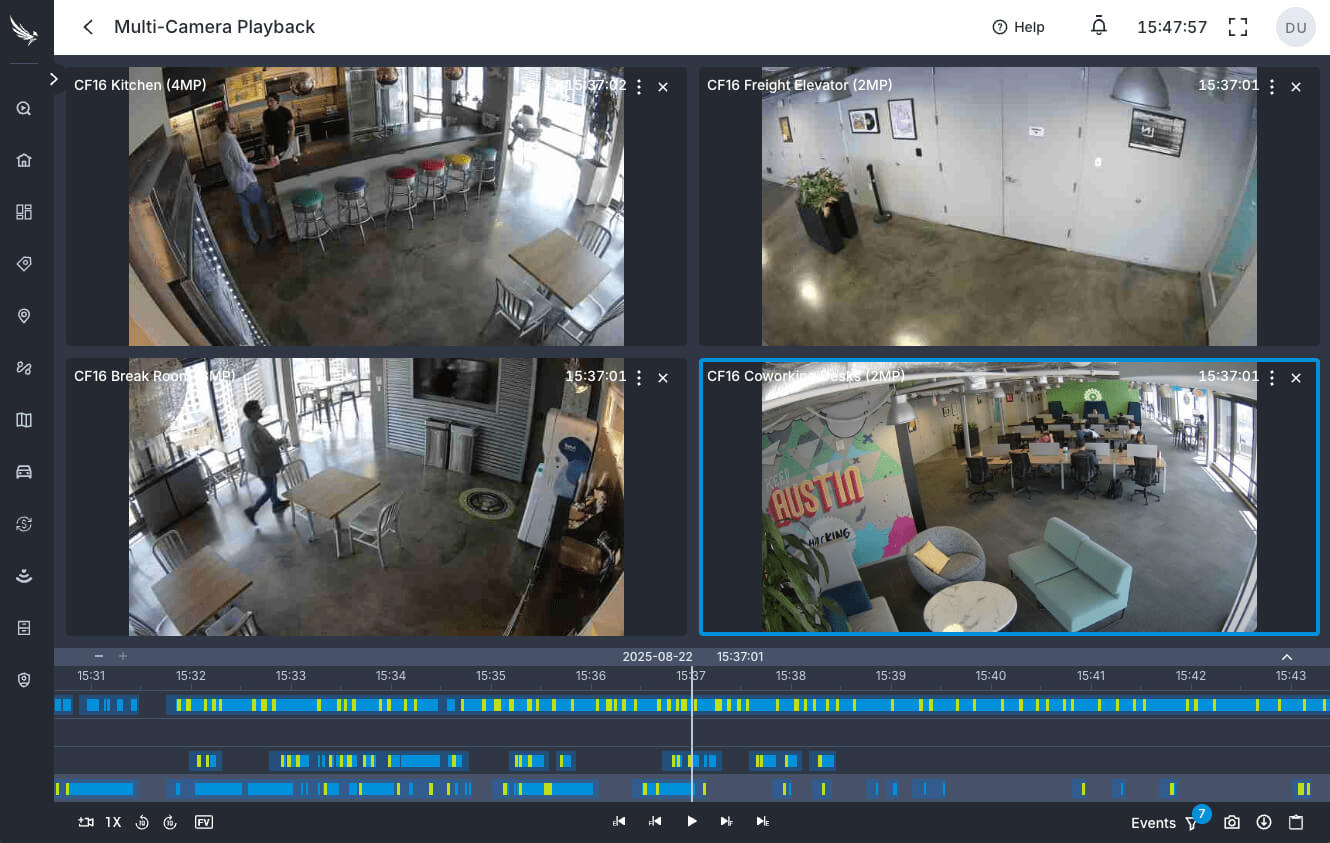
Eagle Eye: a managed cloud VMS

Eagle Eye browser interface showing four camera views and playback timelines.
You buy an Eagle Eye Bridge or CMVR appliance for every site. Only supported Camera Direct models connect without one.

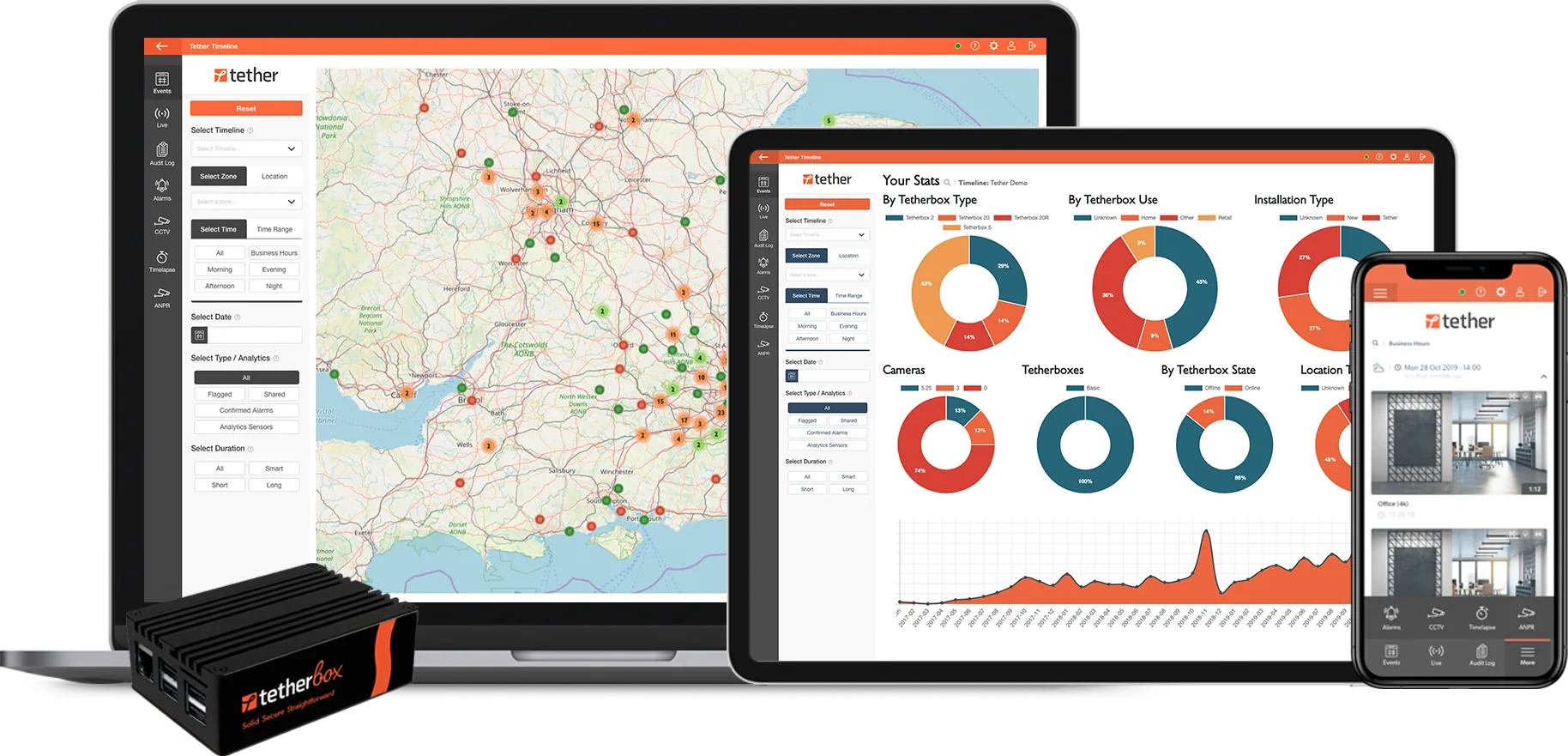
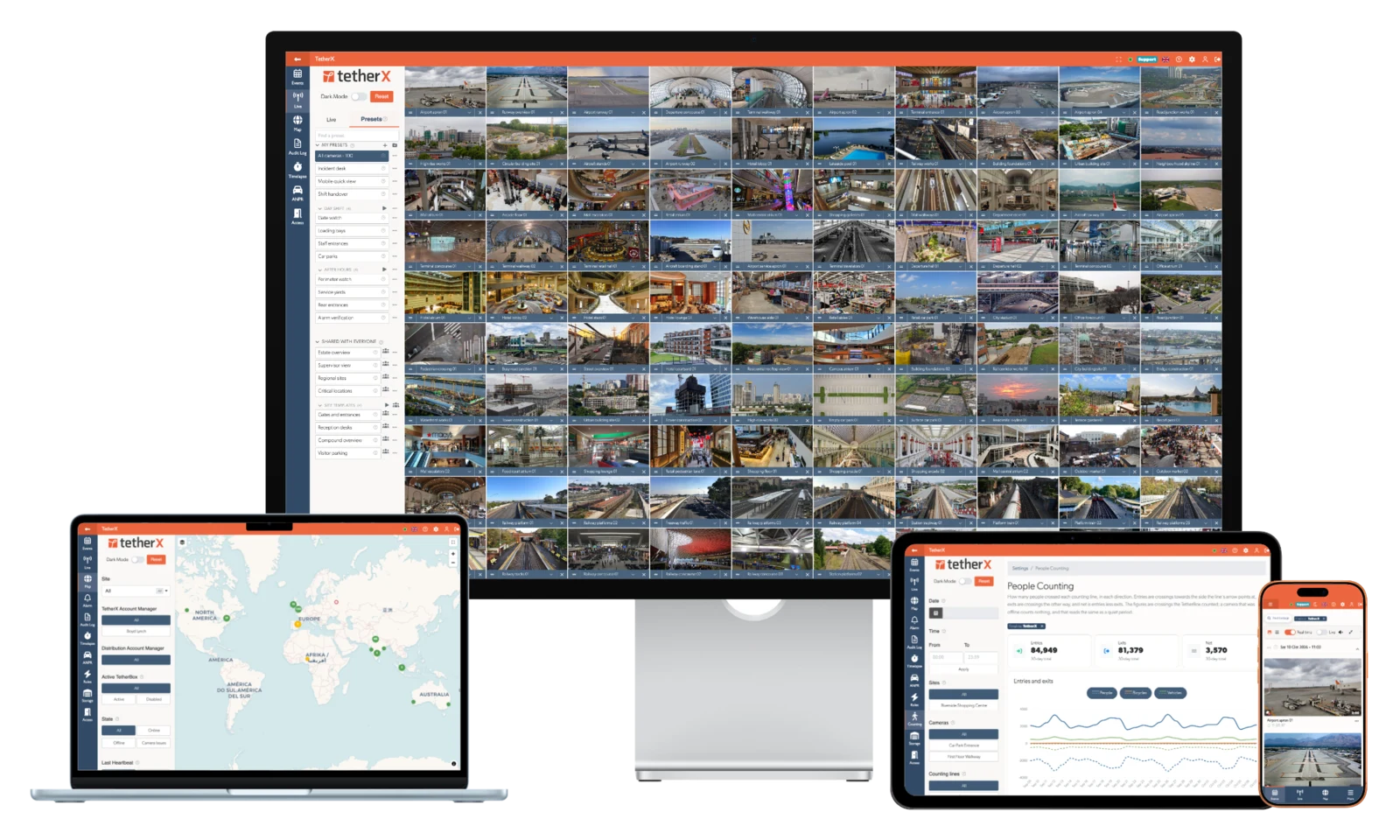
TetherX: your hardware, your choice

TetherX on desktop, laptop, tablet and phone
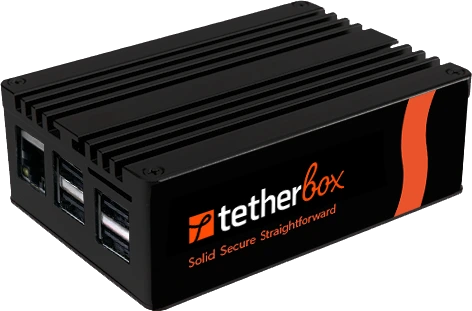
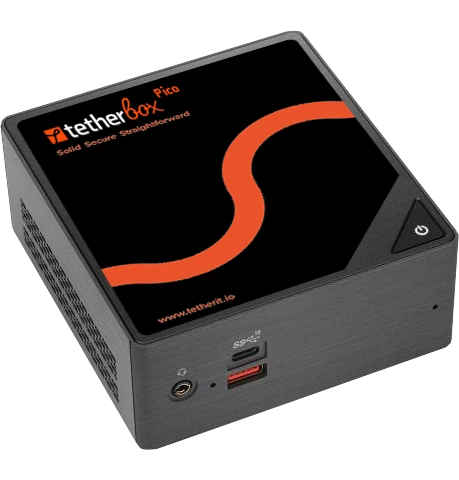
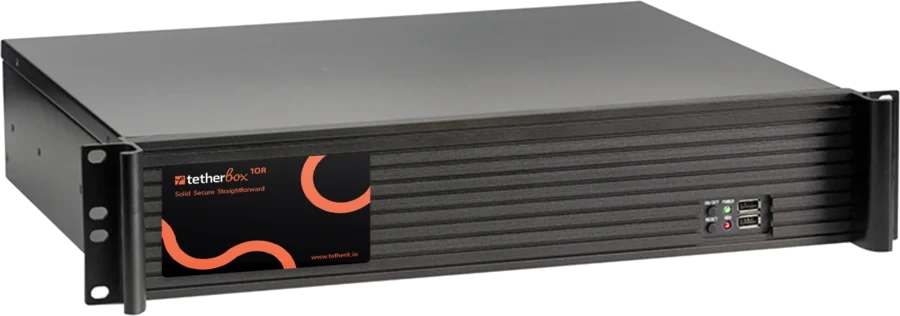
Run TetherBox Bridge on a suitable PC or server alongside your existing applications, or as a dedicated Linux appliance.

Book a live demonstration

WHAT OPERATORS WANT TO IMPROVE

Less waiting. A clearer route to the evidence.

An incident should not start with a loading spinner

Several September 2026 G2 reviewers describe buffering, live delay or waiting for history. With TetherX, full-rate video is recorded on site and you choose which cameras also upload, so the uplink does not have to carry every camera. Try live viewing and incident retrieval over the actual site connection before deciding. Reviewers also praise Eagle Eye's reliability and support.

An offline Bridge means a site visit

Eagle Eye’s troubleshooting guide says “Cases regarding offline bridges will always require someone on-site”, with a monitor and keyboard (Eagle Eye local troubleshooting). TetherX can restart a TetherBox and router remotely through a supported smart plug, so a simple router fault rarely needs a visit.

Find the incident without knowing its exact minute

Recent Eagle Eye reviewers describe history navigation and interface changes slowing them down. Compare the delivered incident workflow: describe the scene, find the footage and review supported alarm, access and sensor context in TetherX. Other reviewers find Smart Video Search and the app easy to use.

AT A GLANCE

Eagle Eye Networks and TetherX, question by question

The 7 questions an integrator asks on a site walk, answered for both platforms.

Question Eagle Eye Networks TetherX
Do I need a recorder on site? Conventional cameras need Eagle Eye's own Bridge or CMVR appliance, a separate purchase sized by camera count. Only supported Camera Direct models connect without one. The chosen path determines the site hardware and which camera features remain available. TetherX provides recording, viewing, search and monitoring through one system and one app. TetherBox records locally, with optional TetherX cloud recording, so no existing recorder or third-party cloud video service is required. It can also work alongside either where needed.
What your operators see on one timeline A panel output can only be wired into a supported camera’s input. Bosch panels connect through a Brivo access controller. Video, access control, intruder and automation. One operator, one timeline, one dashboard across all four.
Who monitors your alarms Monitoring needs a separate Brivo service or third-party control-room software such as Immix. A control room is built in: operators act on each event in full context, while site users get critical alerts that sound through silent mode and pass on instructions. Choose professional monitoring through a TetherX control room, run your own, or keep an existing provider; Patriot-based centres such as IMS connect directly.
What you can still do when the internet drops Even on the site network, Eagle Eye’s recording timeline still comes from the cloud. Keeps recording and keeps working. Recording, doors and alarms run on the TetherBox on the local network, and the console picks up where it left off when the link returns.
What gets sent over my internet connection? Cloud-recording plans upload each camera’s full-resolution video, so every camera adds to your upload bandwidth. Thumbnails, metadata and events, plus the clips an operator opens. Any camera your integrator sets to record to the cloud uploads on top of that; the rest record to the TetherBox alone, so a thin line still records every camera.
Where the AI runs Native appliance analytics run on Eagle Eye's own hardware. Cloud AI and search, Bridge/CMVR analytics and supported camera-side analytics use different execution paths, and specialist integrations have their own prerequisites. Included TetherBox AI runs on the edge, and supported camera and third-party analytics feed the same timeline. Native video, appearance/PPE and counting run on compatible NVIDIA GPU/Jetson or Hailo compute, including Raspberry Pi AI HAT; audio runs locally on the CPU. Each module needs supported models, configuration and a capacity check. Additional modules and retention can cost extra. Optional paid Calipsa cloud verification is also available, and natural language footage search interprets requests in the cloud.
What you actually pay for Each camera has a subscription priced by resolution and retention. Higher editions and optional modules cost extra. An annual platform subscription by channel count, from £100/site/year. TetherBox AI is included; additional modules and retention can cost extra. Cloud recording is optional; specialist analytics and professional monitoring are quoted separately.

The Eagle Eye Networks column is built from 34 public sources, listed at the foot of this page.

EAGLE EYE NETWORKS vs TETHERX

Where the two managed clouds differ on site

Compare the actual site hardware, supplied operator workflow and who supports each service.

Eagle Eye Networks

Strengths

Camera Direct connects supported cameras to the cloud with no box on site

Since the Brivo merger, one company supplies both video and access control

Trade-offs

A Bridge runs analytics on fewer cameras than it records

TetherX

Strengths

First-party integrations with cameras, access control, alarm panels and other IP or serial devices. A shared timeline, scheduled health reports and remote diagnostics bring them together.

TetherBox Bridge runs on compute you choose, with TetherBox AI included on compatible hardware

Record locally, with flexible cloud backup where you need it

Review long periods of recording quickly with interactive timelapse. The permanent audit log shows who viewed footage, exported it or changed the system.

Trade-offs

TetherX does not make access hardware; doors connect through supported third-party systems.

MORE THAN A VMS

Run your control room. Or connect the ARC you already use.

TetherX supplies operator queues, verification, escalation, recorded outcomes and performance reporting within its cloud platform. Work the alarms in TetherX, or forward them into a supported monitoring platform.

First-party TetherX integration connects to Intelligent Monitoring Solutions (IMS) through Patriot, with alarm images and confirmed alarm delivery. IMS lists 800+ bureaus and two A1/R1A centres. Explore TetherX control-room workflows · IMS provider information

Other security platforms also provide operator alarm handling and monitoring integrations. Compare the supplied workflow, equipment support, licence and monitoring contract for your proposal.

AI and recording terms: TetherBox AI is included in the platform subscription. Additional modules and data retention may cost extra. Cloud recording is optional; specialist services and professional monitoring are separately scoped. See current AI coverage.

Build the viewing workspace around your team

Video walls are included: add screens from any browser, with no wall licence. Use shared camera presets, maps and filtered event queues across browser windows and displays. Viewing accounts control camera access, live-only permissions and permitted IP addresses.

WHICH ONE FITS

Pick the one your site points at

Find the column that describes the job in front of you.

Choose Eagle Eye Networks if

  • The customer wants Eagle Eye video alongside an established Brivo Access deployment
  • Supported Camera Direct models suit small sites where a separate recorder is unnecessary
  • An existing Eagle Eye technology partner provides the specialist workflow required
  • The customer likes the functionality Eagle Eye offers, and accepts a subscription per camera and extra cost for Professional or Enterprise site tools

Choose TetherX if

  • The customer wants cameras, access and intruder events together on one operator timeline
  • Alarms should be handled in a built-in control room, or forwarded to the monitoring centre the customer already uses
  • You would rather not size every site's upload for full-resolution cloud recording of every camera
  • You would rather run the site software on a PC or server you choose than buy a vendor appliance for every site
FAQ

Questions before you switch from Eagle Eye Networks

Only in limited ways. Eagle Eye itself takes a panel through a camera’s alarm input: a relay or PGM output wired to the camera starts recording and marks the timeline, one contact per input, with no zone, user or set and unset detail, and Eagle Eye says “Only select Eagle Eye Cameras and some 3rd Party Cameras are supported” (Eagle Eye AN006). Bosch B and G Series panels can be armed and disarmed in Brivo Access, but that needs a Brivo access controller on the same network (Brivo Bosch integration). Other routes put the panel into someone else’s platform, such as CONXTD, evalink or Immix, which then pull Eagle Eye video. We found no SIA DC-09 or Contact ID receiver, and no direct Texecom, Pyronix, Ajax or Risco integration. TetherX receives SIA DC-09 and Contact ID from any panel with an IP communicator, and connects Texecom and Scantronic panels by serial cable, so each zone, set and unset lands on the timeline with footage from the camera covering it.

Fewer than it records. Eagle Eye’s Rack Bridge datasheet (May 2025) sets a Max Analytic Count per model: a Bridge 501 records 50 cameras but runs analytics on 10, a 701 analyses 20 of 150 and a 901 analyses 30 of 300 (Rack Bridge datasheet). Cameras connected through Camera Direct get no Bridge analytics, and person and vehicle detection is a separate cloud service charged per camera. TetherBox AI includes person, vehicle and animal detection, running on site.

Eagle Eye’s Media Shortcut article says “metadata must still come from the cloud; this includes … history browser timeline” (Eagle Eye Media Shortcut). The TetherBox offline interface still shows live and recorded video on the site network.

Possibly. Hanwha's Wisenet SKY and MOBOTIX CLOUD were white-labelled Eagle Eye. Since the Brivo merger, both are closing: Hanwha ended Wisenet SKY on 3 August 2026 (notice), and MOBOTIX is ending MOBOTIX CLOUD as reseller contracts expire, moving customers to Eagle Eye Networks, a Brivo company (MOBOTIX FAQ, April 2026). Brivo now sells its own Brivo Eagle Eye cameras, so Eagle Eye's open, any-camera promise is under pressure.

TetherX is independent of any camera maker and supports 1,000+ integrations plus ONVIF and RTSP devices.

These dated accounts describe specific problems worth testing on your own sites:

  • A fitness business reported slow, unreliable playback even on fast fibre, with service interruptions leaving gaps in recorded footage. G2 review, fitness business, September 2026
  • An installer reported that a customer’s cloud-connected cameras were unavailable for almost a day, without an explanation or email notification. Reddit r/accesscontrol, December 2025
  • A security installer said the built-in AI was limited and required extra purchases for features included in other products. G2 review, security installer, September 2026
  • A network technician reported morning disconnections and said they had to refresh the system several times a day. G2 review, network technician, September 2026

TetherX records full-rate on the TetherBox, so a cloud outage does not leave a gap in local recording.

Person and vehicle detection, plate recognition and Eeva are each charged per camera, on top of the camera subscription: Eagle Eye’s UK G-Cloud 15 price list (January 2026) shows Precision Person & Vehicle Detection at £1.73 per camera per month. TetherX uses an annual platform subscription scaled by channel count, quoted by your installer. Compare the complete outcome over the same term: site hardware, camera count, retention, analytics, monitoring and support, rather than assuming one platform is always cheaper.

With Eagle Eye, talkdown needs an IP speaker on its supported list, with ONVIF and SIP, or a camera with a built-in speaker. With TetherX, wire any speaker, PA or horn to the TetherBox, or use supported IP and camera speakers. Garrison mode sets off supported sirens and strobes across a site, and operators handle each alarm in the built-in control room.

Locations, floor plans and Smart Layouts require Professional or Enterprise; audit-log notifications require Enterprise. US 911 Camera Sharing is included in Professional and Enterprise and paid in Standard. Eeva and selected specialist services add to the subscription. Standard includes basic intrusion, loitering, line-crossing, object-counting and tamper analytics on supported deployment paths, plus seven days of Smart Video Search, and core analytics are included. Match the required features to the chosen plan rather than treating every analytic as an extra charge.

On 17 September 2026, a real-estate G2 user found history jumping to detected movement frustrating, while also praising aspects of the service. Other customer reports on this page describe playback and availability problems worth testing. Use a real incident and the actual site connection. Open live video, retrieve the same moment on several cameras, find an event without an exact time, and share the evidence from the phones your team uses.

A 30-day trial lets your team run the same test on TetherX. The older Apple history-playback complaint was updated by its reviewer to say the issue was fixed.

In January 2026 Eagle Eye confirmed one organisation under Brivo, bringing quoting, purchasing, invoicing and support together; Brivo also identified enterprise expansion as a priority. Brivo launched its unified Security Suite in March 2025, before the 29 December merger announcement. Video remains an active product, with current cloud-AI add-ons such as Eeva. The merger announcement commits to other video and access-control integrations; it does not establish compulsory Brivo-only bundling. Public reports about Brivo access-plan changes do not establish merger-caused Eagle Eye VMS price increases. Compare your standalone video renewal, optional access and AI charges, integrations and support responsibilities.

Yes. Eagle Eye offers CMVR on-premise-storage plans, and its Bridge/CMVR range supports Local Display. Ask the installer to demonstrate recording, viewing and access on either platform during an actual internet outage.

No. Brivo Access is part of the combined portfolio, and Eagle Eye also lists third-party access integrations including Kisi, Salto and Genea. With either platform, confirm the exact access devices and actions for your site.

Yes. Eagle Eye supplies managed cloud video, and the combined Brivo organisation offers video, access, visitor and intrusion workflows alongside third-party integrations.

TetherX’s proposition is the supplied operating workflow for your supported mixed estate, with camera and panel events on one timeline. Demonstrate the exact integrated devices and agree who supports each service. This comparison does not treat Eagle Eye as a DIY VMS.

TetherX Cloud patches and updates the TetherBox Bridge software across your sites automatically. TetherX ships a feature release every month, with smaller compatibility and improvement updates in between, each rolled out in validated stages. Eagle Eye maintains its cloud continuously and updates Bridge and camera firmware separately.

TetherX trains your team free of charge to run the platform. Your accredited installer provides hardware changes and on-site support.

A typical TetherBox setup takes about 15 minutes, without port forwarding or a static IP.

Yes. Arrange a 30-day trial through an accredited installer using supported cameras, and confirm first that the cameras can stream to both systems.
THE STORY SO FAR

Eagle Eye Networks and TetherX

Eagle Eye / Brivo

Dean Drako founded Eagle Eye in 2012, backed by SECOM and Accel. Its 2021 acquisition of surveillance-AI specialist Uncanny Vision expanded the company’s analytics capabilities. In January 2026 it merged into Brivo, which he also chairs: Eagle Eye video now sits inside an access-led Brivo suite.

TetherX

Founded by UK security installers in 2009, TetherX launched in 2011, raised product funding in 2018 and became independent in 2022. In 2026, we launched TetherX AI and expanded into Australia with local support on the ground. With no VC, private-equity or camera-manufacturer owner, customers and installers shape our roadmap.

Read the TetherX story


Free comparison PDF

Not ready to talk? Take the comparison with you.

A one-page open cloud VMS versus locked-platform breakdown: what you keep, what you cut, what it costs. We will email it over, usually the same working day.

Please complete the verification.

No sales call; your details stay with us. We route serious enquiries through accredited local TetherX installers.

Want this at your site?

Get a quote from a certified TetherX installer. We will match you with a local partner who knows your area and your needs.

Certified Installers
Local to You
No Obligation
Prefer to browse partners first? See our partner directory →

Still have questions about supported equipment, recording or the partner programme?

Try TetherX free for 30 days

Arrange a 30-day trial through an accredited installer. Agree supported equipment, network capacity and recording responsibilities for the evaluation.

Start Free Trial

Across the partner network

TetherX partners hold the accreditations security-procurement buyers and insurers filter on. Coverage varies by partner.

NSI 9 ISO 9001 6 SSAIB 5 SafeContractor 5 BAFE 4 CHAS 4 ConstructionLine 4 Cyber Essentials 3 NICEIC 2 ISO 14001 2

Counts reflect partners currently in the TetherX directory holding each accreditation.

References (34 public sources)

  1. Eagle Eye: 2021 Uncanny Vision acquisition and surveillance AI
  2. Eagle Eye interface documentation
  3. Current Eagle Eye editions, included analytics and paid options
  4. Eagle Eye automatic maintenance
  5. Eagle Eye API changelog
  6. March 2025 Brivo Security Suite launch
  7. December 2025 merger, operations and continued third-party support
  8. January 2026 enterprise expansion strategy
  9. Brivo Eeva cloud analytic add-on and tiered subscriptions
  10. Eagle Eye / Brivo combined organisation, January 2026
  11. Eagle Eye Accel investment, 2020
  12. Uncanny Vision acquisition, 2021
  13. SECOM investment, 2023
  14. Eagle Eye user reviews, including September 2026 reports
  15. Eagle Eye Viewer app reviews and developer responses
  16. Eagle Eye Bridge/CMVR and camera LPR architecture
  17. Eagle Eye founding
  18. Brivo merger announcement
  19. Cloud VMS subscriptions
  20. Camera Direct FAQ
  21. Local Display
  22. Kisi integration
  23. Partner directory
  24. Video Search developer documentation
  25. Eagle Eye Precision Person & Vehicle Detection, UK G-Cloud 15 price list, January 2026
  26. Eagle Eye AN006: panel output wired to a supported camera input
  27. Brivo: Bosch B and G Series panels need a Brivo controller
  28. Eagle Eye Media Shortcut: history timeline metadata comes from the cloud
  29. Brivo commercial alarm monitoring, a separate service
  30. Eagle Eye AN042: Immix integration for alarm monitoring
  31. G2 review, fitness business, September 2026: playback on fibre and recording gaps
  32. Reddit r/accesscontrol installer, December 2025: cloud-connected cameras down nearly a day
  33. G2 review, security installer, September 2026: limited built-in AI, extras bought separately
  34. G2 review, network technician, September 2026: morning disconnections and repeated refreshes

Anything wrong on the Eagle Eye Networks comparison?

Flag an inaccuracy, an outdated fact, or a missing nuance on the Eagle Eye Networks page. We update the per-vendor pages and the /compare hub from this inbox - real reply, real human.

Please tell us what to call you.
Please enter your email address.
Please tell us what to fix or add.
Please complete the verification.

We reply within 1 business day. No newsletter, no follow-up sequence.

[1] About this comparison. Information about other vendors is drawn from their public product pages, datasheets, integrator forums (Reddit, vendor user groups), public CVE databases (NVD, CISA), publicly-listed LinkedIn company pages (headcount, headquarters, founding year, leadership transitions and corporate ownership signals) and customer conversations - accurate to the best of our knowledge as of Q3 2026. Pricing, features, security posture and policies change. A vendor may have shipped a fix, dropped a price, added a region or changed an architecture since this page was last reviewed.

If you believe anything here is inaccurate or out of date, please contact us and we will review and correct it. Trademarks and product names belong to their respective owners and are referenced here for identification only.

30 days free. No card. Talk to a local installer.