FOR SECURITY GUARDING COMPANIES
Put your team in control of every response.
We work with companies offering manned guarding, static guarding and mobile patrols. TetherX brings video, alarms and access events together, so your guards and control room can assess the same incident, direct the response and keep the record without chasing separate systems.
Your guards, your procedures, your customer relationship.
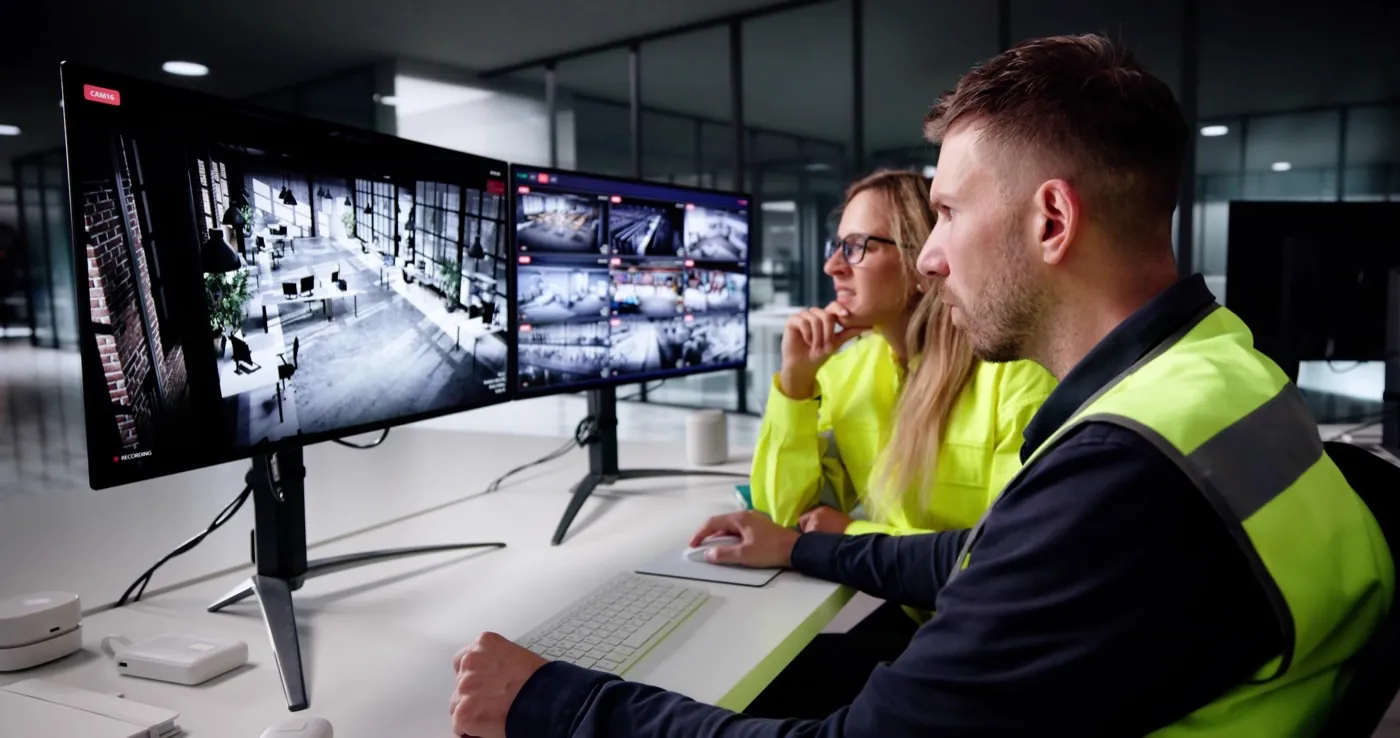
The panel, the door and the cameras. One incident.
An officer can physically patrol one area at a time. TetherX helps the wider environment stay visible, bringing available video and connected events to the operator before they decide who needs to attend.
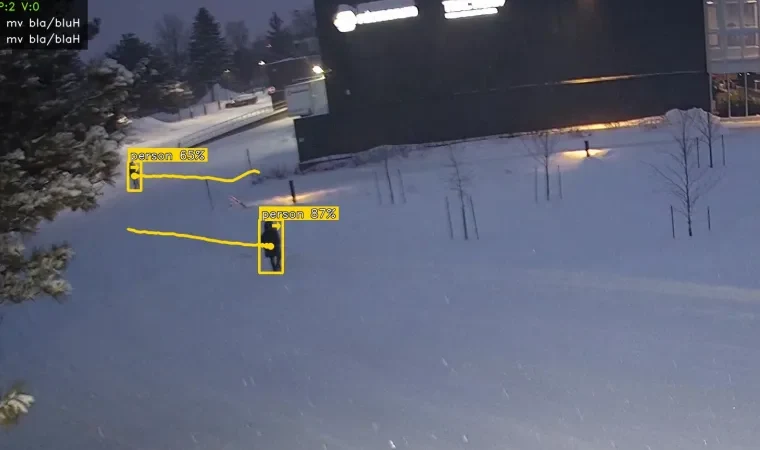
- ALARMEvent arrivesConnect the supported panel, access event and nearby camera.
- VERIFYOperator reviews videoSee the activity before and after the trigger where footage is available.
- RESPONDOfficer gets contextShare the relevant event and direct a guard under your response plan.
- RECORDAction stays on fileLog attendance, client contact and the incident outcome.
Illustrative workflow. Connected devices, detection rules and recipients are agreed per site.
Fit the operation you already run
Use TetherX as the operator environment or feed selected events into an existing monitoring workflow through a supported interface. Your guards, procedures and client contracts stay with you.
TetherX at the operator desk
Authorised staff see connected client environments in one view. Review the event, act on the video and keep the response record together.
Control room · supervisor · officerKeep your monitoring environment
Continue using your current receiving platform where integration is supported. Bring the available video and event details into the response process you already own.
Existing ARC · current procedures · staged rolloutConnect compatible cameras, alarms, access systems, intercoms and sensors. Keep existing equipment and local recording where it remains fit for purpose.
The action taken stays with the incident
Before an event is closed, the operator can record the response: observation, client notification, responder dispatch or attendance. The authorised user and incident stay linked for review and escalation.
That gives the next shift and the client a clearer account of what happened, without rebuilding the story from separate emails and camera exports.
Explore TetherX for control rooms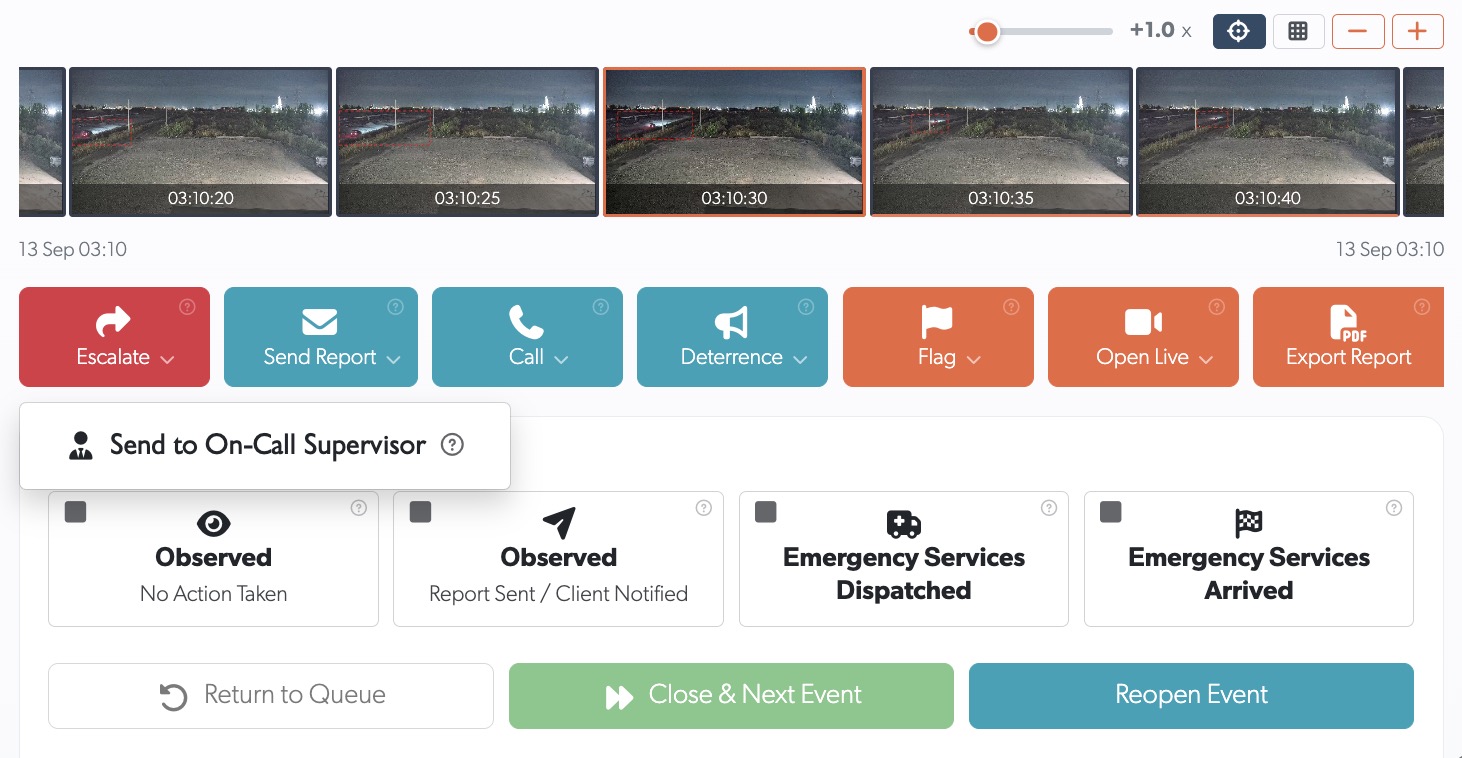
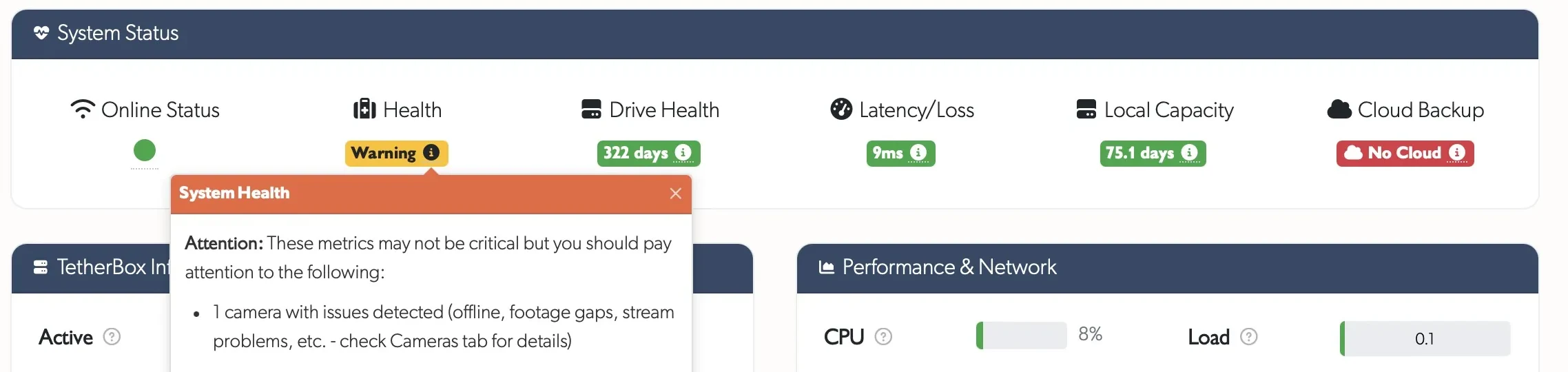
Spot the camera fault before the guard needs it
Equipment health warnings help your team find a camera, recorder or storage problem before an incident exposes the gap. The operations centre, site team and installer can work from the same fault record.
Authorised staff can search available incidents by time, site and camera, with connected event and analytics data where supported. Technicians can diagnose and manage supported devices remotely when a physical visit is unnecessary.
TetherX platform overview
Ask for the one-pager.
A short overview of the platform behind the cameras, alerts, role-based access and incident evidence. Forward it to your operations lead or use it to start a site-by-site discussion.
We will email the existing TetherX platform overview. Reply with your guarding workflow if you want a tailored walkthrough.
How TetherX fits your guarding service
Bring us one site and one response workflow
Show us the cameras, the alert path and who needs to act. We can map how TetherX would support your guards and control room without changing who owns the service.
Ask for the one-pagerSee how TetherX supports guards, patrols and control rooms.
