WHERE UNIFI PROTECT CONSTRAINS

Hardware-locked. No native cloud. No MSP console.

Hardware-locked to UniFi OS consoles

Protect cannot run in Docker, on a NUC, on Windows, or on commodity Linux. It runs only on Ubiquiti consoles (Dream Machine, Cloud Gateway, UNVR, Enterprise NVR). A deliberate regression from UniFi Video, which was Windows / Linux PC-installable until EOL January 2021.

No native cloud retention

Footage stays on the local NVR. Vendor-stored cloud retention does not exist - "Continuous Archive" to OneDrive / Google Drive / Dropbox / NAS writes proprietary .ubv files that require UniFi software to play back natively. Off-site redundancy is the customer's problem to assemble.

Remote viewing goes through a ui.com brokered relay

Per Ubiquiti's Site Manager docs: "A Direct Connection automatically activates when accessing a site via Site Manager while connected to the same local network." Translation: same LAN gets direct; off-LAN goes through ui.com's relay unless the site has a public IP plus a free TCP 443 (rules out CGNAT, Starlink, 4G/5G WANs, and almost every PCI / ISO 27001 / NIS2 customer LAN that bans inbound).

Remote view silently downgraded to the substream

Ubiquiti's own banner on unifi.ui.com tells you in writing: "A local connection helps reduce latency and maximize resolution during your viewing sessions." Off-LAN viewing through the relay gets the low-bitrate preview substream, not archive-quality video. r/Ubiquiti operator verbatim: "If I go to unifi.ui.com and look at the camera in the Protect screen, the resolution is terrible. Like, 1080P terrible. Very blurry... However, if I connect directly to the UNVR via the local IP address, it looks fine." The "free remote view" is real for the SMB owner-operator, but the SOC reviewing an incident across 80 sites is watching the preview stream, not the recording.

"Free" remote viewing - bounded by the substream cap, not a contract

Ubiquiti runs the relay on AWS CloudFront (cloudaccess.svc.ubnt.com resolves to ~2,970 CloudFront IPs; UDM Pro debug logs put the control plane in us-west-2 on AWS IoT). Egress at that tier is $80-$120 per TB retail, so a true unmetered "10 sites x 24/7 live view" would be ruinous. It scales only because the relay path is silently capped to the low-bitrate H.264 substream (~500 Kbps - 1 Mbps per camera vs 4-8 Mbps on the archive stream), with STUN hole-punch preferred and TURN-style relay only as fallback. No published byte cap in the ToS - just a sole-discretion suspension clause Ubiquiti can pull on any account whose traffic stops being economic.

SOC / ARC workloads: no published Protect case studies

Zero IPVM coverage of named Protect SOC deployments. Zero Ubiquiti case studies of named alarm-receiving-centre / monitoring-station customers. Zero public latency, dropout, or session-length telemetry. Anonymous r/Ubiquiti defenders say it works ("50+ sites running Unifi Protect and we are not having any issues"), but a Ubiquiti installer running a 1,000+ camera control room (u/corsalove) is unambiguous on the same thread that Protect is the wrong tool for that workload and they run a different VMS for the monitoring layer. Another r/Ubiquiti operator: "Someone with the budget for 24x7 monitoring and multi site honestly to me does not sound like an ubiquiti customer."

No integrator / MSP multi-tenant console

No first-party way for one installer to manage multiple end customers from a single sign-in. HostiFi and UniHosted layer a multi-tenant console on top of Ubiquiti consoles, but neither is a Ubiquiti product - they add another vendor and another bill. See the MSP FAQ below for what "multi-tenant console" means.

End-customer multi-site only landed in March 2026

Protect 7.0 Site Manager + Fabrics is the first first-party federation of multiple sites under one customer account. Improvement over per-console isolation, but the cross-site tag search ("show every front door across all sites in one grid") is not in the product yet, and r/Ubiquiti field reports describe live-view grid organisation at 60+ feeds as cumbersome.

No native multi-monitor video wall at scale

r/Ubiquiti operator running 42 monitors for a customer migrated to Protect, verbatim: "I'd be interested to see how you'd feed an entire wall of screens with protect, on a scalable level." No Genetec-class video-wall client; ViewPort hardware handles small numbers of feeds per port but does not stitch into a SOC video wall spanning dozens of monitors.

ONVIF cameras are recording-only without a $199 AI Port

Third-party ONVIF cameras integrate as record-only. Person / vehicle analytics, smart events and search require either a UniFi camera or a per-camera $199 AI Port appliance. Existing non-Ubiquiti cameras lose their analytics value on Protect.

ONVIF reliability "hit and miss" at scale

Integrator running 30 large sites and 55+ NVRs, verbatim: "if you are using Unifi cameras primarily, then it works great. But if you are trying to use ONVIF cameras, then you will run into issues... I can't recommend any deployment that uses a majority of ONVIF cameras." Changing res / framerate requires fully removing + re-adding the ONVIF camera; zero intelligent error reporting on ONVIF failures.

MP4-only export, no chain-of-custody mode

Footage export downloads MP4 files. No standalone-player export with integrity verification, no chain-of-custody workflow for investigations, legal requests or law enforcement. A live constraint for any environment that hands footage to police or insurers.

NDAA Section 889 status vendor-acknowledged-partial

Ubiquiti's own help.ui.com page states "Most UniFi products comply with NDAA standards" - it is a per-SKU determination with no central compliance matrix. Procurement officers walking a US federal-adjacent RFP have to verify every SKU on techspecs.ui.com. Manufacturing footprint spans Vietnam, Taiwan and China.

Russia / Ukraine reputational overhang

January 2026 Hunterbrook investigation documented Ubiquiti products in Russian military supply chains (25th Combined Arms Army, 36th Guards, 68th Jaeger Brigade footage from Pokrovsk February 2026). March 2026 Pussy Riot protest at the NYC HQ. The DOJ's February 2024 disruption of Russian Military Unit 26165 (Fancy Bear) ran on compromised Ubiquiti EdgeOS routers. Not a software-recording issue; a procurement-narrative issue.

UNIFI PROTECT vs TETHERX

Hardware-locked bundle vs open multi-brand platform.

Both unify cameras into a single app. The honest read on where each one wins and where each one costs you something.

UniFi Protect

Strengths

No software subscription - "no fees, ever" on Protect itself, costs shift entirely into Ubiquiti hardware (which is pricier than Hikvision / Dahua / Uniview equivalents but cheaper than Verkada / Rhombus closed-cloud kit)

Strong user-experience polish - one mobile app across cameras / switches / Wi-Fi / access, consumer-grade onboarding, the standout UX in the prosumer / sub-enterprise tier

Strong consumer mobile apps - 4.6 / 5 Apple App Store (~17K ratings), 4.7 / 5 Google Play (~19K ratings)

Site Manager + Fabrics (Protect 7.0, March 2026) finally added end-customer multi-site federation

Trade-offs

Hardware-locked - Protect runs only on UniFi OS consoles, ONVIF cameras are record-only without $199 AI Port, no first-party MSP console for integrators, no native cloud retention, NDAA per-SKU

Russia / Ukraine reputational overhang (Hunterbrook January 2026, Pussy Riot March 2026, DOJ Fancy Bear EdgeOS February 2024) sits outside the software-and-recording conversation but is now part of procurement diligence

TetherX

Strengths

Open to 1,000+ integrations including ONVIF support for existing Ubiquiti cameras

First-party integrator / MSP console with per-tenant billing, role-based access across multiple end customers, central health monitoring

cloud recording optional per camera - local-only, cloud-only or both, all in one platform; TetherBox for hybrid edge-plus-cloud retention

ARC integration a la carte (Immix, Sentinel, CONXTD, MASterMind, Bold Patriot Manitou, Stages and others) - the customer picks the monitoring partner, the installer guides the choice

Trade-offs

If the customer is fully inside the Ubiquiti ecosystem on one site with hardware already bought and no need for an MSP console, "no fees, ever" is the simpler buy

Pricing figures, ownership, acquisition dates and product behaviour cited on this page are point-in-time and drawn from public sources - see the disclaimer at the bottom of this page for sourcing, "as of" date, and how to flag corrections.

FAQ

Questions before you switch from UniFi Protect

UniFi Protect is Ubiquiti's built-in VMS app - it ships pre-loaded on every UniFi OS console (Dream Machine, Cloud Gateway, UNVR, Enterprise NVR) and the headline pitch is "no fees, ever". On the hardware-cost side Ubiquiti is materially more expensive than Hikvision, Dahua and Uniview equivalents (a UniFi G6 Bullet is $199 vs sub-$100 for the brand-locked Chinese OEMs), so "no fees, ever" trades a higher up-front cost for the lack of an ongoing licence. What the premium is paying for is the user-experience polish: a single mobile app, consumer-grade onboarding, one OS across cameras / switches / Wi-Fi / access. For a single-site prosumer or smaller commercial build that values UX over cost-per-channel, that trade can land cleanly. The cracks appear the moment a buyer needs anything beyond one site, one user group, or one customer.

Three structural constraints push buyers off Protect: (1) it is hardware-locked - Protect cannot run in Docker, on a commodity Linux box, on a NUC, or on Windows. It runs only on Ubiquiti hardware. (2) There is no native cloud retention - remote viewing is a ui.com brokered relay, footage stays on the local NVR, "Continuous Archive" to OneDrive / Google Drive / Dropbox writes proprietary .ubv files that Ubiquiti must play back. (3) There is no integrator or MSP multi-tenant console - more on what that means in the multi-site / MSP FAQ below. TetherX is the open alternative: 1,000+ integrations including ONVIF support for existing Ubiquiti cameras where the protocol allows, cloud recording as an optional per-camera service, TetherBox for hybrid edge-plus-cloud retention, and a real MSP console for installers running multiple end customers.

Ubiquiti cameras that expose an ONVIF profile (most current G-series models do) can be brought into TetherX alongside any other ONVIF / RTSP brand on the site. The constraint is on Ubiquiti's side, not TetherX's: UniFi Protect treats third-party ONVIF cameras as "recording only" - no person / vehicle analytics, no smart events - unless you also buy a $199-per-camera AI Port. TetherX runs analytics in the cloud or on TetherBox, so the camera does not need to ship AI inference to qualify. Net result: existing Ubiquiti cameras keep recording, and you gain the option to mix in Axis / Hanwha / Hikvision / Bosch / Dahua / i-PRO / Mobotix / VIVOTEK without paying a per-camera AI surcharge for the cross-brand integration.

Honest read: "no fees, ever" is true for the Protect software, but the cost shifts into the hardware - and the hardware is materially pricier than the brand-locked Chinese alternatives. A UniFi G6 Bullet is $199 vs sub-$100 for a comparable Hikvision / Dahua / Uniview camera; a UNVR Instant is $199, a UNVR is $299, an Enterprise NVR Core is around $5,000 and an AI Key is around $799. So "no fees, ever" is not the same conversation as "the cheapest path to cameras on a wall" - that crown still sits with Hikvision and Dahua on raw cost-per-channel, though both carry NDAA Section 889 baggage that Ubiquiti does not. What Ubiquiti is selling against the cheaper Chinese brands is the user-experience polish (one app, consumer-grade onboarding) and the Five-Eyes-jurisdictional procurement story. Multi-site means a separate console per site (Ubiquiti's federation only landed in March 2026 with Protect 7.0 Site Manager). Off-site retention means buying more drives or paying cloud storage providers separately. TetherX is an annual platform subscription priced by channel count (from £80/site/year) through the qualified installer; cloud recording is an optional per-camera add-on; AI search is an optional per-camera add-on; ARC integration is a la carte. The trade is predictable: Protect is cheaper if you have already bought the Ubiquiti hardware and live on one site; TetherX is cheaper across multiple sites and pays for itself once the integrator adds remote monitoring revenue and cross-brand camera support to the equation.

"MSP multi-tenant console" is the integrator-side dashboard that lets one installer (or one MSP technician) sign in once and manage every end customer they look after - separate, walled-off video estates, separate billing, separate user lists - from a single pane. Think of it as the difference between an accountant logging in to a different Xero account for every client (one customer per session, switch context to move) versus logging in once to the accountant's firm-level dashboard that lists every client and lets the accountant pivot between them with one click. The "multi-tenant" part means each end customer's data, users and footage are kept logically separate; the "MSP" part means the integrator gets a layer above all of those tenants.

This is the largest functional gap with UniFi Protect for installers running more than a handful of customer sites. Ubiquiti's March 2026 "Site Manager" + "Fabrics" feature landed end-customer multi-site (one customer with several buildings), but the integrator still has to sign in to a separate ui.com account per customer. Third-party hosting platforms (HostiFi, UniHosted) layer a multi-tenant console over Ubiquiti consoles, but neither is a Ubiquiti product and both add another vendor (and another bill) to the stack.

TetherX ships an integrator-side multi-customer console as a first-party feature - one sign-in for the integrator, every end-customer estate visible inside it, channel-only billing through the installer, and the customer relationship and recurring revenue staying with the installer rather than the platform vendor. For an installer with five or more end customers, the absence of this layer in UniFi Protect is the operational tax.

The honest answer from the field (r/Ubiquiti, May 2026, "Is Ubiquiti Protect viable for large enterprise CCTV deployments?" - 80+ locations, 40-500 cameras per site, evaluating off Genetec + CCURE + Axis):

Connectivity. Per Ubiquiti's own Site Manager documentation a "Direct Connection automatically activates when accessing a site via Site Manager while connected to the same local network." Translation: same LAN gets a direct connection, remote viewing across sites goes through a ui.com brokered relay. No port forwarding required at the integrator end (good), but live-view latency and bandwidth on the cross-site view depend on Ubiquiti's relay path, not on a customer-controlled link.

"Show me every front door across every site" workflow. Not really. Site Manager + Fabrics federates sites at the navigation level, but there is no tag-based cross-site search ("show all cameras tagged front_door across all 80 sites in one grid"). Field report on the live view at scale, JamesAtWork85 verbatim: "Finding and organizing cameras in the live view grid is somewhat annoying at the 60 or so feeds we're at. Would be nice to be able to add a bit of structure to it." For a video wall feeding many cameras, slynas verbatim: "I'd be interested to see how you'd feed an entire wall of screens with protect, on a scalable level." The dedicated video-wall renderer at SOC scale is the gap, not the viewing surface.

ONVIF cameras (i.e. anything not Ubiquiti). Leading-Call9686, 30 large sites with 100-200+ cameras per site, verbatim: "if you are using Unifi cameras primarily, then it works great. But if you are trying to use ONVIF cameras, then you will run into issues... At this point I can't recommend any deployment that uses a majority of ONVIF cameras if you want minimal issues over time." Sala91: "ONVIF support is very hit and miss. Some cameras will just go to reboot hell with unify onvif protocol. Unifi own cameras however have been nothing but perfection in terms of reliability." Changing resolution / frame rate on an ONVIF camera requires fully removing and re-adding it; zero intelligent error reporting on ONVIF failures.

Footage export and chain of custody. Artentus: "If you export footage you are downloading MP4 files to your computer... if you have any special legal requirements it's not happening on Protect." No standalone-player export with integrity verification.

Field verdict on enterprise readiness. Sala91, after running an enterprise eval: "current trend shows them competent in about 5 years for big enterprise. Today it's probably perfect for SOHO, fits most SIMPLE deployments of enterprise and some more complex with help of MSP." Same thread, multiple commenters: future features (LTS branches, expanded continuous archiving, multi-site video wall) "with Ubi this could mean in two months or in five years." Translation: Site Manager / Fabrics is a real improvement on per-console isolation, but it is not the Genetec-class multi-site experience a 30+ site enterprise will recognise as "production-ready" today.

Ubiquiti now publishes an official NDAA page (help.ui.com) that states verbatim: "Most UniFi products comply with NDAA standards, but it is important to verify each product's specific specifications." Translation: NDAA compliance is per-SKU, not brand-wide. There is no consolidated compliance matrix - integrators have to walk every techspecs.ui.com product page to confirm. Compare to Axis (per-SKU NDAA badges) or Avigilon / Verkada (brand-wide attestation), and the procurement workload is heavier on UniFi. See NDAA Section 889 for ring-fencing patterns and migration paths. TetherX itself is software-only and Five-Eyes-jurisdictional (UK-registered, AU operations), with no Section 889 covered-entity exposure - and supports an NDAA-compliant mix of Axis, Hanwha, i-PRO, Bosch and Avigilon cameras at full feature.

The honest comparison set is not just UniFi Protect. The decision typically lands between (a) staying on Protect, (b) moving to a closed-ecosystem cloud like Verkada or Rhombus, (c) moving to an open cloud like Eagle Eye / Brivo or TetherX. Closed ecosystems lock the customer into the vendor's cameras with a rip-and-replace cost on lapse. TetherX keeps the existing fleet (Ubiquiti and otherwise) and gives the integrator the channel margin instead of selling around them. See the best VSaaS providers shortlist for the full open-vs-closed split.

Ubiquiti pays the relay POP egress out of their AWS bill - and they keep it survivable by silently capping every off-LAN stream to the substream, not by capping you in writing.

The relay infrastructure is Ubiquiti-operated. cloudaccess.svc.ubnt.com resolves to ~2,970 IPs on Amazon CloudFront, UDM Pro debug logs put the control plane in AWS us-west-2 on AWS IoT topics, and the data plane is whatever CloudFront POP is closest to the viewer. CloudFront egress lists at roughly USD $80-$120 per TB at retail tiers. Naively, "10 sites x 8 cameras x 4 Mbps x 24/7" works out to ~10 TB per day of relay egress per customer, which would run a low-five-figures USD monthly AWS bill per heavy user. That is not what's happening - and there are three reasons why.

1. STUN-brokered P2P first, relay only as a fallback. The NVR holds an outbound socket to AWS; when a viewer opens a camera, AWS introduces the two endpoints and the media flows peer-to-peer over a UDP hole-punch. Ubiquiti pays the signalling cost (cheap) but not the media bytes (expensive). Users posting their firewall logs on r/Ubiquiti regularly see the NVR start uploading to a residential IP the instant they open the Protect app - that's the hole-punch in action. The relay only carries the media bytes when symmetric NAT or strict outbound firewalls defeat STUN, which is most enterprise networks but very few homes.

2. The substream cap is the bandwidth ceiling. When the path does fall back to the relay, Ubiquiti forces the off-LAN viewer onto the camera's H.264 "preview" substream rather than the main archive bitstream. The in-product banner says it in plain English: "A local connection helps reduce latency and maximize resolution during your viewing sessions." A substream is typically 480p-720p at 500 Kbps - 1 Mbps; the archive stream is 4-8 Mbps. So the "10 sites x 24/7" workload is closer to 10 x 8 x 0.5 Mbps = ~40 Mbps of relay throughput, not the headline 320 Mbps. At sub-$1 per camera per month in CloudFront egress, that's economically sustainable. Ubiquiti never has to publish a byte quota because the codec choice does the rationing for them.

3. The ToS catch-all backstops the maths. Ubiquiti's May 2024 Terms of Service reserve the right to "terminate or suspend your access to or right to use all or part of the services without notice... if Ubiquiti determines, in its sole and absolute discretion, that you... have engaged in any conduct otherwise harmful to the interests of Ubiquiti." There is no published "fair use" byte ceiling, no MB/GB language, no per-account quota - just a unilateral kill option for any account whose relay traffic becomes unprofitable. No public IPVM, Reddit, or community.ui.com thread surfaces a confirmed throttling or cut-off event, which suggests the substream cap is effective enough that few consumers ever hit the wall.

4. Client-side caps further bound the relay. Vantage Point (the only first-party multi-NVR SOC tool) caps at 5 NVRs per workspace. Multi-view caps at 16 streams in the iOS app and 26 streams on web/Android. So even a 7,000-site bank with 100 SOC operators is structurally limited to 100 x ~20 active streams x ~500 Kbps = ~1 Gbps of relay throughput, not the headline 7,000 x 24/7 number. And that customer would not be on Cloud Access anyway - the named integrator population running Protect at >1,000-camera control-room scale has publicly moved to a different VMS for exactly this workload - u/corsalove, a Ubiquiti installer himself, says outright on r/UnifiProtect that Protect is not the correct software for a 1,000+ camera control room and his team runs a different VMS for the monitoring layer.

Where this leaves the SOC / multi-site buyer. The "no fees, ever" claim is technically true: Ubiquiti is not invoicing the customer for the relay. But the off-LAN viewing experience that comes with it is fundamentally a low-bitrate preview, not the recording; the only documented multi-NVR SOC tool caps at 5 NVRs; and the service is governed by a unilateral kill clause rather than a contracted bandwidth commitment. There is zero published IPVM coverage of a named Protect SOC deployment and zero Ubiquiti case study of a named ARC customer - the absence is itself the answer. Verkada, Rhombus and Eagle Eye take the opposite shape: camera or bridge uploads continuously to the vendor cloud, cloud is the canonical source for every viewer, multi-viewer fan-out is paid for once on the site-to-cloud upload, archive-quality is the only quality, and the bandwidth cost is explicit on the camera licence. TetherX sits in between: a TetherBox at the site brokers, and the customer chooses per camera which streams stay LAN-only (zero ongoing cost), which become cloud-resident at archive quality (priced explicitly per camera), and which use the cloud only as failover. No silent quality cap, no client-side keep-alive cliff, no sole-discretion suspension. Choosing the architecture is the point.
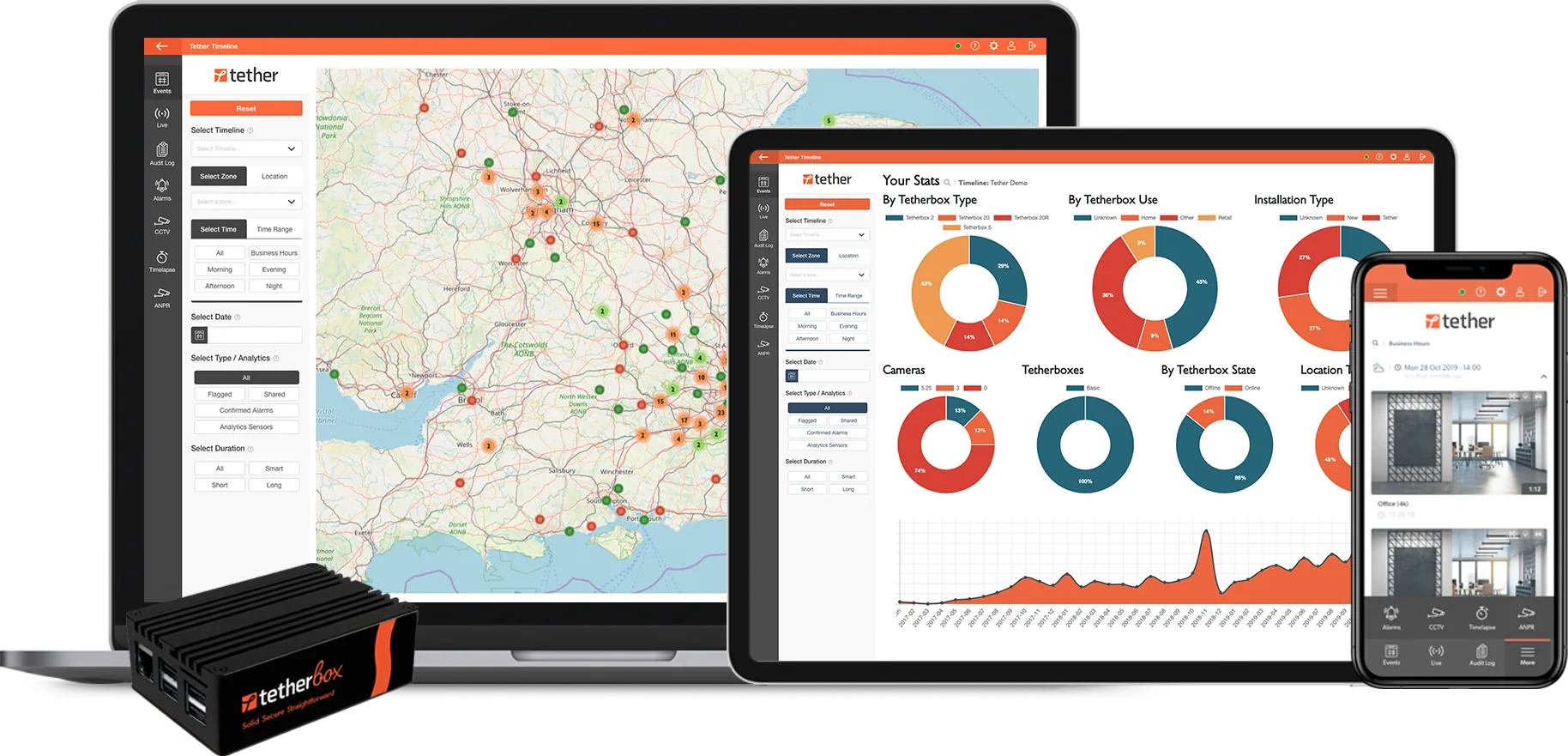

Yes. 30-day free trial through an integrator partner with a TetherBox, full platform access, can run alongside an existing UniFi Protect install for direct comparison. Extensions on request.
COMPANY HISTORY

Ubiquiti: prosumer networking giant, security VMS as an OS app

Ubiquiti Inc. was founded in October 2003 in San Jose, California by Robert J. Pera (ex-Apple Wi-Fi engineer). Headquartered today in New York City. Listed on the NYSE under ticker UI (legally renamed from Ubiquiti Networks Inc. and transitioned from NASDAQ: UBNT on 19 August 2019). FY2025 (year ended 30 June 2025): revenue US$2.57B, net income US$712M, 1,667 employees (SEC 10-K, mirrored on Wikipedia).

UniFi Protect is one of seven apps inside the UniFi suite (Network, Protect, Access, Talk, Drive, InnerSpace, Identity), all running on UniFi OS. It is not sold as standalone software - it ships pre-loaded on every Protect-capable console and is activated by adopting a UniFi camera. The product replaced UniFi Video (Windows / Linux installable, EOL January 2021) and intentionally narrowed the deployment surface to Ubiquiti hardware.

Manufacturing is split across Vietnam, Taiwan and China (community-confirmed across multiple r/Ubiquiti and r/UnifiProtect threads). Vietnam and Taiwan are the structural NDAA-compliance anchors; the China share is why Section 889 status must be checked per-SKU.

Public-record events relevant to procurement diligence: 2014 OFAC US$504,225 Iran sanctions fine, 2015 US$46.7M BEC loss disclosure, December 2021 DOJ indictment of insider Nickolas Sharp (extortion conviction February 2023), March 2022 Krebs defamation lawsuit (resolved outside court September 2022), February 2024 DOJ disruption of Russian Military Unit 26165 (Fancy Bear) running on compromised Ubiquiti EdgeOS routers, January 2026 Hunterbrook investigation documenting Ubiquiti products in Russian military supply chains, March 2026 Pussy Riot protest at the NYC HQ. None are operational defects in Protect itself; together they shape the procurement-narrative side of the conversation.

Glassdoor 3.5 / 5 (303 reviews, May 2026): CEO Robert J. Pera 71% approval, work / life balance 3.0, culture 3.2 - below the IT industry 3.9 average, with recurring themes "fast-paced", "chaotic", "lack of transparency", "shunning culture" balanced against "good compensation", "interesting projects", "startup mentality". The manufacturer's site is the authoritative source for current product status.

Want this at your site?

Get a quote from a certified TetherX installer. We will match you with a local partner who knows your area and your needs.

Certified Installers
Local to You
No Obligation
Prefer to browse partners first? See our partner directory →

Still have questions about multi-site, MSP console or NDAA compliance?

Try TetherX free for 30 days

Run TetherX alongside an existing UniFi Protect install. Trial extensions on request.

Start Free Trial

Across the partner network

TetherX partners hold the accreditations security-procurement buyers and insurers filter on. Coverage varies by partner.

NSI 9 ISO 9001 7 SSAIB 5 SafeContractor 5 BAFE 4 CHAS 4 ConstructionLine 4 Cyber Essentials 3 NICEIC 2 ISO 14001 2 ISO 27001 1

Counts reflect partners currently in the TetherX directory holding each accreditation.

Anything wrong on the UniFi Protect comparison?

Flag an inaccuracy, an outdated fact, or a missing nuance on the UniFi Protect page. We update the per-vendor pages and the /compare hub from this inbox - real reply, real human.

Please tell us what to call you.
Please enter your email address.
Please tell us what to fix or add.
Please complete the reCAPTCHA verification.

We reply within 1 business day. No newsletter, no follow-up sequence.

[1] About this comparison. Information about other vendors is drawn from their public product pages, datasheets, integrator forums (Reddit, vendor user groups), public CVE databases (NVD, CISA), publicly-listed LinkedIn company pages (headcount, headquarters, founding year, leadership transitions and corporate ownership signals) and customer conversations - accurate to the best of our knowledge as of Q2 2026. Pricing, features, security posture and policies change. A vendor may have shipped a fix, dropped a price, added a region or changed an architecture since this page was last reviewed.

If you believe anything here is inaccurate or out of date, please contact us and we will review and correct it. Trademarks and product names belong to their respective owners and are referenced here for identification only.

30 days free. No card. Talk to a local installer.
