WHERE SURVEILLANCE STATION CONSTRAINS

NAS-locked. Per-camera license stacking. No cloud-native VMS.

Per-camera license stacking past the free slots

Free camera slots vary by product line: standard NAS = 2, NVR-series = 4, DVA-series AI NVR = 8. Beyond the free slots, perpetual Camera License Pack purchase per additional camera. Dual reseller anchors 2026-06-01: B&H CLP1-E US$54.99 / CLP4-E US$204.99 / CLP8-E US$359.99; CDW CLP1 US$65.99 / CLP4 US$244.99 / CLP8 US$435.99. Per-camera spread USD ~$45-66/cam depending on pack and reseller. Synology no longer publishes a per-camera list price on the vendor product page; the range is only available via reseller catalogues. Licenses bind to the NAS serial and do not transfer cleanly across hardware refresh.

Hardware-locked to Synology NAS

Surveillance Station runs only as a DSM add-on package on Synology NAS / FlashStation / RackStation / DVA NVR appliances. Cannot run on third-party NAS, commodity Linux, or in Docker outside DSM. The NAS bottleneck (storage IOPS, RAID rebuild times) is also the VMS bottleneck.

No native cloud VMS - C2 is a backup overlay

C2 Surveillance / C2 Backup for Surveillance is a per-camera-per-year cloud backup overlay (US$8.99 - US$199.99 depending on retention and resolution). The NAS is still the recording layer; the cloud holds an off-site copy. Not a cloud-native VMS architecture.

DVA AI NVR product-line cadence has slowed

Dedicated DVA-series NVR appliances (DVA1622, DVA3221) shipped with on-device Deep Video Analytics. r/synology community September 2025 used the word "abandoned" (KermitFrog647 verbatim). No formal EOL - DVA1622 and DVA3221 remain on sale - but new-model cadence has slowed noticeably through 2024-2025. Worth tracking at hardware refresh.

DSM host OS attack surface

A cve.org search for "Synology Surveillance" returned 25 records (May 2026), all 25 requiring authentication. The procurement risk is the DSM host: SynoLocker (2014) mass-encrypted DiskStations; DSM Photos pre-auth RCE chain landed at Pwn2Own 2024; CVE-2025-13392 DSM SSO bypass disclosed May 2026. Compromise the NAS and the recordings on it go with it.

No integrator / MSP multi-tenant console

CMS (Centralized Management System) aggregates recording servers for the end customer, but there is no first-party integrator console for managing multiple end-customer NAS estates from one pane with per-tenant billing.

QuickConnect remote viewing is slow

Out of the box, DS cam reaches the NAS through Synology QuickConnect - a vendor-hosted relay. Synology's own support reply: "QuickConnect usually involves a relay service that can cause potential latency." r/synology field reports describe 20-30 second buffer / connect times on live view from outside the network.

Port forwarding is the "real" remote path - and it is intrusive

The vendor remediation for slow remote viewing is DDNS plus inbound port forwarding on the customer router so DS cam connects directly. That means opening an inbound port on the perimeter for the NAS. Most managed environments treat that as a security-baseline violation.

CGNAT and corporate IT policy block port forwarding entirely

CGNAT (Starlink, mobile broadband, many ISP-managed routers and corporate WANs) shares one public IPv4 across many customers - there is no public IP to forward a port to. Corporate IT policy under PCI / ISO 27001 / NIS2 / NIST 800-53 / IRAP typically forbids inbound port forwarding on perimeter firewalls by default. Net result: the QuickConnect relay is the only path, the "slow temporary experience" becomes permanent.

SURVEILLANCE STATION vs TETHERX

NAS-bound bundle vs cloud-native open platform.

Both record from IP cameras. The honest read on where each one wins and where each one costs you something.

Synology Surveillance Station

Strengths

Free DSM add-on - genuinely useful for two cameras on a NAS the customer already owns

Wide ONVIF Profile S / T camera compatibility (Synology claims 8,300+ models on the C2 page, 17,000+ on the en-uk surveillance page)

Mature CMS for the end customer wanting multi-server / multi-site within a single Synology estate

Strong Synology hardware ecosystem - NAS + Surveillance Station + C2 backup all from one vendor

Trade-offs

Per-camera Camera License Pack stacking past the free slot count (NAS 2, NVR 4, DVA NVR 8); hardware-locked to Synology NAS; no cloud-native VMS (C2 is a backup overlay); DVA AI NVR product-line cadence has slowed (r/synology used "abandoned" in Sep 2025; no formal EOL)

DSM host OS attack surface (SynoLocker 2014, Pwn2Own DSM Photos 2024, DSM SSO bypass CVE-2025-13392) - the NAS that hosts the recording is also the largest attack surface

TetherX

Strengths

Open to 1,000+ integrations (ONVIF / RTSP) including the cameras already paired with Surveillance Station

No per-camera license stacking - annual platform subscription priced by channel count through the qualified installer

cloud recording optional per camera, TetherBox for hybrid edge-plus-cloud retention - no NAS bottleneck

First-party integrator / MSP console with per-tenant billing across multiple end customers

ARC integration a la carte (Immix, Sentinel, CONXTD, MASterMind, Bold Patriot Manitou, Stages and others) - the customer picks the monitoring partner, the installer guides the choice

Trade-offs

If the customer has a Synology NAS, two cameras and no growth plan, free Surveillance Station is the simpler buy

Pricing figures, ownership, acquisition dates and product behaviour cited on this page are point-in-time and drawn from public sources - see the disclaimer at the bottom of this page for sourcing, "as of" date, and how to flag corrections.

FAQ

Questions before you switch from Synology Surveillance Station

Surveillance Station is a free DSM add-on that ships with every Synology NAS. The pitch is "use the NAS you already bought" - and for the included free camera slots that pitch is honest. The free-slot count varies by product line: standard Synology NAS = 2 free slots, NVR-series = 4 free slots, DVA-series AI NVR = 8 free slots. Every camera beyond the free slots requires a paid Camera License Pack. Reseller anchors as of June 2026: B&H Photo CLP1-E US$54.99 / CLP4-E US$204.99 / CLP8-E US$359.99; CDW CLP1 US$65.99 / CLP4 US$244.99 / CLP8 US$435.99. Working per-camera range is USD ~$45-66/cam depending on pack size and reseller (B&H runs cheaper across all three SKUs). Synology no longer publishes a list price on the vendor product page; resellers are the source of truth. Licenses are perpetual but stack per-camera and per-NAS. The license stacking model is the single largest source of search intent.

Two structural constraints push buyers off Surveillance Station as the site grows: (1) it is hardware-locked to Synology NAS - cannot run on third-party NAS, commodity Linux or in a Docker container outside DSM. (2) There is no native cloud VMS - the NAS is the recording layer. Synology launched C2 Surveillance / C2 Backup for Surveillance as an off-site retention overlay, but it is a backup product layered over the local NAS-bound recording, not a cloud-native VMS. (3) The DVA-series NVR appliance line (the dedicated AI-NVR product) had its release cadence slow noticeably through 2024-2025 - r/synology community discussion in September 2025 used the word "abandoned", though Synology has not formally end-of-lifed the line. TetherX is the open cloud alternative: 1,000+ integrations (ONVIF / RTSP), no per-camera license stacking, TetherBox for hybrid edge-plus-cloud retention without the NAS bottleneck, and a real MSP console for integrators running multiple end customers.

Synology Surveillance Station ships with free camera slots that vary by product line: standard NAS = 2 free, NVR-series = 4 free, DVA-series AI NVR = 8 free. Each additional camera requires a perpetual Camera License Pack purchase. Dual-reseller anchors as of June 2026 - B&H Photo: CLP1-E US$54.99 (~US$55/cam), CLP4-E US$204.99 (~US$51/cam), CLP8-E US$359.99 (~US$45/cam); CDW: CLP1 US$65.99, CLP4 US$244.99 (~US$61/cam), CLP8 US$435.99 (~US$54.50/cam). Working per-camera spread is USD ~$45-66/cam. Synology no longer publishes a per-camera list price on the vendor product page; the range is only available through reseller catalogues. Licenses are perpetual but bound to the NAS serial and do not transfer cleanly across hardware refresh. TetherX is an annual platform subscription priced by channel count (from £80/site/year) through the qualified installer with no per-camera license stacking and no hardware-bound activation. For a 16-camera site the Synology license stack is roughly US$720-870 perpetual (depending on reseller and pack mix) + the NAS + drives + the Surveillance Station feature ceiling; TetherX is the annual platform fee covering everything in the channel count.

Yes. TetherX runs 1,000+ integrations across ONVIF / RTSP - Axis, Hanwha, Hikvision, Dahua, Bosch, Avigilon, Pelco, Uniview, i-PRO, Mobotix, VIVOTEK, Reolink, Amcrest, plus the ONVIF-compatible IP cameras already wired into the Synology NAS. The migration path is non-destructive: keep the existing camera fleet, point them at a TetherBox or directly at the cloud, and the Synology NAS can be repurposed for backup / file-sync (its strongest use case) while video moves to a platform that was designed cloud-native from the start.

Synology offers C2 Surveillance / C2 Backup for Surveillance as a cloud overlay on top of Surveillance Station. It is a backup product - the NAS is still the recording layer; the cloud holds an off-site copy. Pricing ranges US$8.99 - US$199.99 per camera per year depending on retention and resolution.

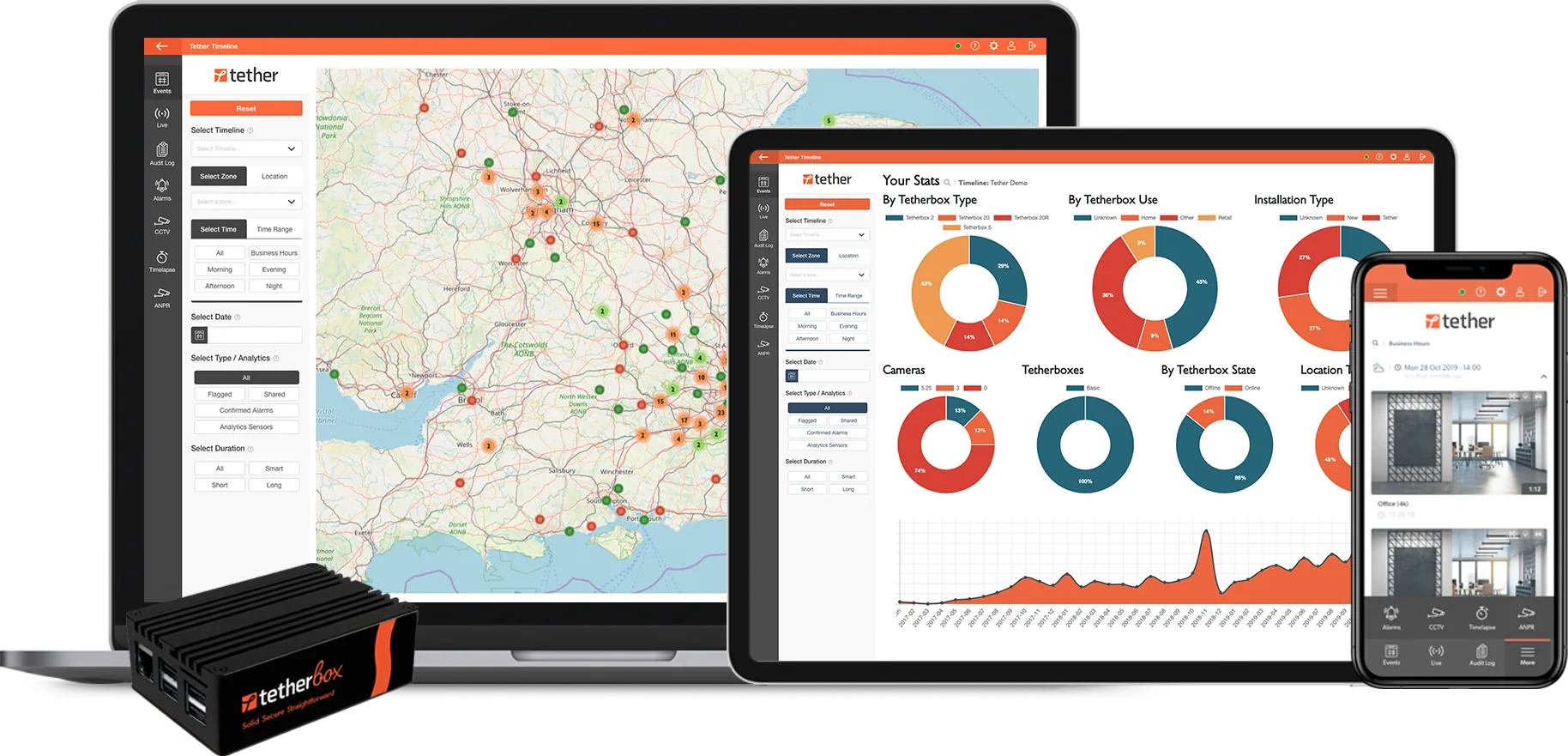
TetherX is cloud-native from the start: cloud recording is an optional per-camera service that records directly to the cloud, with optional TetherBox edge-recording for sites with patchy connectivity. The same platform handles single-site, multi-site, multi-tenant - one architecture, not "NAS plus backup overlay".

The product itself is reasonably hardened. A search of cve.org for "Synology Surveillance" returned 25 records (May 2026); all 25 require an authenticated user. The procurement-relevant exposure is the DSM host operating system, not Surveillance Station: Synology DSM has been picked at Pwn2Own for pre-authenticated remote code execution chains in successive years (2024 DSM Photos chain is the most-cited example). If the NAS is compromised, the recordings on it are too.

Historical NAS-level events: SynoLocker (2014) ransomware mass-encrypted DiskStation drives; CVE-2025-13392 (DSM SSO bypass, disclosed May 2026) sat on the DSM host side. None of these are Surveillance Station bugs - they are reasons the recording surface should not be the only copy. TetherX cloud retention is the off-site, off-NAS layer that survives a local DSM compromise. See NDAA Section 889 for the broader compliance ringfence pattern.

Synology ships dedicated DVA-series NVR appliances (DVA1622, DVA3221) with on-device Deep Video Analytics - face recognition, people counting, intrusion detection, advanced object detection. Basic motion detection is free on any NAS; DVA requires the dedicated hardware or a paid DVA module. DVA-series free-camera slots are higher than standard NAS - 8 free slots vs 2. In September 2025 the r/synology community used the word "abandoned" about the DVA NVR product line (KermitFrog647 verbatim). Synology has not formally EOL'd the line and DVA1622 / DVA3221 remain on sale; the underlying signal is a slowed model-release cadence rather than a formal end-of-life. Worth tracking at refresh. TetherX runs AI search in the cloud or on TetherBox - no dedicated AI NVR purchase required, and product-line refresh cadence is on the SaaS side rather than on a hardware appliance the customer has bought.

Out of the box DS cam (the Synology mobile app for Surveillance Station) connects to the NAS through Synology QuickConnect, a vendor-hosted relay service. Synology's own support reply in their community forum is verbatim: "QuickConnect usually involves a relay service that can cause potential latency. On the other hand, port forwarding would build a direct connection between DS cam and Surveillance Station which may be better for latency-concerned environments." Field reports on r/synology describe 20-30 second buffer / connect times on live view through QuickConnect. The product is built with the assumption that the customer (or installer) will set up DDNS plus inbound port forwarding on the customer router so DS cam reaches the NAS directly, with QuickConnect as the temporary fallback while that is being configured.

The problem is that in many real environments port forwarding is not available - either technically or by policy:

CGNAT. Starlink, mobile broadband, most ISP-managed routers, and many corporate WANs share a single public IPv4 address across many customers (Carrier-Grade NAT). There is no public IP to forward a port to. Verbatim r/synology user: "I cannot figure out how to get DDNS to work because I have Starlink which uses CGNAT and doesn't have an accessible external IP address."

Corporate IT policy. Most managed network environments operating under PCI-DSS, ISO 27001, NIS2, NIST 800-53, IRAP / Essential Eight or equivalent will forbid an inbound port forward on the perimeter firewall as part of "default deny inbound" baseline controls. The integrator can explain QuickConnect is slow until port forwarding is set up; the IT director can equally explain port forwarding is never going to be set up.

Net result: in a meaningful share of real deployments, the QuickConnect vendor-relay is not a temporary state until port forwarding is configured - it is the permanent state, and the 20-30 second buffer is the permanent live-view experience.

TetherX uses an outbound-only connection from the customer site to TetherX cloud (the customer's router initiates the connection, no inbound port needed), which works through CGNAT and inside default-deny corporate firewalls without an exception, and live view does not depend on a vendor relay queue.

The honest comparison set is not just Surveillance Station. The decision typically lands between (a) staying on Synology and absorbing the license stack, (b) moving to a closed-ecosystem cloud like Verkada or Rhombus, (c) moving to an open cloud like Eagle Eye / Brivo or TetherX. Closed ecosystems rip-and-replace the camera fleet. TetherX keeps the existing fleet (the ONVIF cameras already on Surveillance Station included) and gives the integrator the channel margin instead of selling around them. See the best VSaaS providers shortlist for the full open-vs-closed split.

Yes. 30-day free trial through an integrator partner with a TetherBox, full platform access, can run alongside an existing Surveillance Station install for direct comparison. Extensions on request.
COMPANY HISTORY

Synology: Taiwan NAS giant, Surveillance Station as a DSM app

Synology Inc. (群暉科技股份有限公司) was founded in January 2000 in Taiwan by Cheen Liao and Philip Wong, both former Microsoft Taiwan / Microsoft Exchange engineers. First NAS shipped 2004 (DS-101). Headquartered in Far Eastern Telecom Park (Tpark), Banqiao District, New Taipei City. Subsidiaries: Synology America Corp (US), Synology France SARL, Synology GmbH (Germany), Synology UK Ltd. Privately held - revenue passed NT$10B by 2014, estimated NT$4.2B profit 2018 (Commonwealth Magazine via Wikipedia). Approximately 600 staff at Taiwan offices as of 2017; current company-wide headcount undisclosed.

Surveillance Station is the video-surveillance application that ships as a free package inside DSM (DiskStation Manager) - Synology's Linux-based NAS operating system. It does not run on third-party hardware: only Synology NAS / FlashStation / RackStation / DVA NVR appliances. Marketing claim: 13 million+ installations; camera-compatibility claim ranges 8,300 - 17,000 models depending on the page.

Procurement-relevant points: Synology is private (not on TPE, despite occasional confusion with similarly-named Taiwanese firms), Taiwan jurisdiction (not on Section 889 covered-entity list), 25 Surveillance Station CVEs all authenticated, DSM host carries the annual Pwn2Own RCE chain risk. The Glassdoor employer profile (May 2026) is 3.3 / 5 across 314 reviews with senior management 2.6 - the lowest sub-score in the IT industry comparison band.

The manufacturer's site is the authoritative source for current product status. The DVA AI NVR product line's future is the open question; the broader NAS + DSM business is healthy.


Want this at your site?

Get a quote from a certified TetherX installer. We will match you with a local partner who knows your area and your needs.

Certified Installers
Local to You
No Obligation
Prefer to browse partners first? See our partner directory →

Still have questions about license stacking, cloud retention or DVA migration?

Try TetherX free for 30 days

Run TetherX alongside an existing Surveillance Station install. Trial extensions on request.

Start Free Trial

Across the partner network

TetherX partners hold the accreditations security-procurement buyers and insurers filter on. Coverage varies by partner.

NSI 9 ISO 9001 7 SSAIB 5 SafeContractor 5 BAFE 4 CHAS 4 ConstructionLine 4 Cyber Essentials 3 NICEIC 2 ISO 14001 2 ISO 27001 1

Counts reflect partners currently in the TetherX directory holding each accreditation.

Anything wrong on the Synology Surveillance Station comparison?

Flag an inaccuracy, an outdated fact, or a missing nuance on the Synology Surveillance Station page. We update the per-vendor pages and the /compare hub from this inbox - real reply, real human.

Please tell us what to call you.
Please enter your email address.
Please tell us what to fix or add.
Please complete the reCAPTCHA verification.

We reply within 1 business day. No newsletter, no follow-up sequence.

[1] About this comparison. Information about other vendors is drawn from their public product pages, datasheets, integrator forums (Reddit, vendor user groups), public CVE databases (NVD, CISA), publicly-listed LinkedIn company pages (headcount, headquarters, founding year, leadership transitions and corporate ownership signals) and customer conversations - accurate to the best of our knowledge as of Q2 2026. Pricing, features, security posture and policies change. A vendor may have shipped a fix, dropped a price, added a region or changed an architecture since this page was last reviewed.

If you believe anything here is inaccurate or out of date, please contact us and we will review and correct it. Trademarks and product names belong to their respective owners and are referenced here for identification only.

30 days free. No card. Talk to a local installer.