Cloud Video for the Paxton Net2 Doors You Already Fit
Keep installing Paxton Net2 and bring the camera footage with it. TetherX integrates Net2 access control into the same cloud VMS that runs your CCTV - every door event paired with live and recorded video, doors unlocked remotely, Net2 users managed across every site from one platform. Channel-only, no rip-and-replace, recurring margin on work you already win.
- Every Net2 door event paired with the matching camera footage
- Remote door unlock and Net2 user management across every site
- Channel-only - we never sell direct, the account stays yours
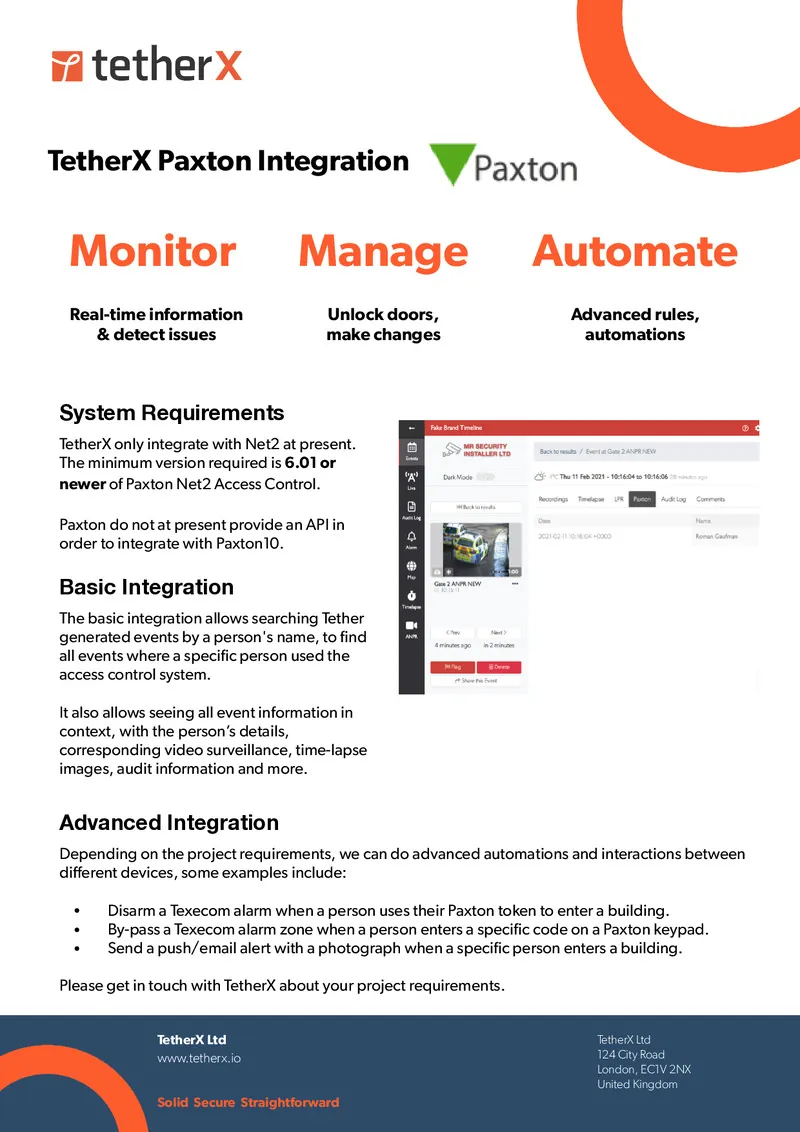
Every Net2 Door Event, With the Footage Attached
Most access control runs in its own app, cut off from the CCTV. TetherX makes Paxton Net2 a first-class part of the same cloud VMS - monitoring, management and automation in one place.
Video-Verified Monitoring
Real-time door events - granted, denied, forced open - each paired automatically with footage from the camera you assign to that door. Confirm who used a credential, spot tailgating on one swipe, pull video evidence beside the access log. Searchable by name across every site.
Remote Door Management
Unlock Net2 doors remotely from the web and mobile apps, and create or manage Net2 users inside TetherX. Link a TetherX user to their Paxton token once and their access travels with them across the estate - no jumping back into the Net2 client.
Cross-System Automation
Build rules that span video, access and alarms. Disarm a Texecom alarm when a specific Net2 token is presented, bypass an alarm zone from a Net2 keypad code, or send a push alert with a camera image when a named individual enters.
Try TetherX on Your Next Net2 Job
Add cloud CCTV and access on a 30-day trial. 1,000+ integrations, 15 min setup, no rip-and-replace.
- Cameras, alarms and access on one cloud VMS
- Live the same day - no rip-and-replace
- Reply within 1 business day, real engineers
Start My Free Trial
Name and email - we reply within 1 business day.
Access and Video Should Not Live in Two Apps
The Net2 client sits on a Windows PC in the comms room; the cameras live in a different VMS. To check who forced a door at 02:00 you cross-reference a timestamp between two systems by hand. TetherX removes the cross-referencing.
Recurring Margin
Every Net2 site you have installed becomes a recurring cloud VMS line. Billed per channel, quoted through you.
No Rip-and-Replace
Keep the readers, controllers and cameras on the wall. TetherX layers on top of the Net2 you already fit.
One-Click Verification
Door event and video are the same record on the same screen. Verify an incident in one click, not two logins.
We Never Sell Around You
TetherX is sold only through authorised installers and distributors. The end customer comes to us and we match them back to you.
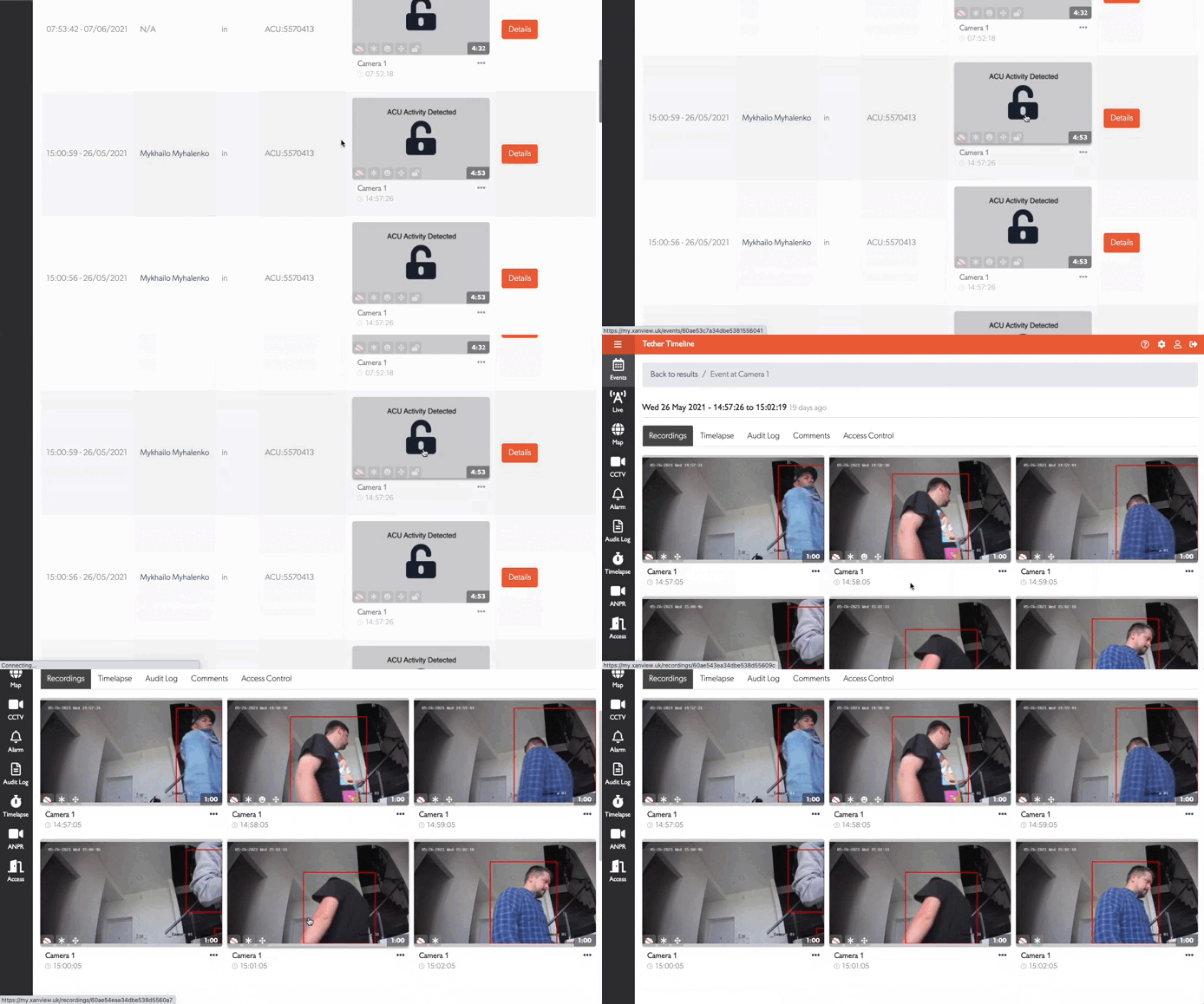
The Door Event and the Footage, Side by Side
Click any Net2 access event and the matching camera footage plays beside it. The activity graph shows access frequency over time across the estate, and every event links straight to the recording - no searching by timestamp.
What You Need to Connect Net2
A standard Net2 install plus the free TetherX licence. No new controllers, no firmware swap.
Net2 v6.01 or Later
Paxton Net2 Access Control software version 6.01 or newer, running as normal on its Windows server.
TetherBox On Site
A TetherBox with network access to the Net2 server PC. Local-first recording for the cameras, cloud reach for the doors.
Install the TetherX Licence
Drop the free TetherX licence file into the Net2 ApiLicences folder and run the Net2 Nginx service. A few minutes on the server.
Assign a Camera Per Door
Point any ONVIF camera with a view of the door at its access control unit for automatic video verification on every event.
Note: Paxton10 does not offer a third-party API, so only Net2 (v6.01+) can be integrated.
The cameras and the Net2 doors should live in the same cloud VMS.
Keep the Paxton Net2 hardware you trust. Add cloud video verification, remote unlock and cross-site user management - and a recurring revenue line - without ripping anything out.
Channel-only. Add cloud video to the Net2 doors you already fit.
Running Paxton Net2 at Your Own Site?
Tell us about your doors and cameras and we'll match you to a certified TetherX installer in your area who can scope the Net2 cloud video integration. No obligation, no pushy sales.

