
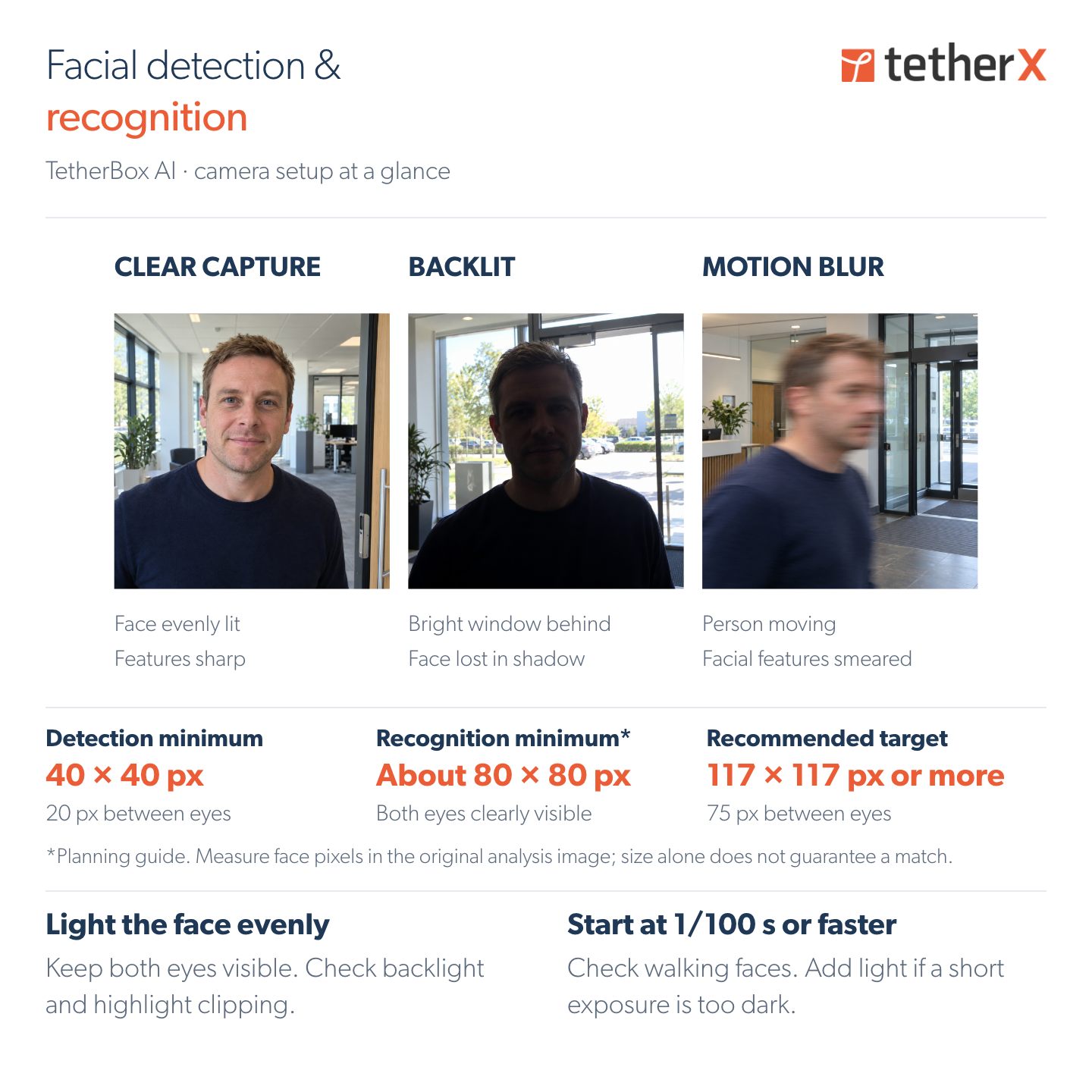
When using TetherBox AI for facial detection and recognition, we recommend starting with camera positioning, lighting and exposure. Test the setup with someone walking through the capture point:
- Position for the face. Choose an entrance or approach where people naturally face the camera. Keep both eyes visible and use the lens to put useful detail on the face. A dedicated entrance view can work alongside an overview camera.
- Light the face evenly. A bright window behind someone can leave their features in shadow. Check the face itself, including the eyes, and adjust lighting and exposure around it.
- Keep moving faces sharp. Start at 1/100 s or faster, then check walking faces and adjust. If the image becomes too dark, add light. Slowing the shutter can bring the blur back.
Check the original image used for analysis, including focus and compression. Digital zoom cannot restore detail the camera did not capture.
Repeat the walk in daylight, backlight and the intended after-dark lighting. The current trial skips infrared frames, so after-dark recognition needs suitable visible light and a usable colour image. Use clear reference photos and review suggested matches.
Facial recognition is currently an experimental, opt-in TetherBox AI feature. It requires compatible GPU or NPU hardware and the correct camera configuration. Contact TetherX Support to arrange a trial.
Full camera setup guide: https://app.timeline.is/help/tetherboxes/facial-recognition

Leave a Comment